EducationSoftwareStrategy.com
StrategyCommunity

Knowledge Base

Product

Community

Knowledge Base

TopicsBrowse ArticlesDeveloper Zone

Product

Download SoftwareProduct DocumentationSecurity Hub

Education

Tutorial VideosSolution GalleryEducation courses

Community

GuidelinesGrandmastersEvents
x_social-icon_white.svglinkedin_social-icon_white.svg
Strategy logoCommunity

© Strategy Inc. All Rights Reserved.

LegalTerms of UsePrivacy Policy
  1. Home
  2. Topics

KB440685: Error "MicroStrategy 10 Analytics Desktop Files has  stopped working" occurs when launching MicroStrategy Desktop


Community Admin

• Strategy


SYMPTOMS
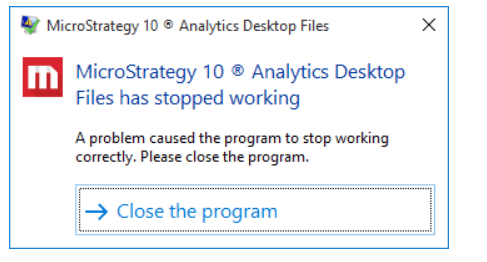
A user encounters the below error when trying to launch Strategy Desktop on windows 10.
Previously the Desktop was working normally on the same machine and there is no environment changes. Restarting Windows OS does not resolve the issue.
ka04W00000148PGQAY_0EM44000000WRwA.png

Error message:
Strategy 10 Analytics Desktop Files has  stopped working. 
A problem caused the program to stop working correctly. Please close the program.
ACTION
The possible workaround is to clear cache files for Strategy Desktop application: 
1. Stop desktop. 
2. Browse to C:\Users\<user account>\AppData\Roaming\Strategy
3. Delete all content of this folder
4. Right mouse click on the Strategy Desktop icon, choose "Run as administrator".


Comment

0 comments

Details

Knowledge Article

Published:

June 12, 2018

Last Updated:

June 12, 2018