EducationSoftwareStrategy.com
StrategyCommunity

Knowledge Base

Product

Community

Knowledge Base

TopicsBrowse ArticlesDeveloper Zone

Product

Download SoftwareProduct DocumentationSecurity Hub

Education

Tutorial VideosSolution GalleryEducation courses

Community

GuidelinesGrandmastersEvents
x_social-icon_white.svglinkedin_social-icon_white.svg
Strategy logoCommunity

© Strategy Inc. All Rights Reserved.

LegalTerms of UsePrivacy Policy
  1. Home
  2. Topics

KB442484: Error "The key is already associated with an element of this collection" appears when clicking on subscriptions from Developer


Nadirah Abdus-Sabur

Support Engineer • Strategy


When clicking on subscriptions from the Configuration Managers in Developer, the Error message "The key is already associated with an element of this collection" appears

SYMPTOM

From Developer, click on the administration tab. Under Configuration Managers select Subscriptions. The Error " The key is already associated with an element of this collection" appears.
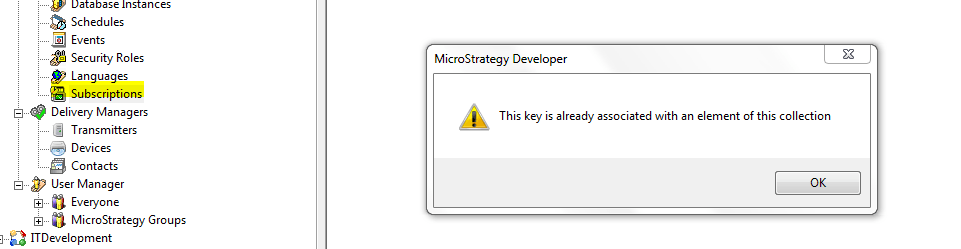
ka04W000001IvCwQAK_0EM44000000RbtC.png

CAUSE

This is a known Defect. Some duplicated children instances of a subscription exists in the Metadata. While Web and Command Manager are not affected by the duplicate, Developer cannot handle the duplicated instance well. 

Workarounds

Workarounds to view the subscriptions:

  1. Clicking on the My Subscriptions link in Strategy Web.
  2. Using the LIST ALL SUBSCRIPTIONS FOR PROJECT "<project_name>" outline in Strategy Command Manager.


ACTION:
Changes made into Strategy build 11.1 to prevent this error. Please upgrade to take this version to advantage of a fix.


Comment

0 comments

Details

Knowledge Article

Published:

December 28, 2018

Last Updated:

December 28, 2018