EducationSoftwareStrategy.com
StrategyCommunity

Knowledge Base

Product

Community

Knowledge Base

TopicsBrowse ArticlesDeveloper Zone

Product

Download SoftwareProduct DocumentationSecurity Hub

Education

Tutorial VideosSolution GalleryEducation courses

Community

GuidelinesGrandmastersEvents
x_social-icon_white.svglinkedin_social-icon_white.svg
Strategy logoCommunity

© Strategy Inc. All Rights Reserved.

LegalTerms of UsePrivacy Policy
  1. Home
  2. Topics

KB441887: Error "Unable to resolve project name" when trying to create a new data load in MicroStrategy 10.11


Mateus Salmeron

Senior Support Engineer • MicroStrategy


Content
When trying to create a new data load in Strategy 10.11, the error message "Unable to resolve project name" appears.
SYMPTOM
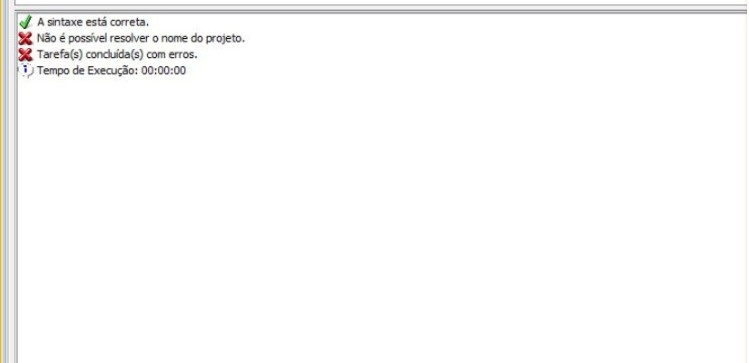
When you try to create a new data load, the error message "Unable to resolve project name" as seen in the image below:
ka02R000000kVDhQAM_0EM44000000RBHN.jpeg

CAUSE
The cause of the issue is that Enterprise Manager is not able to resolve the host name.
ACTION
When creating the new data load, use your server IP address instead of it's host name, the syntax should look like this:
START MONITORING SERVER "IP_ADDRESS" IN PORT 34952 USING USERNAME "administrator" PASSWORD "XXXX" FOR ENTERPRISE MANAGER "IP_ADDRESS" IN PORT 9999


Comment

0 comments

Details

Knowledge Article

Published:

September 24, 2018

Last Updated:

September 24, 2018