SYMPTOM: In Strategy Web 10.9 when using a custom data connector with a HTTPS connection and importing a CSV, JSON, Excel format or FORMAT_JSON file
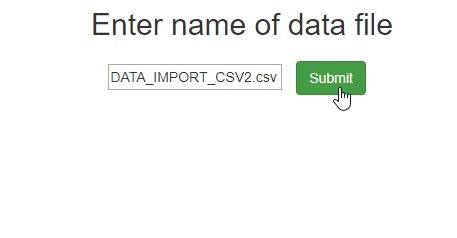
the following error occurs:
TABLENAME={RawDataCsv};GENERICPARA={{"versionNo":"1.0","connectionName":"RawDataFiles",
"connectionData":{"file":"DATA_IMPORT_CSV2.csv"},"tableList":[{"tableName":"RawDataCsv"}]}};
Error in importing file. Check the file to import. [Get data failed. Error in importing files.
Please check the file to import. Error type: Data Import Error. No data was loaded. Node JS
command may exit unexpectedly.]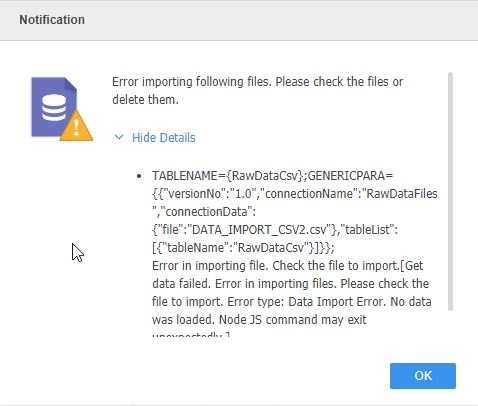
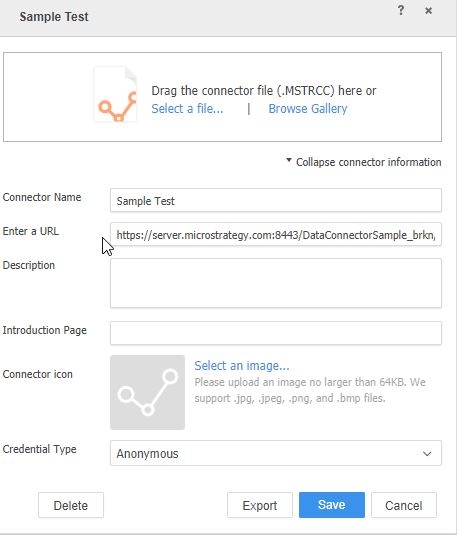
CAUSE: One possible cause is using an HTTPS URL in the custom data connector definition. In the following test, SSL was setup for the JSP environment:
https://server.Strategy.com:8443/DataConnectorSample/index.htmlas seen in the screenshot below.
ACTION: This issue has been logged with Strategy. Contact Strategy Technical Support for an update on the issue.
WORKAROUND: Changing the URL to the non SSL URL
http://server.Strategy.com:8080/DataConnectorSample/index.htmlwill allow the data connector to work without error.

319567
