We have a Governor Rule to control the maximum quota for each user to import data. The setting could be found in the Developer. Right-click a project, select project configuration, and then in the Governor Rules → default → Import Data, we could find the “Maximum quota per User (MB)“

This setting controls the maximum total size of all imported cubes for each user. When trying to import new data, if the total size will exceed this setting, the operation will fail with an error message prompted. The error message template is:
Unable to refresh data because user A with total space quota of B MB now has only C MB left, which is not enough to store the result of current operation. D MB is needed for this operation. Please try to remove cubes imported by you, or increase your dataset storage quota.
For example, we set the setting to 10 MB, and import a cube of 8 MB.
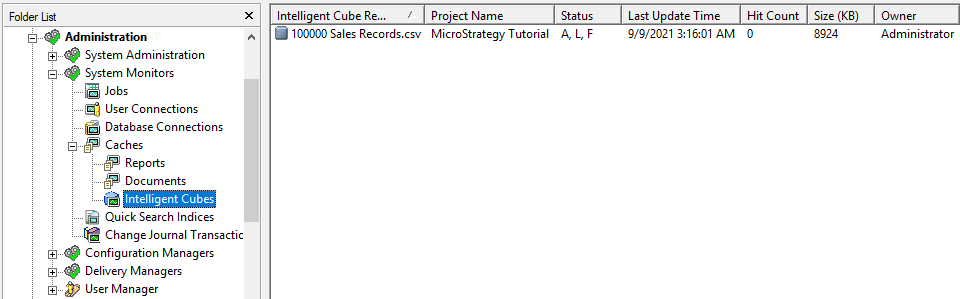
If we try to import another 8 MB cube, the operation will fail with the message “Unable to refresh data because user Administrator with total space quota of 10 MB now has only 1 MB left, which is not enough to store the result of current operation. 8 MB is needed for this operation. Please try to remove cubes imported by you, or increase your dataset storage quota.”
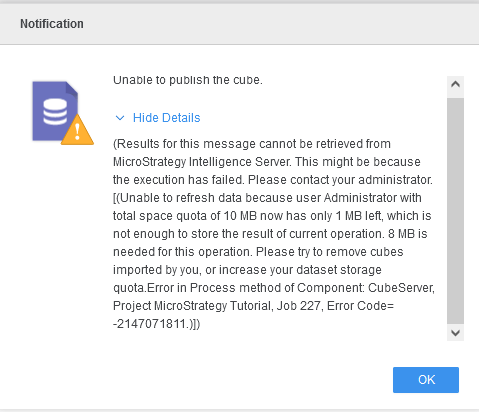
Note that the quota and spaces are actually calculated in bytes, but they are shown in MB in the error message. So the remaining space and needed space might be the same in the message since they were converted from bytes to MB.
For example, if the quota is 2 MB and the needed space is 2500KB (which exceeds 2MB), the error message will be “total space quota of 2 MB now has only 2 MB left, which is not enough to store the result of current operation. 2 MB is needed for this operation. “ This is caused by the precision loss from the unit conversion from KB to MB.

