EducationSoftwareStrategy.com
StrategyCommunity

Knowledge Base

Product

Community

Knowledge Base

TopicsBrowse ArticlesDeveloper Zone

Product

Download SoftwareProduct DocumentationSecurity Hub

Education

Tutorial VideosSolution GalleryEducation courses

Community

GuidelinesGrandmastersEvents
x_social-icon_white.svglinkedin_social-icon_white.svg
Strategy logoCommunity

© Strategy Inc. All Rights Reserved.

LegalTerms of UsePrivacy Policy
  1. Home
  2. Topics

KB485637: "Error when restoring the idToken" error appears when trying to load the Schema in Workstation 2021.


Vanessa Munoz

Cloud Support Expert I • MicroStrategy


This article describes an issue that occurs while using Workstation 2021 and which is related to the Modeling Service not being fully configured.

SYMPTOM:
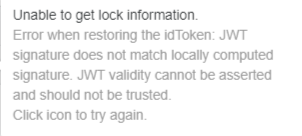
A project schema cannot be loaded in Workstation due to the following error:
ka04W000001Iwl1QAC_0EM4W000005me8g.jpeg

Unable to get lock information.
Error when restoring the idToken: JWT signature does not match locally computed signature. JWT validity cannot be asserted and should not be trusted.
CAUSE / ACTION:
The most common cause for this error to appear is that the “modelservice.identity_token.secret_key“ parameter in the modelservice.conf file does not match the value for “identityToken.secretKey“ in the Library server configOverride.properties file.
Another typical cause for this error is that Modeling server and Library server are not on the same machine. In this case, the "services.Strategy-Modeling-Service.baseURL" has to be configured in the configOverride.properties file, as follows:
services.Strategy-Modeling-Service.baseURL=http://modelingserverip:9500/


Comment

0 comments

Details

Knowledge Article

Published:

September 6, 2022

Last Updated:

September 6, 2022