EducationSoftwareStrategy.com
StrategyCommunity

Knowledge Base

Product

Community

Knowledge Base

TopicsBrowse ArticlesDeveloper Zone

Product

Download SoftwareProduct DocumentationSecurity Hub

Education

Tutorial VideosSolution GalleryEducation courses

Community

GuidelinesGrandmastersEvents
x_social-icon_white.svglinkedin_social-icon_white.svg
Strategy logoCommunity

© Strategy Inc. All Rights Reserved.

LegalTerms of UsePrivacy Policy
  1. Home
  2. Topics

KB485683: Exporting a dossier grid to Excel does not keep the expected column width


Stefanie Polleri

Senior Cloud Support Engineer III • MicroStrategy


Starting with the release of Strategy ONE (March 2024), dossiers are also known as dashboards.

Symptom


The Excel export option in Dossier is not exporting with the same look/feel of the grid visualization from a formatting perspective. The exported grid shows all columns with same width despite having the dossier grid column format set as "Fit to Content" or "Fit to Container". The expectation would be for the "Fit to Content" format setting for columns in dossier grid visualization to preserve a width fit to cell's content when exporting the grid to Excel. 
 

Steps to Reproduce

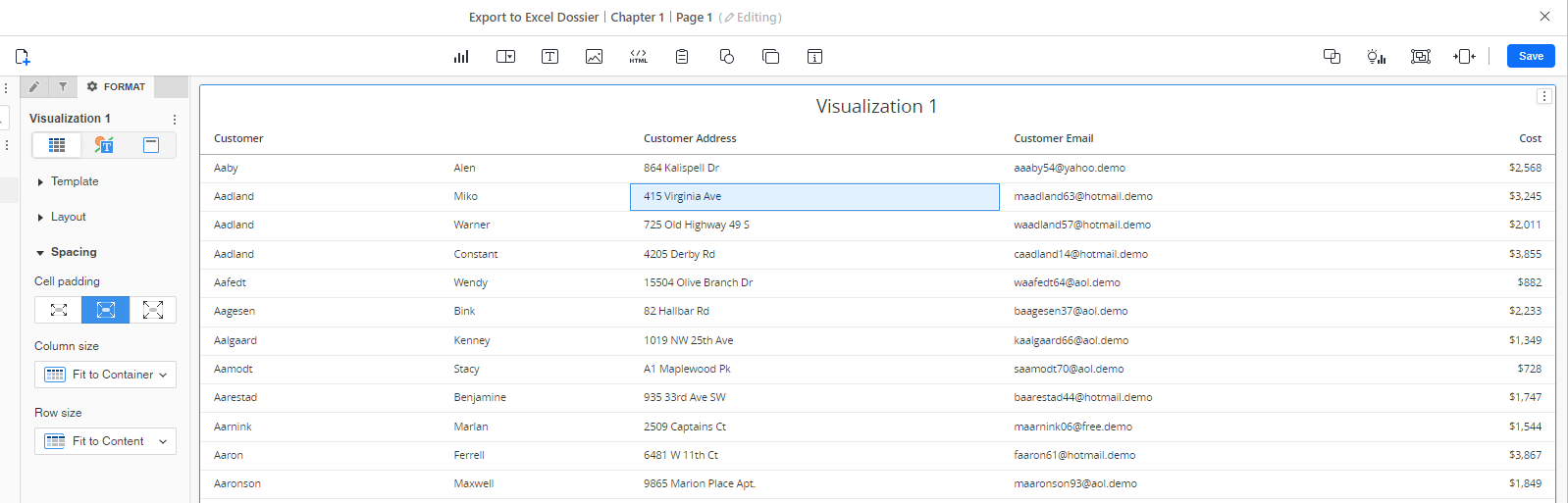
  1. Create new dossier in the out-of-the-box Tutorial Project. 
  2. Add attributes with long strings like Customer Address and Customer Email to the dataset. 
  3. Add those attributes to a grid visualization. 
  4. Configure the grid column format as "Fit to Content" or "Fit to Container". 
ka0PW0000001JjHYAU_0EM4W000005nI5N.png
  1. Export to Excel. 
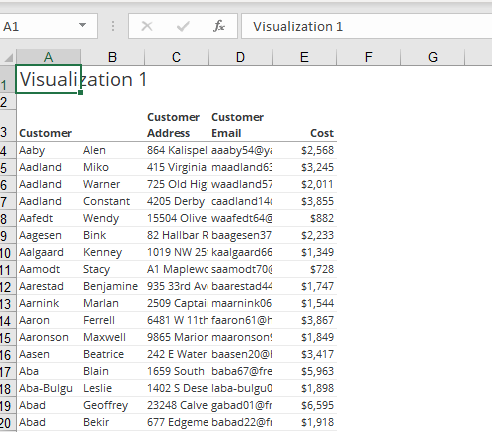
  2. The columns in the Excel file display all the same width and are not wide enough and do not display the full values of these long-string attributes. 
ka0PW0000001JjHYAU_0EM4W000005nI5O.png


Cause

For the Excel export, this seems to be a limitation on Intelligence Server export engine side, which does not support to auto-fit row header columns. As for PDF, it is using the new export engine which handles the column width. 
 

Action

This behaviour is currently under investigation, please contact Strategy Technical Support for an update on the status of this issue. 
 

Workaround


Setting the column width to a fixed value will export the grid correctly – with following manipulation: 
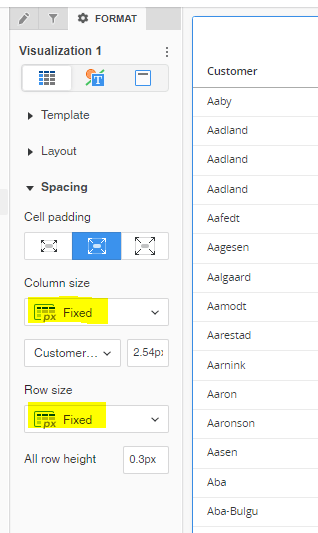
  1. Set "Fit to Content" or "Fit to Container" first (as above). 
  2. Then set to "Fixed": 
ka0PW0000001JjHYAU_0EM4W000005nI5P.png
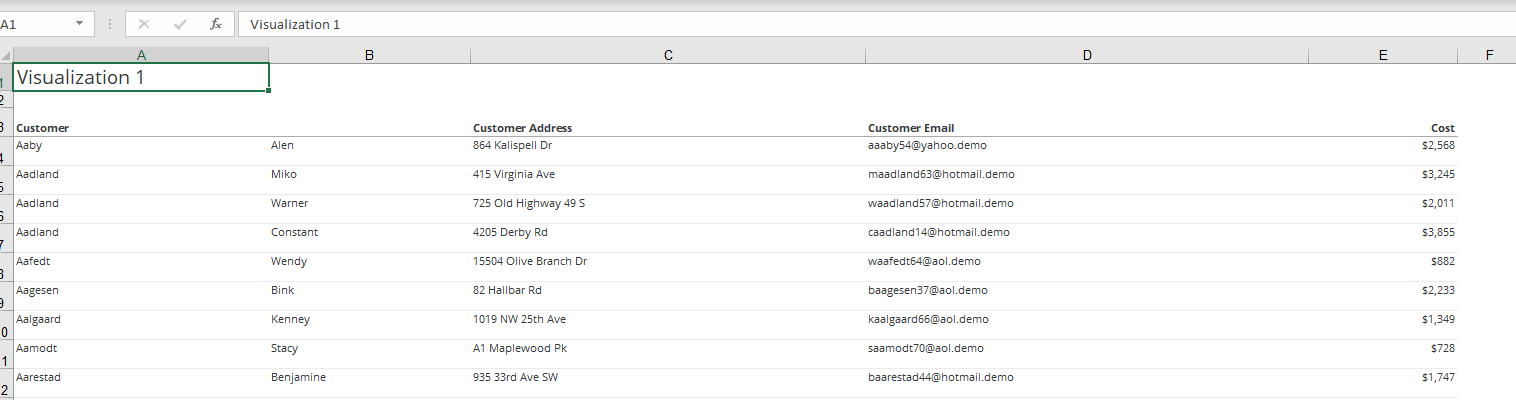
  1. Export now shows column width as expected: 
ka0PW0000001JjHYAU_0EM4W000005nI5Q.png


Comment

0 comments

Details

Knowledge Article

Published:

September 27, 2022

Last Updated:

March 21, 2024