EducationSoftwareStrategy.com
StrategyCommunity

Knowledge Base

Product

Community

Knowledge Base

TopicsBrowse ArticlesDeveloper Zone

Product

Download SoftwareProduct DocumentationSecurity Hub

Education

Tutorial VideosSolution GalleryEducation courses

Community

GuidelinesGrandmastersEvents
x_social-icon_white.svglinkedin_social-icon_white.svg
Strategy logoCommunity

© Strategy Inc. All Rights Reserved.

LegalTerms of UsePrivacy Policy
  1. Home
  2. Topics

Facebook Homepage


Stefan Zepeda

Salesforce Solutions Architect • Strategy


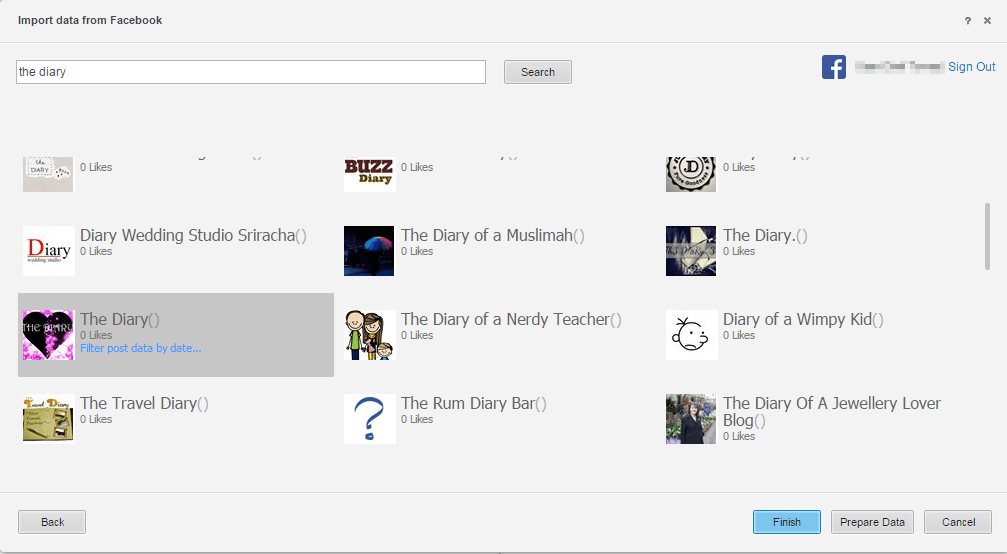
 MicroStrategy Analytics Enterprise Platform 10.x Data Import has the functionality to pull data from various new sources. Facebook is one of those sources. MicroStrategy expanded its focuses to the social media market with the social applications and has made it possible for it's users to use Facebook data. 

 Strategy Analytics Enterprise Platform 10.x Data Import has the functionality to pull data from various new sources. Facebook is one of those sources. Strategy expanded its focuses to the social media market with the social applications and has made it possible for it's users to use Facebook data. 
 

ka02R000000kcclQAA_0EM440000002IpD.png


ka02R000000kcclQAA_0EM440000002Ip3.jpeg


ka02R000000kcclQAA_0EM440000002Ip8.png


ka02R000000kcclQAA_0EM440000002Irn.png


ka02R000000kcclQAA_0EM440000002Irx.png

 You will need a Facebook Developer account to be able to use the connector. SSL is also required to import any data through Strategy Web. App ID will need to be created and after filling out App Domain using the Fully Qualified Domain Name (FQDN), you will select the platform as seen below. For step by step instructions on how to use Facebook connector via Strategy, please refer to the Knowledge Base Article KB325135
   

ka02R000000kcclQAA_0EM440000002InH.png


Comment

0 comments

Details

Knowledge Article

Published:

April 7, 2017

Last Updated:

April 7, 2017