Users may be unable to connect to IPS with the IBM Netezza 7.2.1 JDBC driver in Strategy 2019 and 2020. The following error appears when trying to connect:
"Database error <3>: JdbcConnectionWrapper::Connect failed. Disconnected. Error type: Unknown exception. Jdbc operation attempted: Connect."
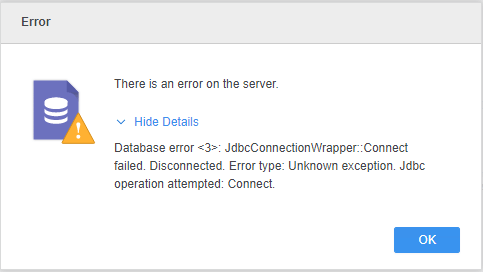
In the logs, the error reads:
2019-12-23 02:23:43.044-05:00 [HOST:IP-0AF41444][SERVER:][PID:4820][THR:6704][JdbcWrapper][Error][UID:0][SID:0][OID:0] JdbcUnknowException occur. Error Message: , Java Trace: java.lang.NullPointerException
at org.netezza.sql.NzConnection$Initializer.handshake(NzConnection.java:2163)
at org.netezza.sql.NzConnection$Initializer.init(NzConnection.java:2091)
at org.netezza.sql.NzConnection.open(NzConnection.java:298)
at org.netezza.datasource.NzDatasource.getConnection(NzDatasource.java:719)
at org.netezza.datasource.NzDatasource.getConnection(NzDatasource.java:706)
at org.netezza.Driver.connect(Driver.java:155)
at com.Strategy.database.Jdbc.JdbcConnection.createConnection(Unknown Source)
at com.Strategy.database.Jdbc.JdbcConnection.connect(Unknown Source)
The driver (release 7.2.1.9) depends on the System Property sun.java.command. However, the application is started with JNI calls without that specific system property. This is why you get an exception when establishing connection.
It's recommended that you replace the driver with a different version, preferably the IPS JDBC driver.
However, if you would like to use the driver with version 7.2.1.9, use the following workaround.
Since the error is appearing because the driver depends on the missing System Property sun.java.command, you can add the property configuration in the registry.
[HKEY_LOCAL_MACHINE\SOFTWARE\Wow6432Node\Strategy\JNI Bridge\Config for DataServices\JVM Options].
<Strategy Install Path>
\MSIReg.reg.
[HKEY_LOCAL_MACHINE\SOFTWARE\Wow6432Node\Strategy\JNI Bridge\Config for DataServices\JVM Options]
"OtherOptions"="-Drefine.verbosity=error;-Dsun.java.command=mstr".
Edit the registry file (MSIReg.reg) directory located at
/Applications/Strategy Workstation.app/Contents/Frameworks/OneTierDashboardsWindow.framework/Resources/MSIReg.reg.
