Use the following table of contents to navigate this article:
Background
In Scope
Prerequisites
Limitation-Functional
Without Parallel Hierarchy
With Parallel Hierarchy
Limitation-Performance
Without Parallel Hierarchy
With Parallel Hierarchy
Strategy reported this problem about the incorrect metric data with MDX Scope functions returned with MSTR Security Filter applied. In the cube modeling, a SCOPE was implemented in the cube on the area dimension at the federal state level, which converts some implausible values to newly calculated values. In addition, a security filter is also set for this user, which selects a subtree for the area dimension. The security filter and the SCOPE overlap in the DIM. The current where clause MDX statement couldn't get the data as expected. Generally speaking, with security filter applied at RA not on the Template, we want to show the metric value as the aggregation of elements.

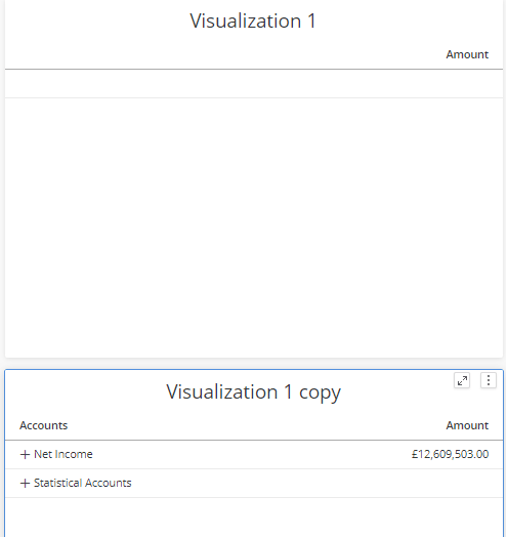
Case 1: Filtering on elements with text measure values won’t get the expected value. The Amount of Statistical Account is text value in the source side.
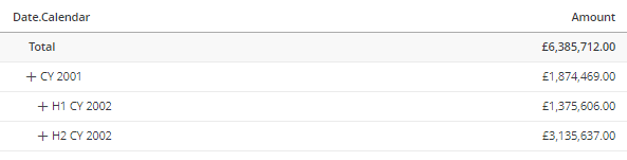
Case 2: use security filters to filtering on branches or elements from different levels. If we put the attribute on the grid, we’ll see collapsed elements comes from different levels. Example: Security filter on the branches of ‘CY 2001’, branches of ‘H1 CY 2002’, and branches of ‘H2 CY 2002’.
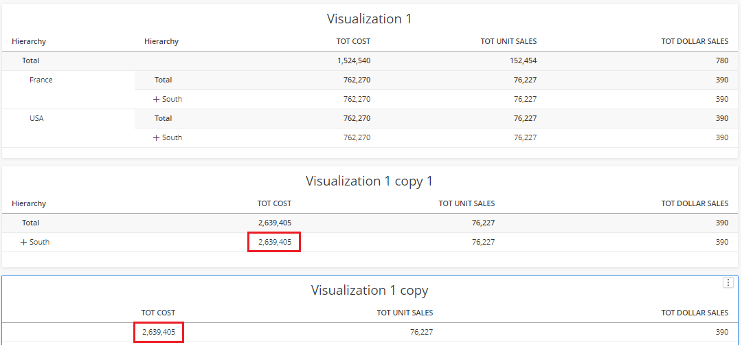
Case 3: The measure data is incorrect when aggregate top on two elements which has separate scope calculations or one element in scope and another element is out of scope. France is in Scope 1 while USA is in Scope 2.
Case 1: Subquery didn’t return expected result for cases where the parallel hierarchy is used in SCOPE. Security filter on the Product Categories hierarchy. Put one parallel hierarchy Size on the grid. The metric value is not expected. Excel has a similar result.
Case 2: Customer selects multiple branches/elements that falls into the SCOPE definition in the security filter and then put parallel hierarchies on the grid? Example: Security filter on the elements ‘Fenders’ and ‘Mountain Bikes’. Put the parallel hierarchy ‘Size’ on the grid.
Case 3: Filter on different levels with different kinds of SCOPE in source scripts Security filter on the Customer Hierarchy hierarchy. Put one parallel hierarchy CUST STATE NAME on the grid. The metric value is not expected. Excel has a similar result.
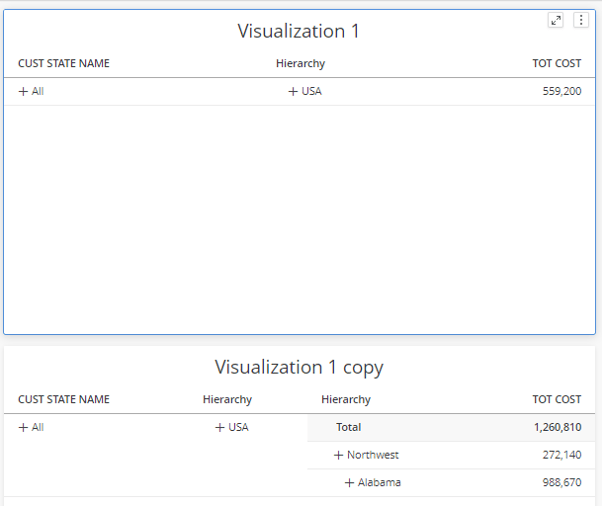
Case 4: Measures defined in cube scripts with solve_order=65535 couldn’t get the expected result Excel has a similar result. There’s one workaround to bypass this limitation, which is to modify the Solve_Order to any other smaller value.
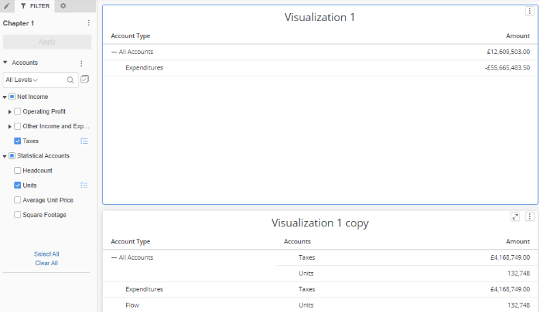
Case 5: Filter on single or multiple elements in Hierarchy used in Security Filter with other parallel hierarchy put on Grid Example: User selects Taxes and Unit in Accounts and Accounts has been used in SF. The metric value of Amount is not expected when Accounts is applied in Where clause.
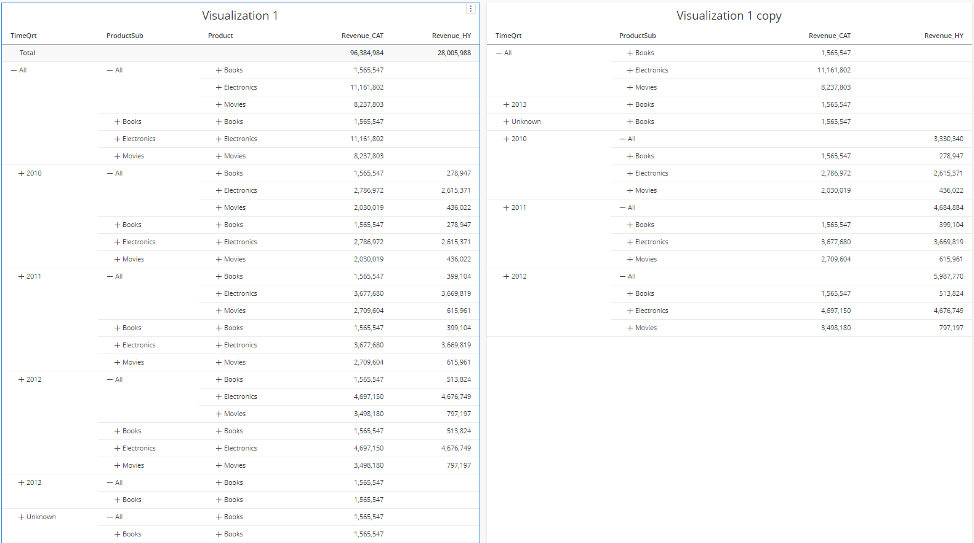
Case 6: element order is incorrect for some case when parallel hierarchy on security filter With Product defined in Security Filter, its parallel hierarchy ProductSub is put on Grid with other hierarchies and metric. No filter is applied on the hierarchy and metric. The element order is TimeQrt is incorrect. There’s one workaround to bypass this issue, which is to add a filter on any Hierarchy on Grid such as select all the branches. The element order would be correct again.
Case 7: Error "Expression cannot be resolved in the context of an arbitrary shape." happens to specific hierarchy. The hierarchies used on grid and where are parallel hierarchies with following type of shared levels:
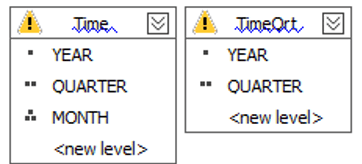
The measure 'Revenue_HY' is a calculation created in the cube script. This issue is caused by SSAS since even the same set with different kinds of expression will lead to different result. In addition, this error couldn’t be reproduced with other Cubes.
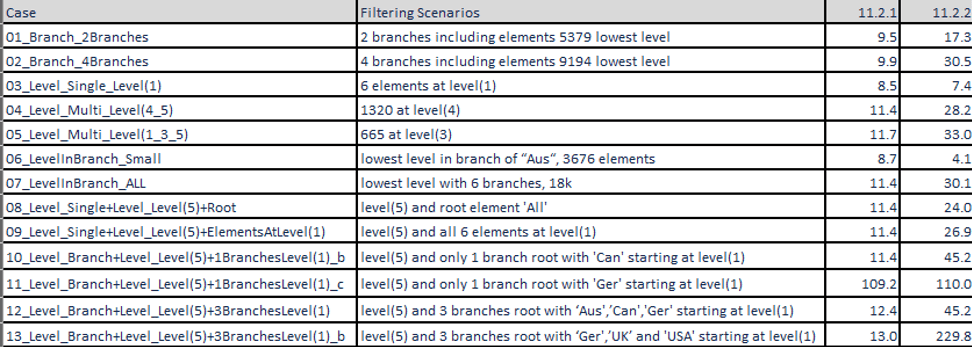
There would be performance overhead for some filtering scenarios in I-server Processing Time (s). (This is just internal test results, which different from customer's actual cube.)
Example Performance Data
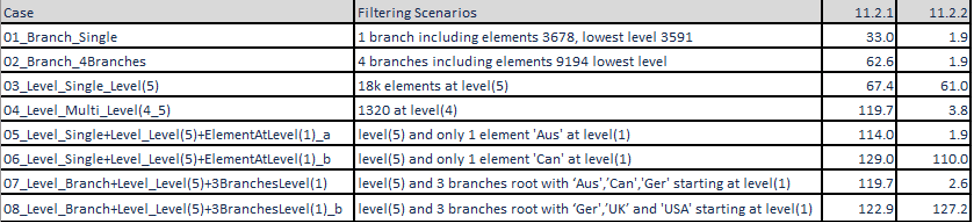
Example Performance Data