EducationSoftwareStrategy.com
StrategyCommunity

Knowledge Base

Product

Community

Knowledge Base

TopicsBrowse ArticlesDeveloper Zone

Product

Download SoftwareProduct DocumentationSecurity Hub

Education

Tutorial VideosSolution GalleryEducation courses

Community

GuidelinesGrandmastersEvents
x_social-icon_white.svglinkedin_social-icon_white.svg
Strategy logoCommunity

© Strategy Inc. All Rights Reserved.

LegalTerms of UsePrivacy Policy
  1. Home
  2. Topics

KB439665: Google/ESRI maps do not render in MicroStrategy Web 10.9 and 10.10


Community Admin

• Strategy


This Knowledge Base article describes an issue specific to touchscreen devices when ESRI or Google Maps do not render in MicroStrategy Web 10.9 and 10.10. Instead, users see a blank area.

SYMPTOM:
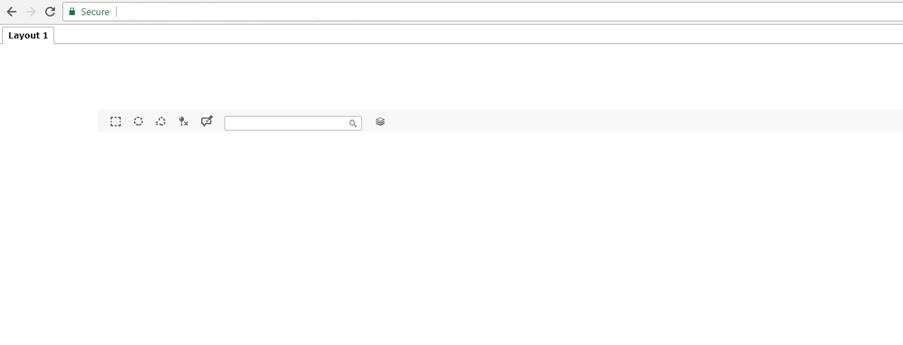
After installing/upgrading to Strategy Web 10.9 or 10.10, users start seeing a blank area where there is a Google/ESRI Map in Report Services Documents when using a Touchscreen device. 
ka04W000000ObCXQA0_0EM44000000YSEt.jpeg

CAUSE:
This is an identified defect in Strategy Web 10.9 and 10.10. It happens because the application is not loading the javascript file that handles the touchscreen events.
ACTION:
Currently this issue is being reviewed by Strategy for a potential code fix on an upcoming Strategy release.
WORKAROUND:
Follow the next steps to fix the issue in Strategy Web 10.9 and 10.10:

  1. Navigate to <Web Installation Folder>\jsp\ if using JSP or  <Web Installation Folder>\asp\  if using ASPx and open the file OIVM_Content_Core
  2. Search for the following line:  


<!--  Custom format feature -->
<web:resource type="javascript" name="libraries/ssf.js"/>

       3. Add the following content bellow the line in step 2:                 

<!-- Custom format feature --> 
<web:resource type="javascript" name="libraries/ssf.js"/>

<!-- Support touch events in Web-->
<web:resource type="javascript" name="libraries/hammer.min.js"/>

       4. Save the file and restart the Web Application server.
          
 See an Out Of the Box File with the modifications attached.
The Strategy Internal Reference Number for this issue is:
  KB439665


Comment

0 comments

Details

Knowledge Article

Published:

February 26, 2018

Last Updated:

January 4, 2019