Starting with the release of Strategy ONE (March 2024), dossiers are also known as dashboards.
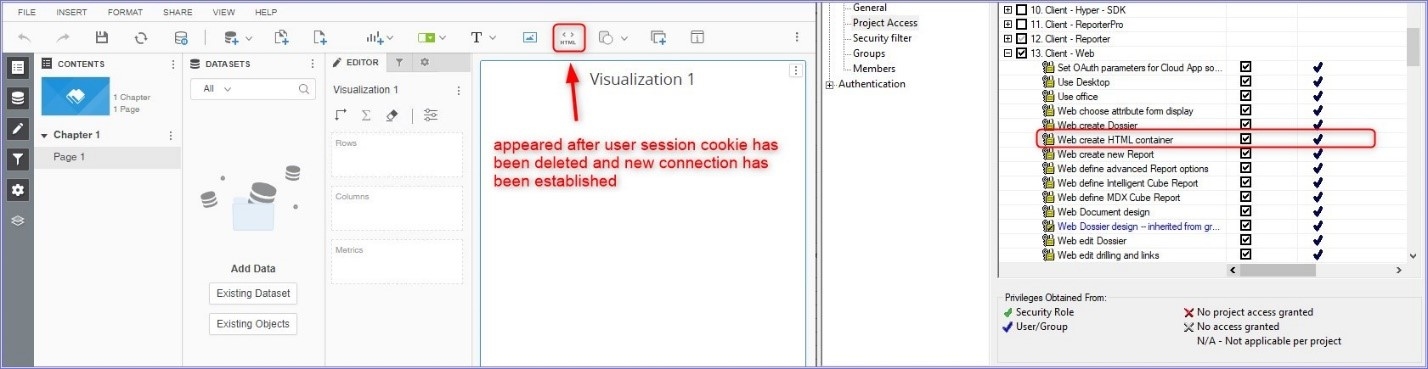
After Granting/Revoking the privilege "Create HTML container" to/from a user, the change is not applied in Strategy Web and user can still add the HTML container (or cannot add, depending on the setting before the change) to a Dossier.
The change is not reflected because this information is stored in users session cookie in Web Browser, which is not deleted upon refreshing the page.
Deleting the session cookie (for example by exiting the browser and opening it again) enforces new session and resolves the issue.
If the change needs to be implemented to all end-users, restarting Tomcat server will automatically invalidate all existing user sessions and will result in the changes being applied after re-connecting to Strategy Web.
1. User without the privilege "Create HTML container" does not see the "Create HTML container" button when creating a dossier
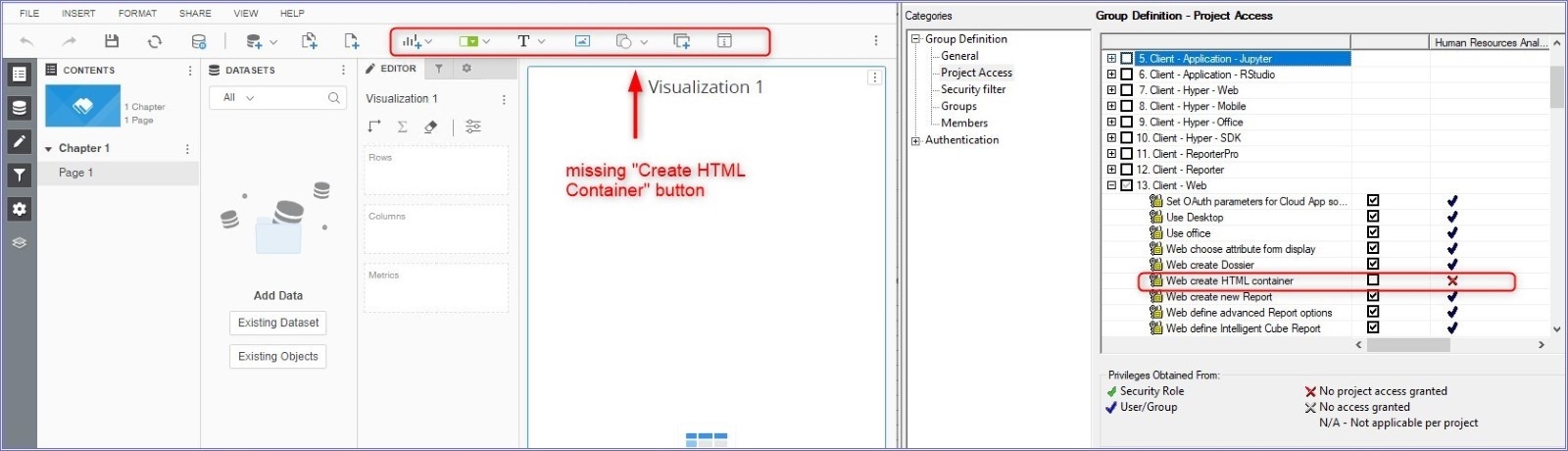
2. After granting the user "Create HTML Container" Privilege and refreshing Strategy Web, the button is still not visible
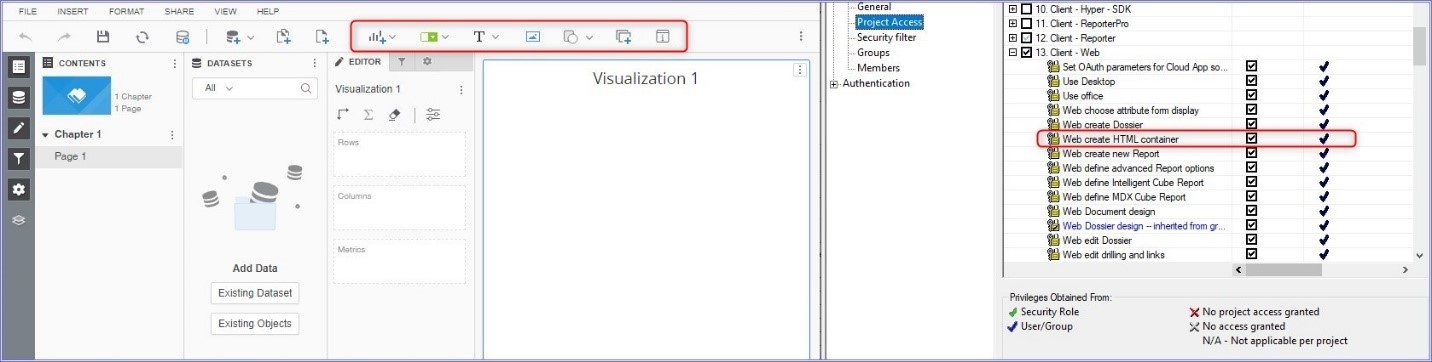
3. After Closing Web browser (all open tabs) OR restarting Tomcat, the changes are applied: