EducationSoftwareStrategy.com
StrategyCommunity

Knowledge Base

Product

Community

Knowledge Base

TopicsBrowse ArticlesDeveloper Zone

Product

Download SoftwareProduct DocumentationSecurity Hub

Education

Tutorial VideosSolution GalleryEducation courses

Community

GuidelinesGrandmastersEvents
x_social-icon_white.svglinkedin_social-icon_white.svg
Strategy logoCommunity

© Strategy Inc. All Rights Reserved.

LegalTerms of UsePrivacy Policy
  1. Home
  2. Topics

KB440442: Grid Export to excel in a document displays 2 extra blank rows in the excel after exporting from a Report Service Document


Community Admin

• Strategy


This Knowledge Base article describes how when exporting a Report Service Document to excel users will find two extra rows and the confirmed designed functionality MicroStrategy has implemented.

SYMPTOM
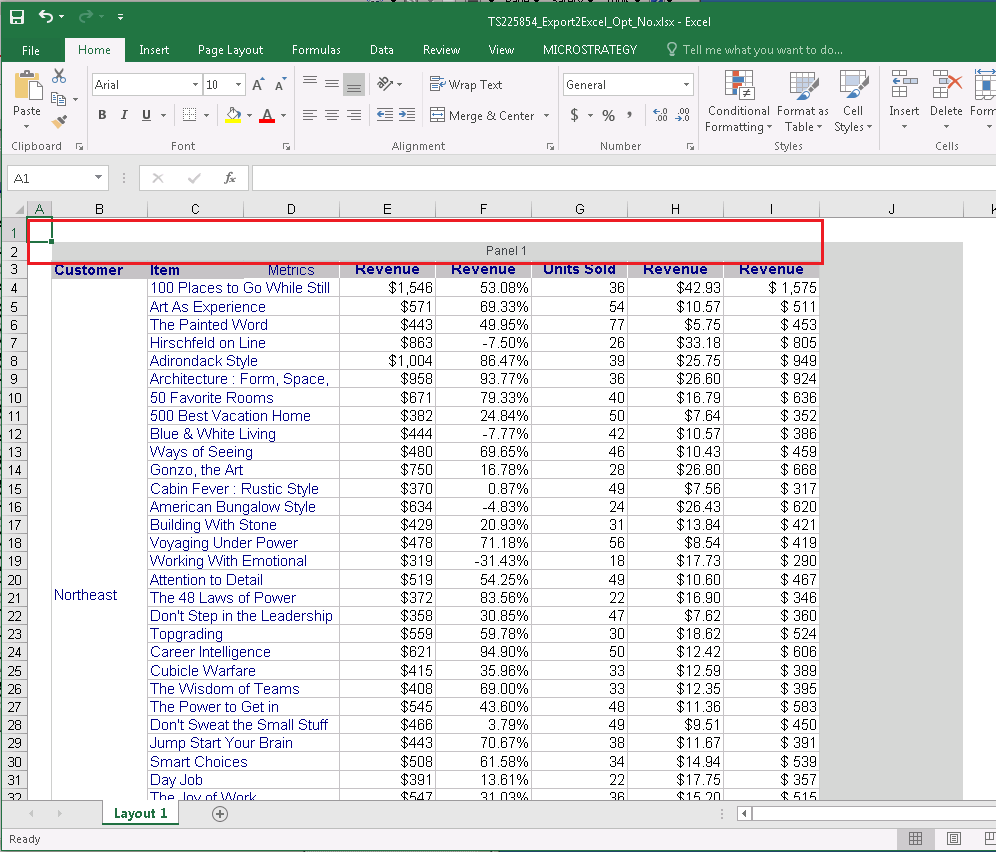
When exporting a panel into a Report service document users will find two blank rows in their excel document as demonstrated below:
ka04W000000Ob8rQAC_0EM44000000A6Ym.png

STEPS TO REPRODUCE
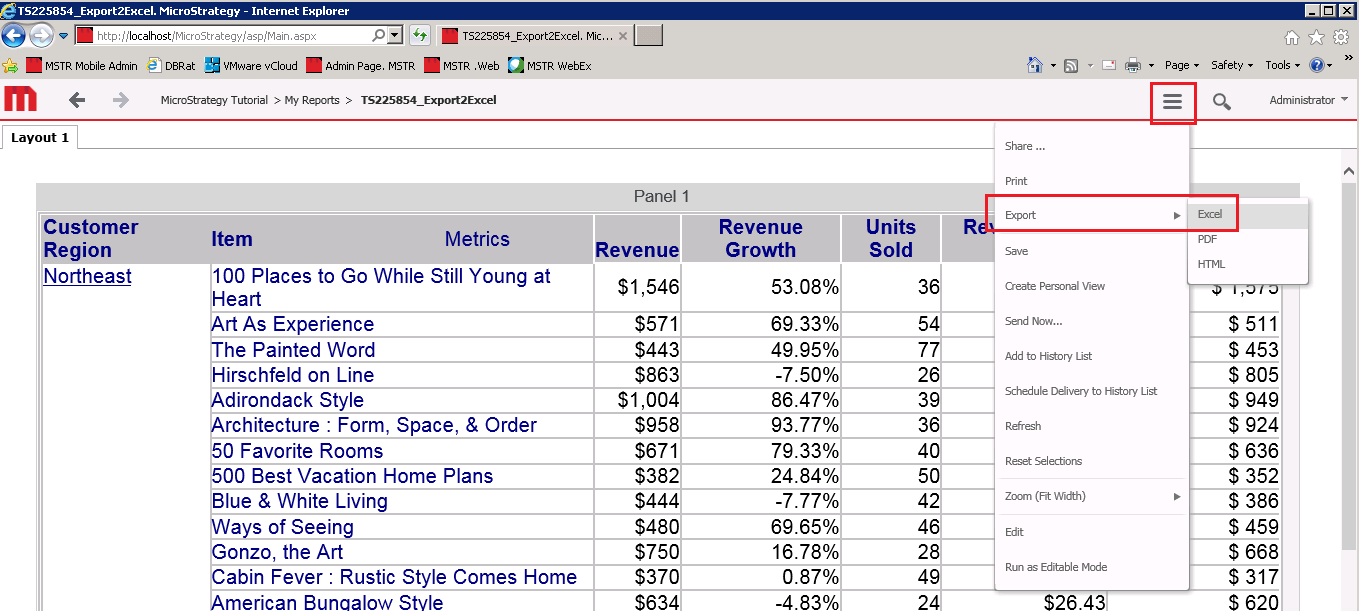
In a report Service document turn on the export functionality for a panel as shown below:

ka04W000000Ob8rQAC_0EM44000000A6Yw.png

Press export to excel as demonstrated below:
ka04W000000Ob8rQAC_0EM44000000A6Z1.png

You will find the blank rows as demonstrated in the symptoms section.
ACTION
This is an intended formating functionality of Strategy and there is currently no plans on altering the export feature to introduce removing or altering these blank rows.
WORKAROUND
By  creating a document from the grid report it will export with no blank rows.
  KB440442


Comment

0 comments

Details

Knowledge Article

Published:

March 29, 2018

Last Updated:

January 3, 2019