SYMPTOM:
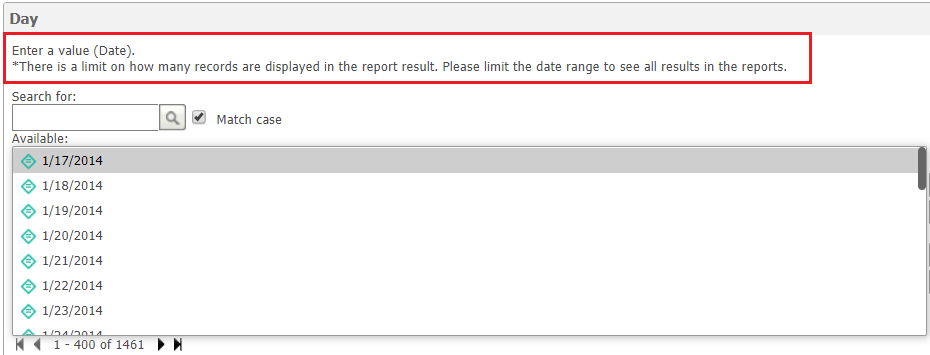
In Strategy Web, users can use HTML tags to achieve the desired look and feel for certain objects. In Strategy Web 2019, the below HTML tag used to change the font color of prompt instructions does not apply. Instead, the font remains black as seen below.
<br><font color="red">*There is a limit on how many records are displayed in the report result. Please limit the date range to see all results in the reports.</font>.
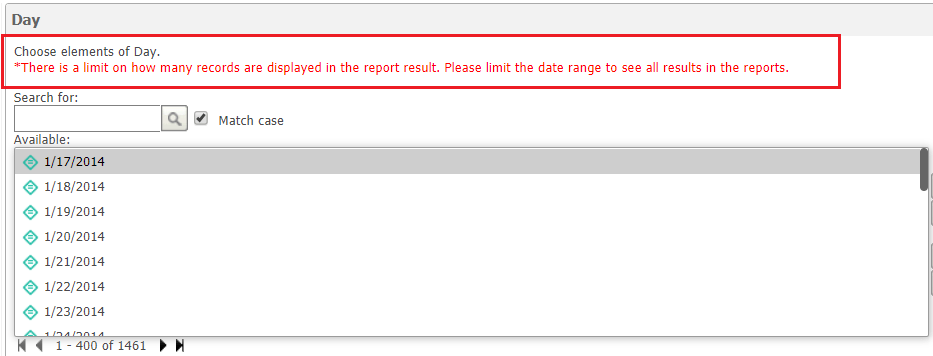
In previous versions of Strategy Web, the same HTML tag changed the font color to red as expected and seen below.
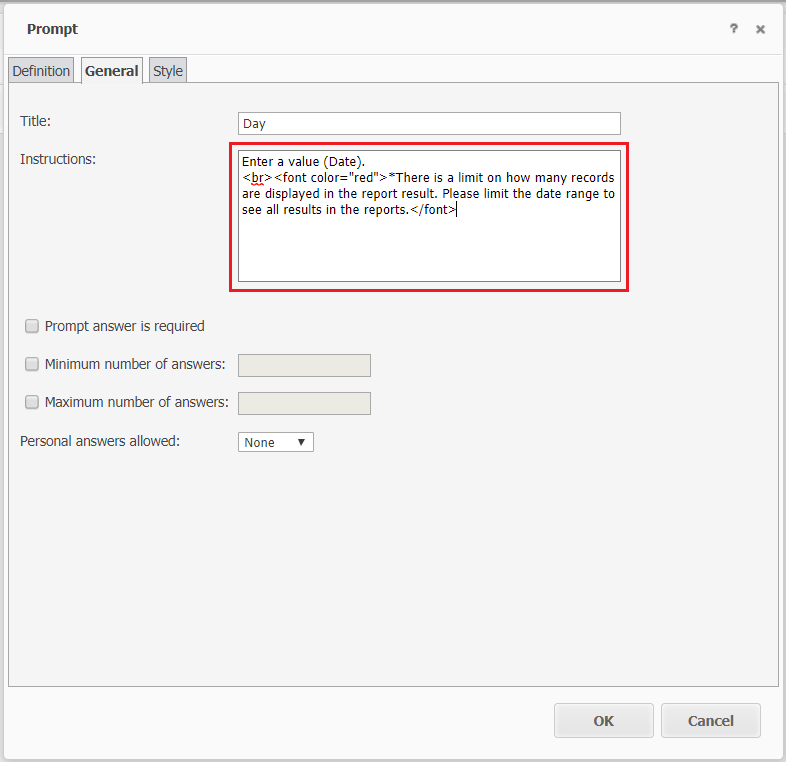
STEPS TO REPRODUCE:
<br><font color="red">*There is a limit on how many records are displayed in the report result. Please limit the date range to see all results in the reports.</font>.
CAUSE:
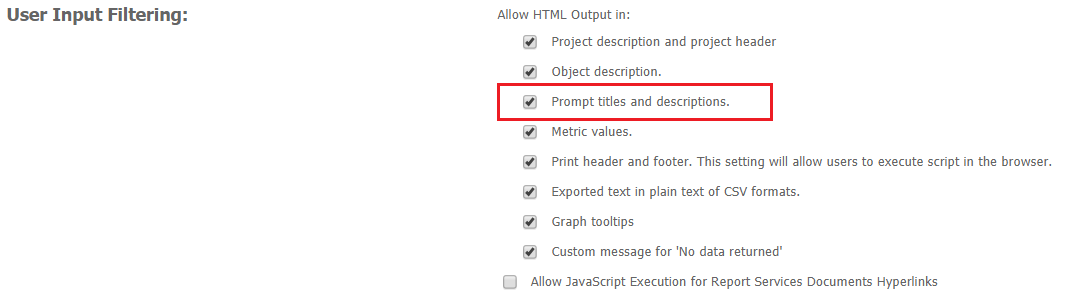
A change was made in Strategy 11 where Strategy will use OWASP-Java-Html-Sanitizer to smart encode instead of not encoding at all when the setting 'Allow HTML Output' is enabled. This change was introduced as an important security measure to tighten Strategy’s security standards
ACTION:
Currently this issue is being reviewed by Strategy for a potential code fix on an upcoming Strategy release.
WORKAROUND:
Use the below HTML tag to achieve the desired formatting of changing the font color to red.
<div style="color:red;">*There is a limit on how many records are displayed in the report result. Please limit the date range to see all results in the reports.</div>
