EducationSoftwareStrategy.com
StrategyCommunity

Knowledge Base

Product

Community

Knowledge Base

TopicsBrowse ArticlesDeveloper Zone

Product

Download SoftwareProduct DocumentationSecurity Hub

Education

Tutorial VideosSolution GalleryEducation courses

Community

GuidelinesGrandmastersEvents
x_social-icon_white.svglinkedin_social-icon_white.svg
Strategy logoCommunity

© Strategy Inc. All Rights Reserved.

LegalTerms of UsePrivacy Policy
  1. Home
  2. Topics

KB440778: “HTTP Security Header Not Detected” error occurs on port 3333 used by OpenRefine Server in MicroStrategy 10.x


Community Admin

• Strategy


This issue has been classified as a defect by MicroStrategy. The impact is limited to port 3333 used by OpenRefine Server in MicroStrategy 10.x. A workaround is available in the current document. A solution/code fix for this issue is not available in current releases but is being reviewed for a future MicroStrategy release.

SYMPTOM:
 
“HTTP Security Header Not Detected” error occurs on port 3333 used by OpenRefine Server in Strategy 10.x.
It is notice there is no HTTP security response headers in port 3333 used by OpenRefine Server on Intelligence Server as shown below:

ka04W00000147qkQAA_0EM44000000WMi3.png


CAUSE:
 
This is a known issue with OpenRefine Server in Strategy 10.x.
 
 
ACTION:
 
Following steps below to can add HTTP security header X-Content-Type-Options,  X-Frame-Options and X-XSS-Protection in port 3333.
 

  1. Download "Three jar files.7z" and extract, copy below three jar files to [MSTR_INSTALL_PATH]\Intelligence Server\openrefine\webapp\WEB-INF\lib;

          tomcat-catalina-8.5.24.jar  
          tomcat-juli-8.5.24.jar
          tomcat-util-8.5.24.jar
 
       2. Append below lines in [MSTR_INSTALL_PATH]\Intelligence Server\openrefine\webapp\WEB-INF\web.xml;
            <filter-mapping>
                <filter-name>HttpHeaderSecurityFilter</filter-name>
                <url-pattern>/*</url-pattern>
            </filter-mapping>
<filter>
        <filter-name>HttpHeaderSecurityFilter</filter-name>
        <filter-class>org.apache.catalina.filters.HttpHeaderSecurityFilter </filter-class>
        <async-supported>true</async-supported>
</filter>
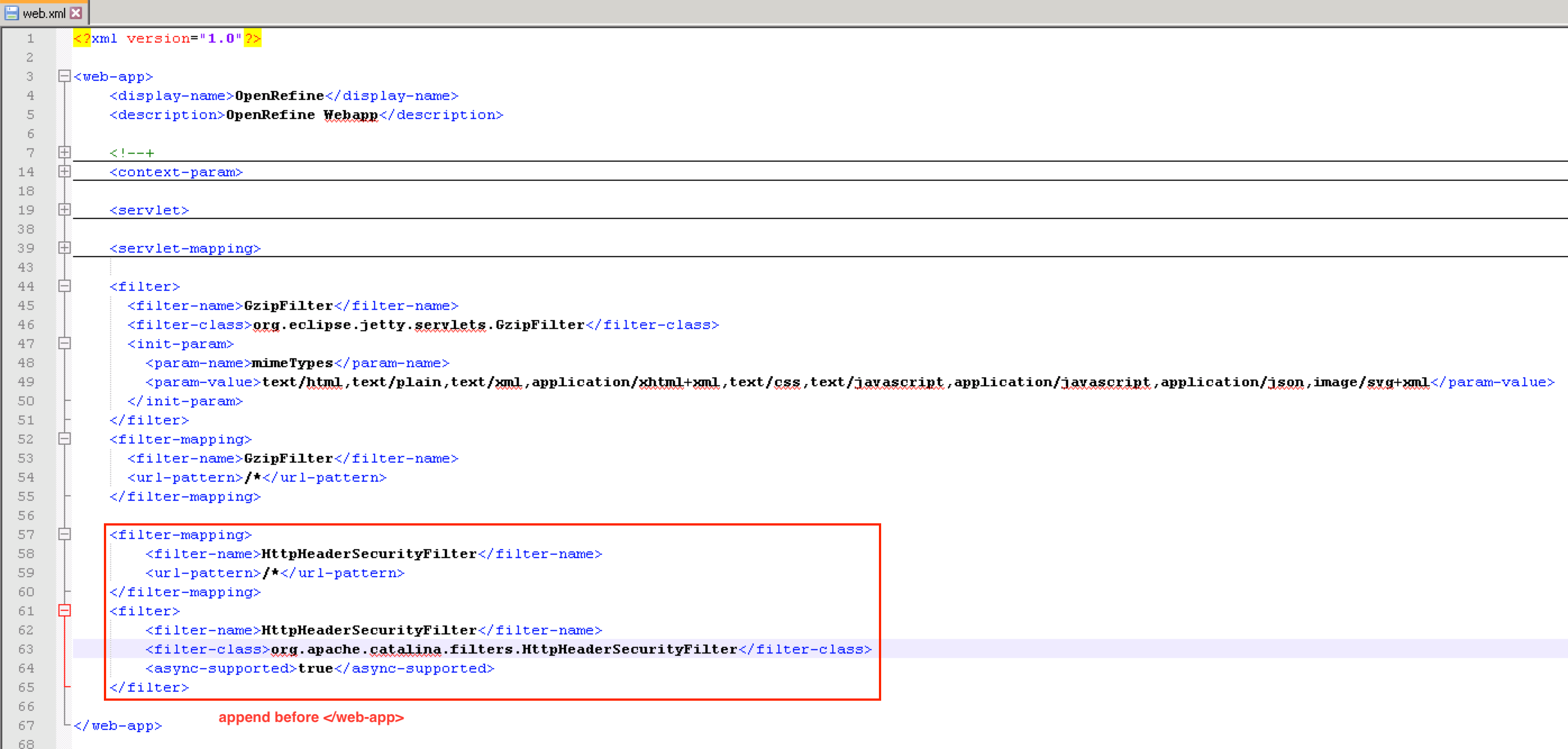
ka04W00000147qkQAA_0EM2R000000hCJU.png

          3. Restart IServer


Article Reference Number: KB440778


Comment

0 comments

Details

Knowledge Article

Published:

May 9, 2018

Last Updated:

June 3, 2019