HyperIntelligence brings you insights through a concept we call Zero-Click Intelligence. As of Strategy 2020, HyperMobile for both iOS and Android now has an all-new barcode and QR code scanner. Simply open the app, click the scanner icon and you can scan any barcode or QR code to gather information.
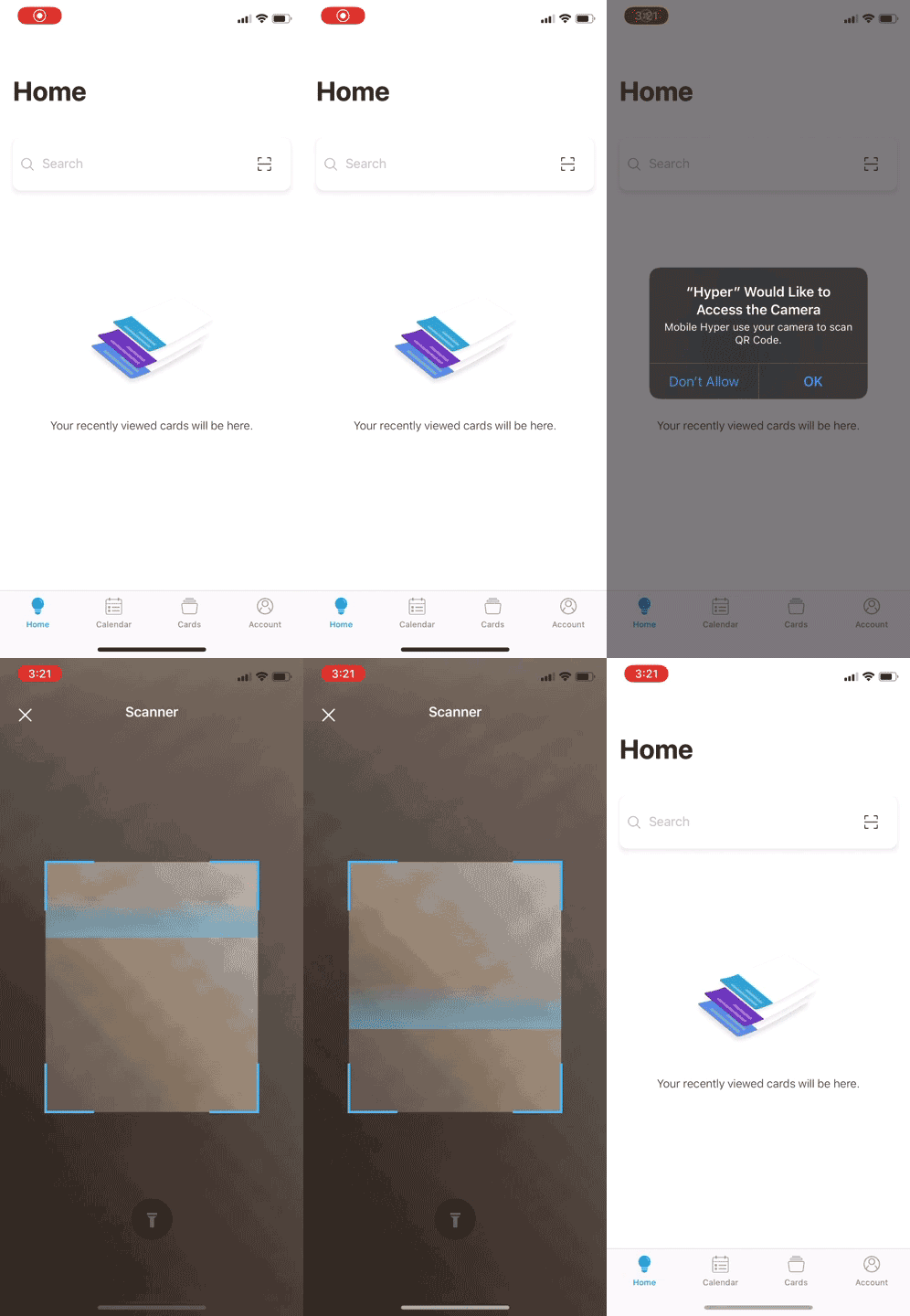
Wondering how it can help your intelligent enterprise? If so, then wonder no more – join us as we explore how this new feature may be applied to the retail, warehouse/distribution, and healthcare industries!

Let’s step into the shoes of a retail employee. You’re constantly on the move, restocking and organizing items, helping customers check out, and even answering customer questions about the countless product offerings.
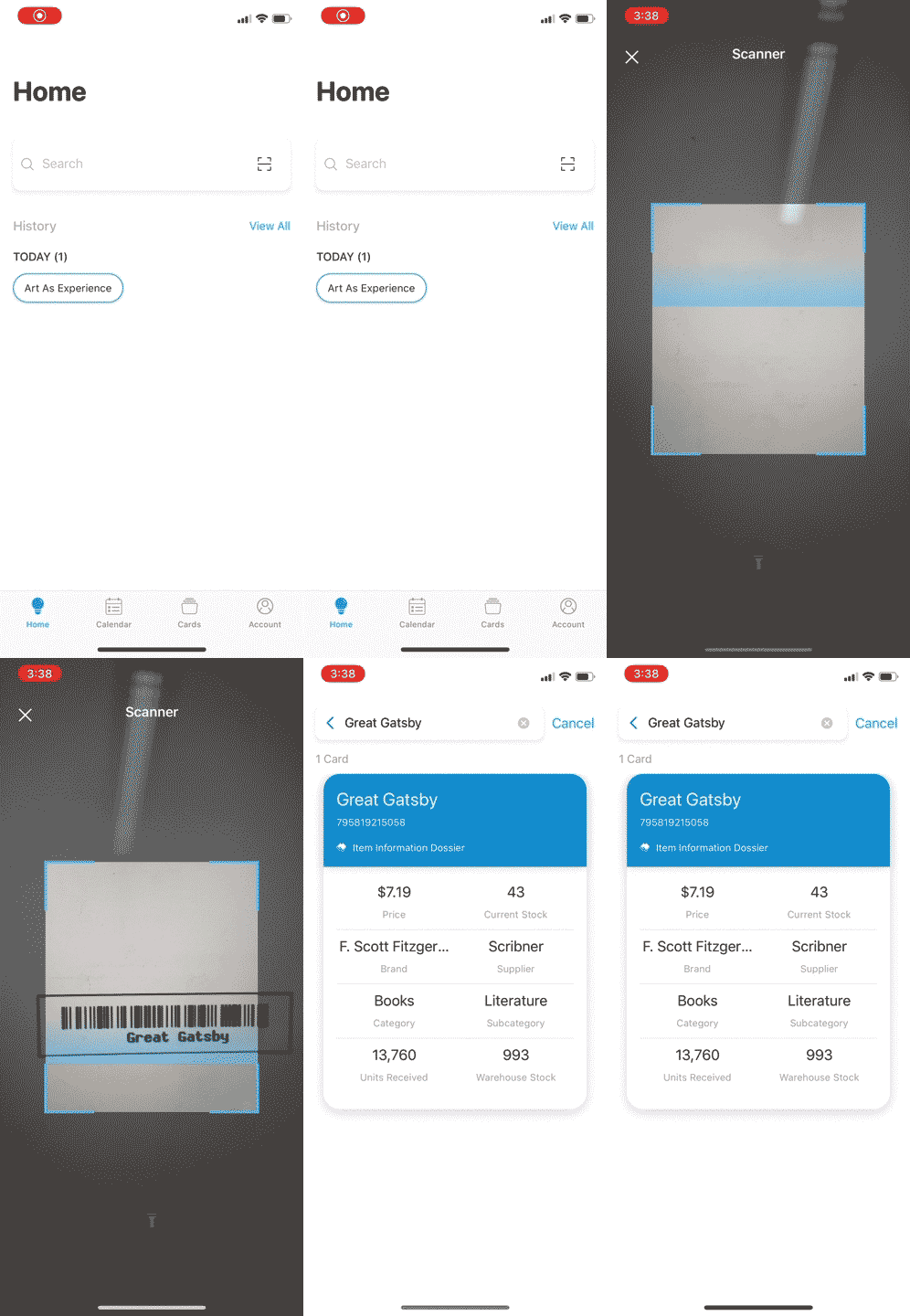
Instead of searching your mind or the physical store to look for information on each product, let HyperMobile do the searching for you: just scan the barcode of an item and a card will appear with the item’s metrics and details, such as its price, in-store inventory, brand, supplier, and more.
Scan the barcode of the book "Great Gatsby" in a retail book store:
Based on the data used in your cards, you can use the new scanner feature to answer other questions like:

Now, let’s say you work as an Inventory Manager at a warehouse, distribution center, or a retail location. You have thousands of products, each with their own product codes. Instead of searching for information about each product, use the scanner in HyperMobile to see cards containing relevant information and statistics.
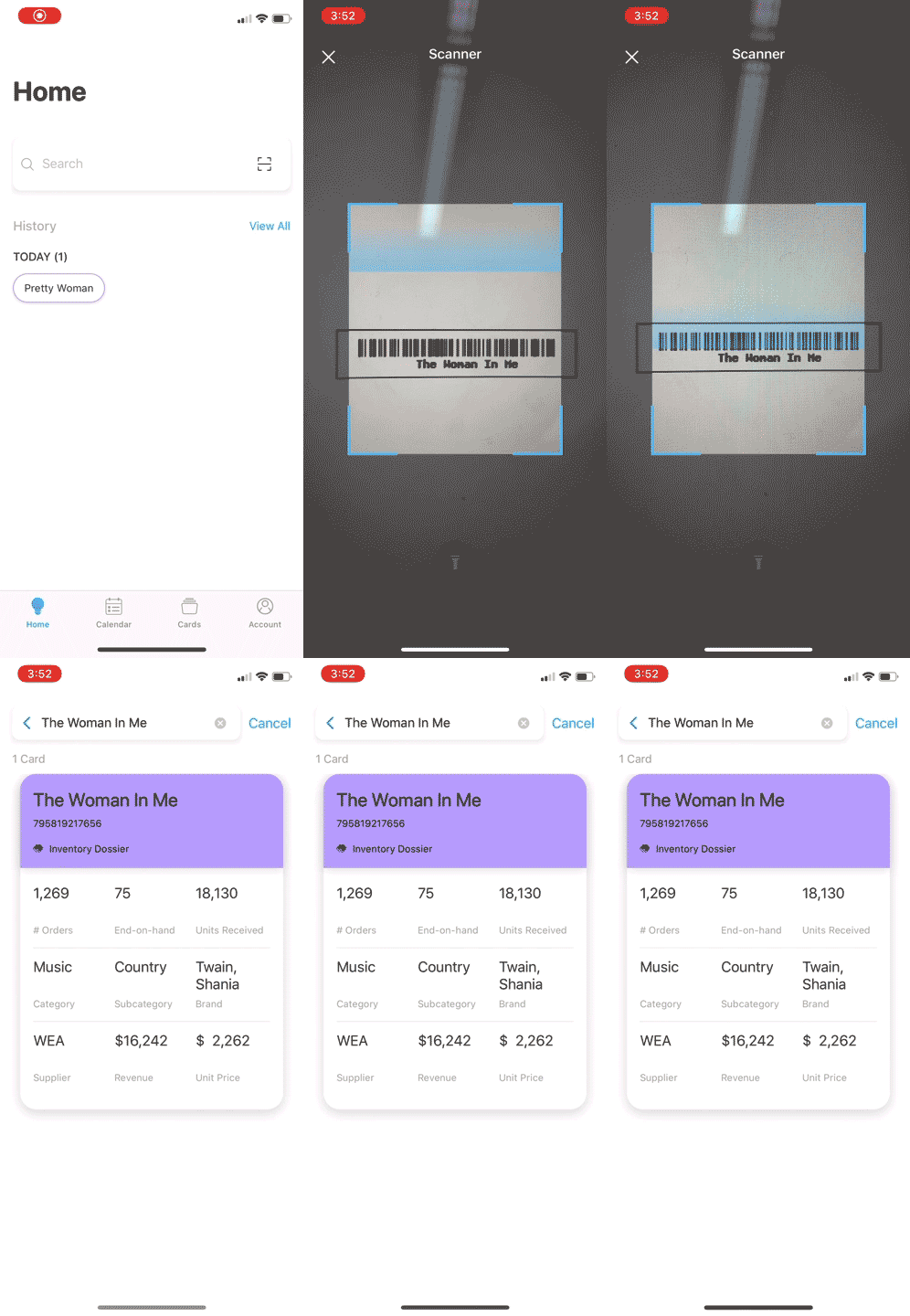
Using the scanner, cards can appear with information about the number of items that have been ordered, how many you’d have on hand at the end of the month, how many you’ve received, and more. With the barcode/QR code scanner, you can keep track of your inventory and make a plan of what you need to re-stock to maintain enough inventory in the warehouse or distribution center in mere seconds.
Scan the barcode of the country music album "The Woman In Me" in a distribution center:
Based on the data used in your cards, you can use the new scanner feature to answer other questions like:
Imagine now that you are in charge of procurement or supplier selection for your intelligent retail or distribution enterprise. You source your product line from a wide range of suppliers and want to know if some suppliers are worth continuing a contract with or if it would be a better investment to switch to a different supplier.
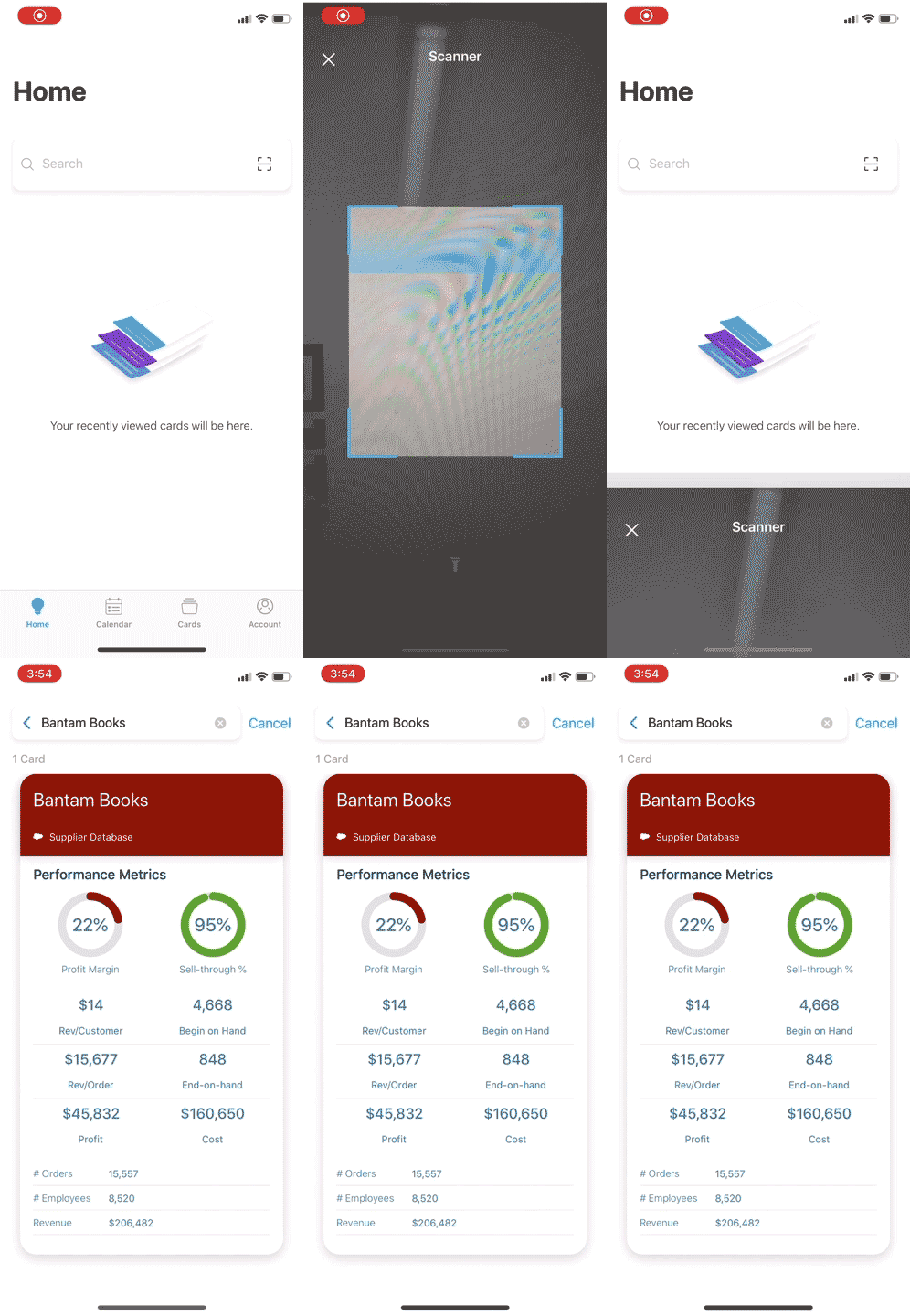
Rather than manually looking through metrics for the long list of suppliers for each product that your enterprise offers, you can scan an invoice, warehouse receipt, or bill to see key metrics and details about the supplier. You could, then, see at a glance the profit margin associated with the supplier’s items, sell-through percentage or turnover rate, the revenue/cost/profit received with this supplier’s products, and more. With the HyperMobile barcode and QR code scanner, you can more easily assess your supplier strategy in a matter of seconds.
Scan the QR code of the supplier "Bantam Books" on an invoice:
Based on the data used in your cards, you can use the new scanner feature to answer other questions like:

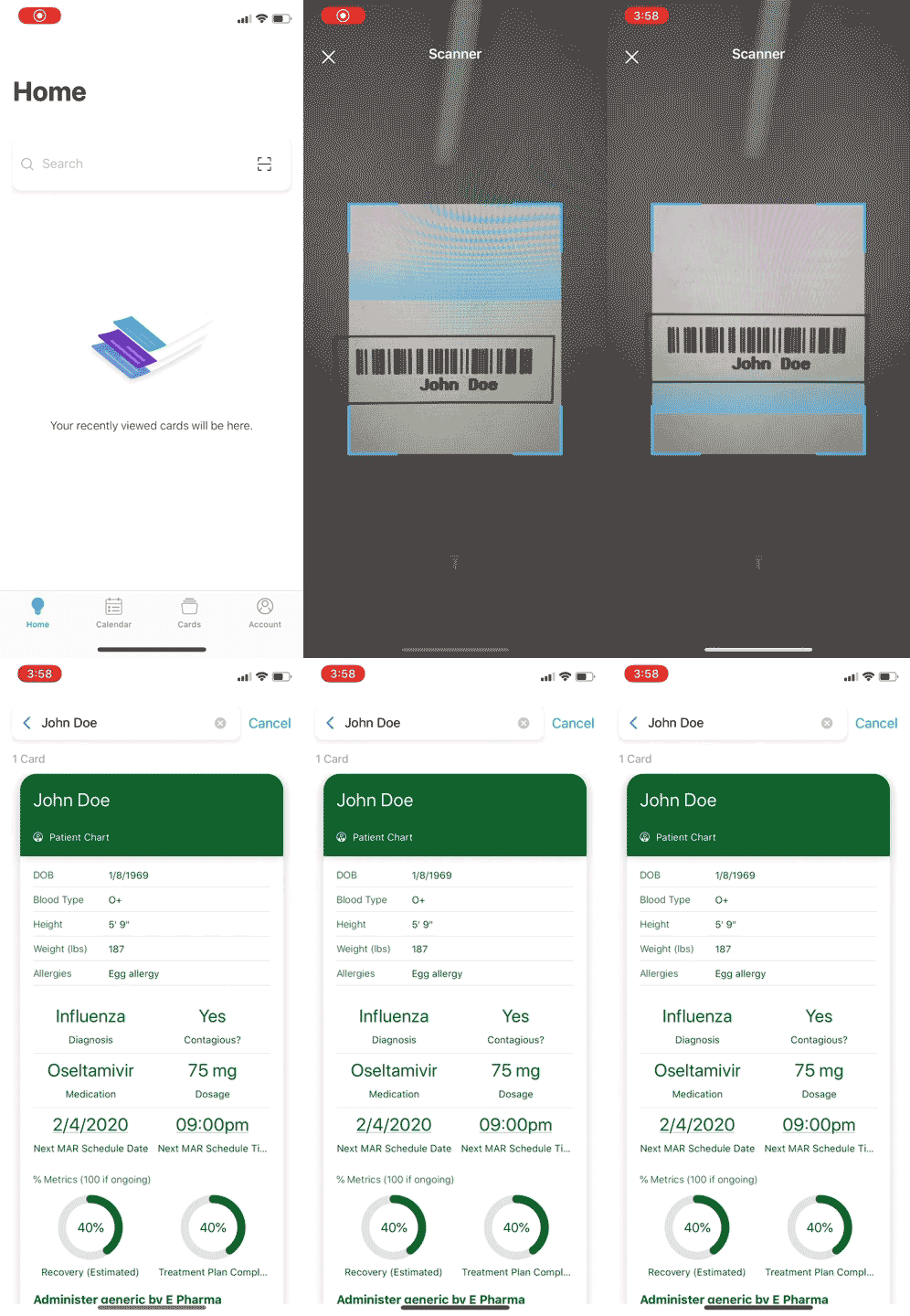
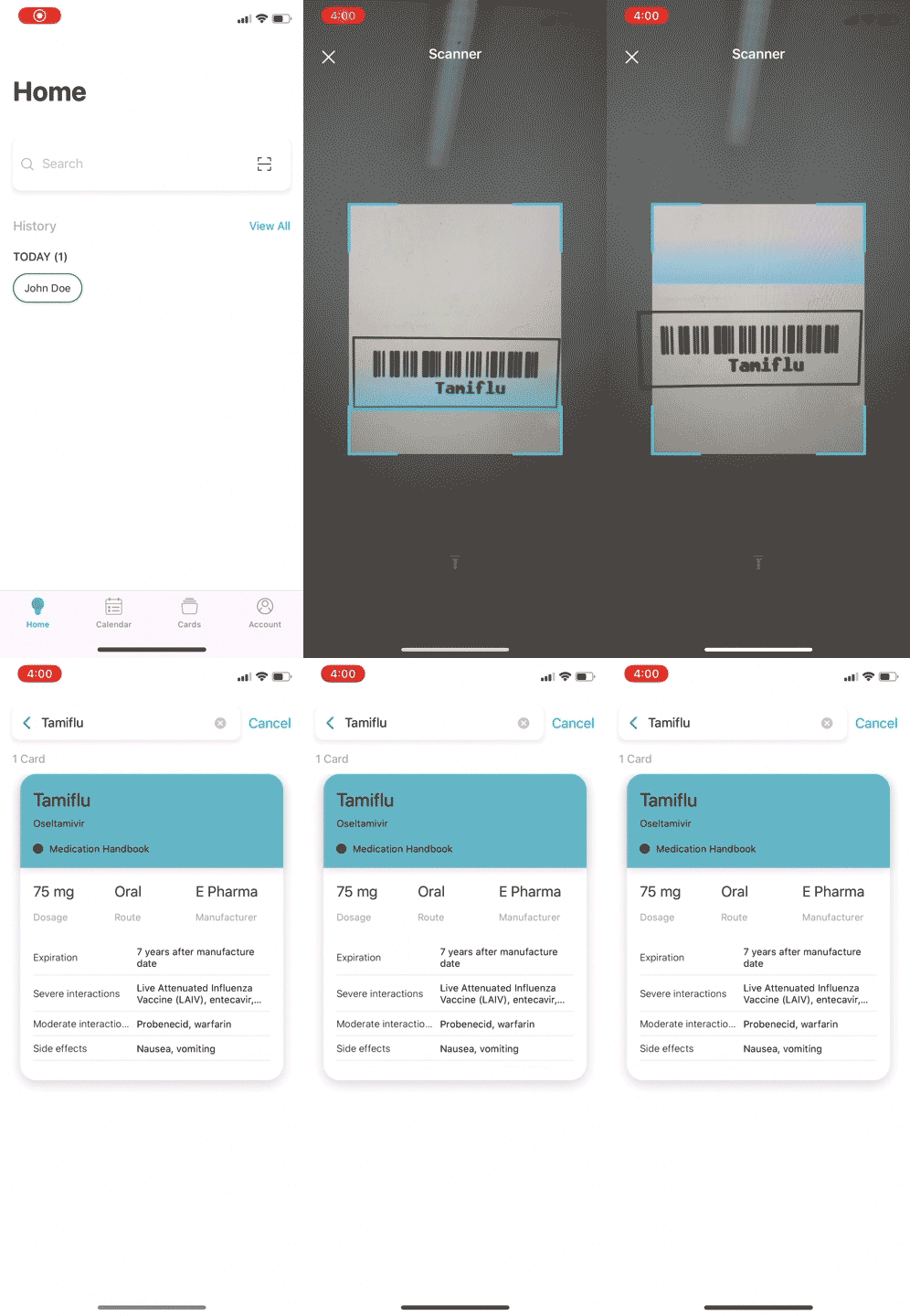
Finally, let’s imagine how this new feature applies to healthcare by placing ourselves in the shoes of a nurse. We do our rounds every day, taking vitals, preparing for operations, making notes on patients’ charts, and even administering medication to over 50 patients per day all while ensuring our work is 100% accurate.
With so much to do in one day, time is always of essence in healthcare, but ensuring precision is doubly important when administering medication at the bedside. Rather than manually searching for the needed information on the patient and medication each time, use HyperMobile to scan the patient’s wristband barcode and the medication barcode to ensure you are administering the right medication with the right dosage to the right patient at the right time with the right route. With the new scanner feature, it would take just two scans to double check your work before administering medication.
1) Scan the patient wristband barcode: 2) Scan the medication barcode:
For more information on how to use the new scanner feature, see Scan for Cards.
