EducationSoftwareStrategy.com
StrategyCommunity

Knowledge Base

Product

Community

Knowledge Base

TopicsBrowse ArticlesDeveloper Zone

Product

Download SoftwareProduct DocumentationSecurity Hub

Education

Tutorial VideosSolution GalleryEducation courses

Community

GuidelinesGrandmastersEvents
x_social-icon_white.svglinkedin_social-icon_white.svg
Strategy logoCommunity

© Strategy Inc. All Rights Reserved.

LegalTerms of UsePrivacy Policy
  1. Home
  2. Topics

How To Configure XQuery Reports to Leverage Zorba2 and Zorba3 Libraries


Jing Yang

Quality Engineer, Senior • Strategy


This Tutorial explains how to enable the Zorba2 and Zorba3 libraries for XQuery reports. Zorba2 and Zorba3 will allow XQuery reports to take advantage of newer libraries that provide enhanced functionality - including a simplified way to interact with JSON data.

Summary


Upgrading to the Zorba2 and Zorba3 libraries will provide developers an easier set of APIs to interact with JSON data. The Zorba2 and Zorba3 libraries are already included in the Strategy installation and only require a flag to be enabled on the XQuery database instance. The Zorba3 option is included in version 2021 Update 10. Compared with Zorba2, Zorba3 performance improved in the Strategy.
 

Steps to follow

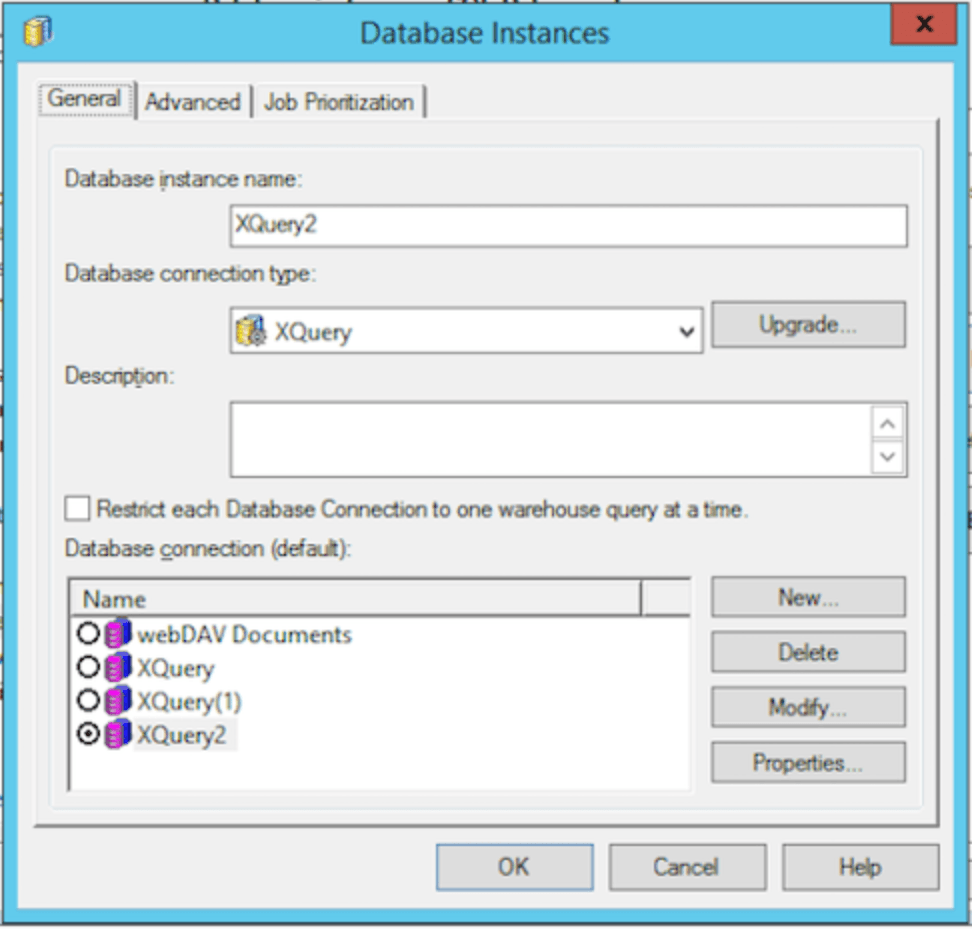
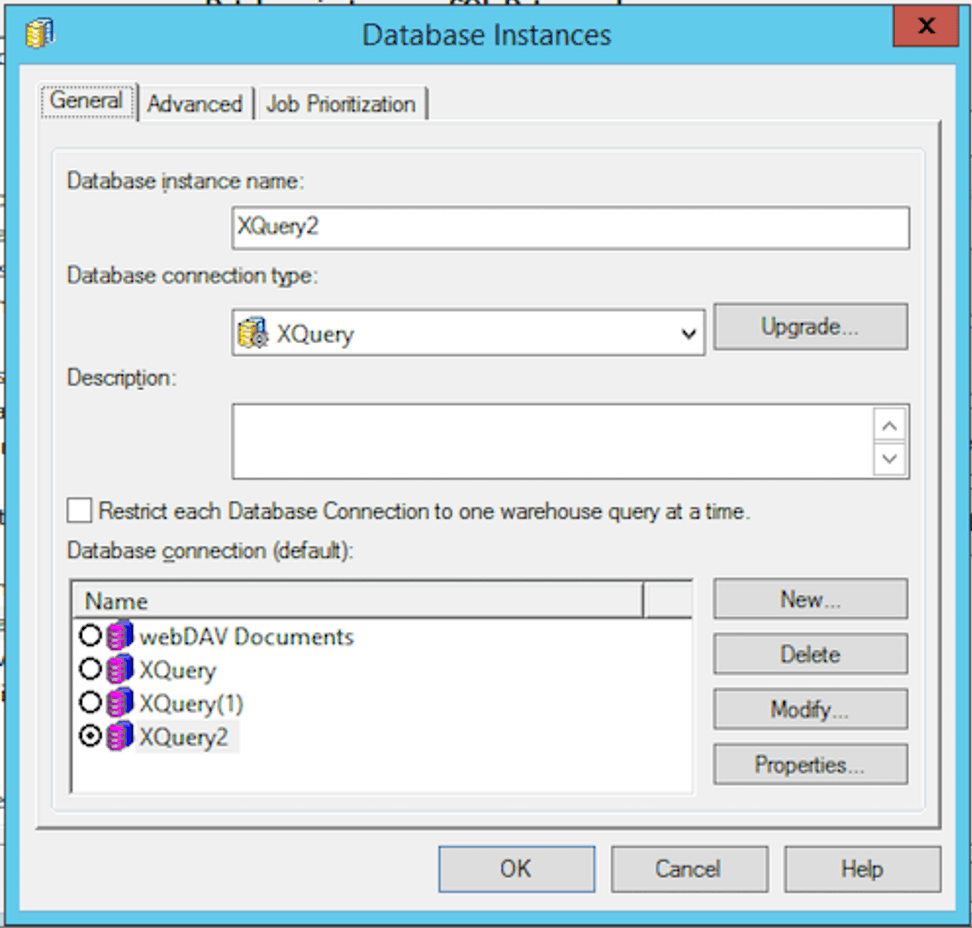
  1. Create a new Database instance and call it XQuery2. (Take XQUERY2 as example).
  2. Set the Database connection type to XQeury.
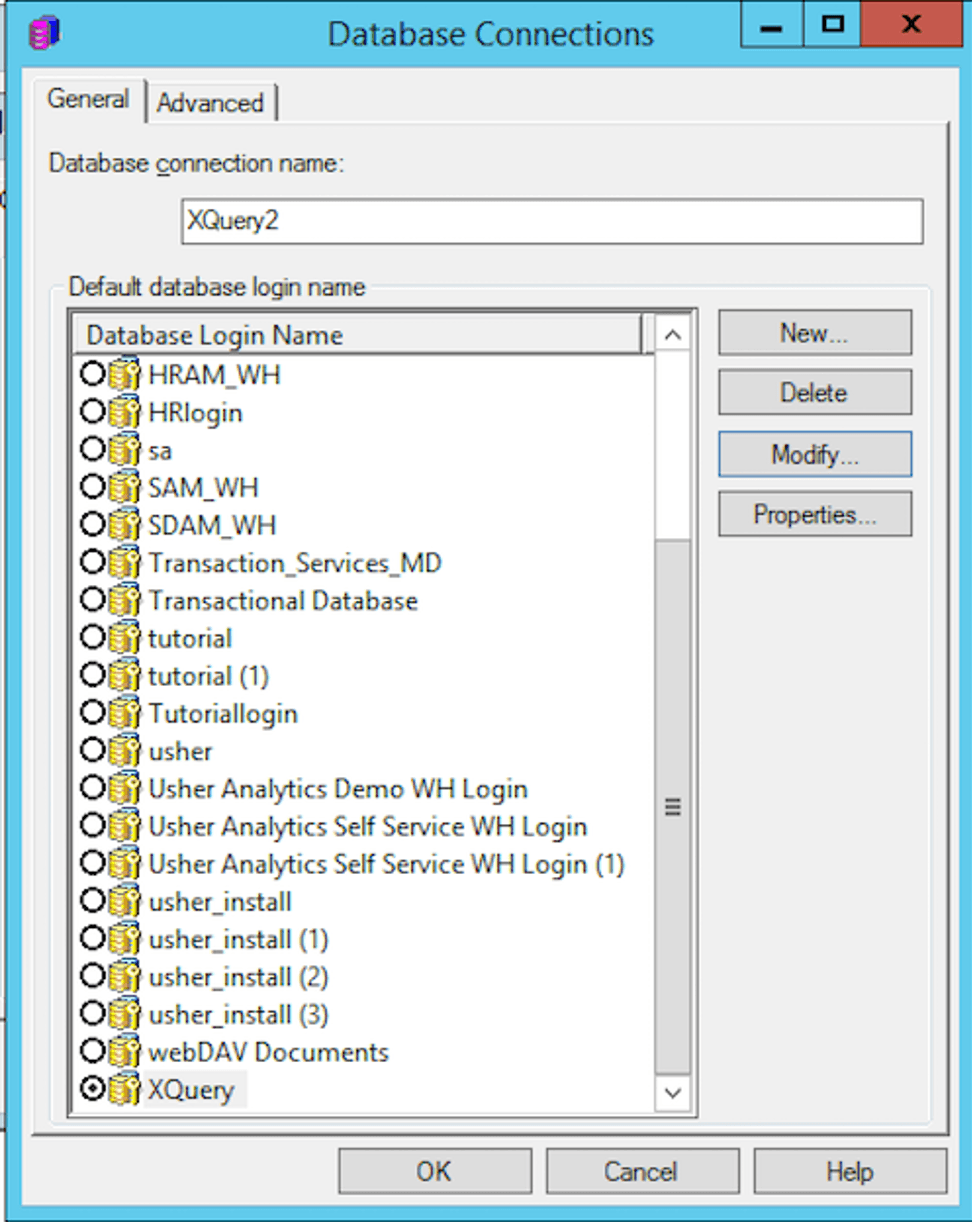
  3. Click on New to create a new Database connection.
ka04W00000148BVQAY_0EM4W0000071yBd.jpeg
  1. Give the new database connection the name of XQuery2.
  2. Select the default database login name as Xquery. (this should already exist)
ka04W00000148BVQAY_0EM4W0000071yBs.jpeg
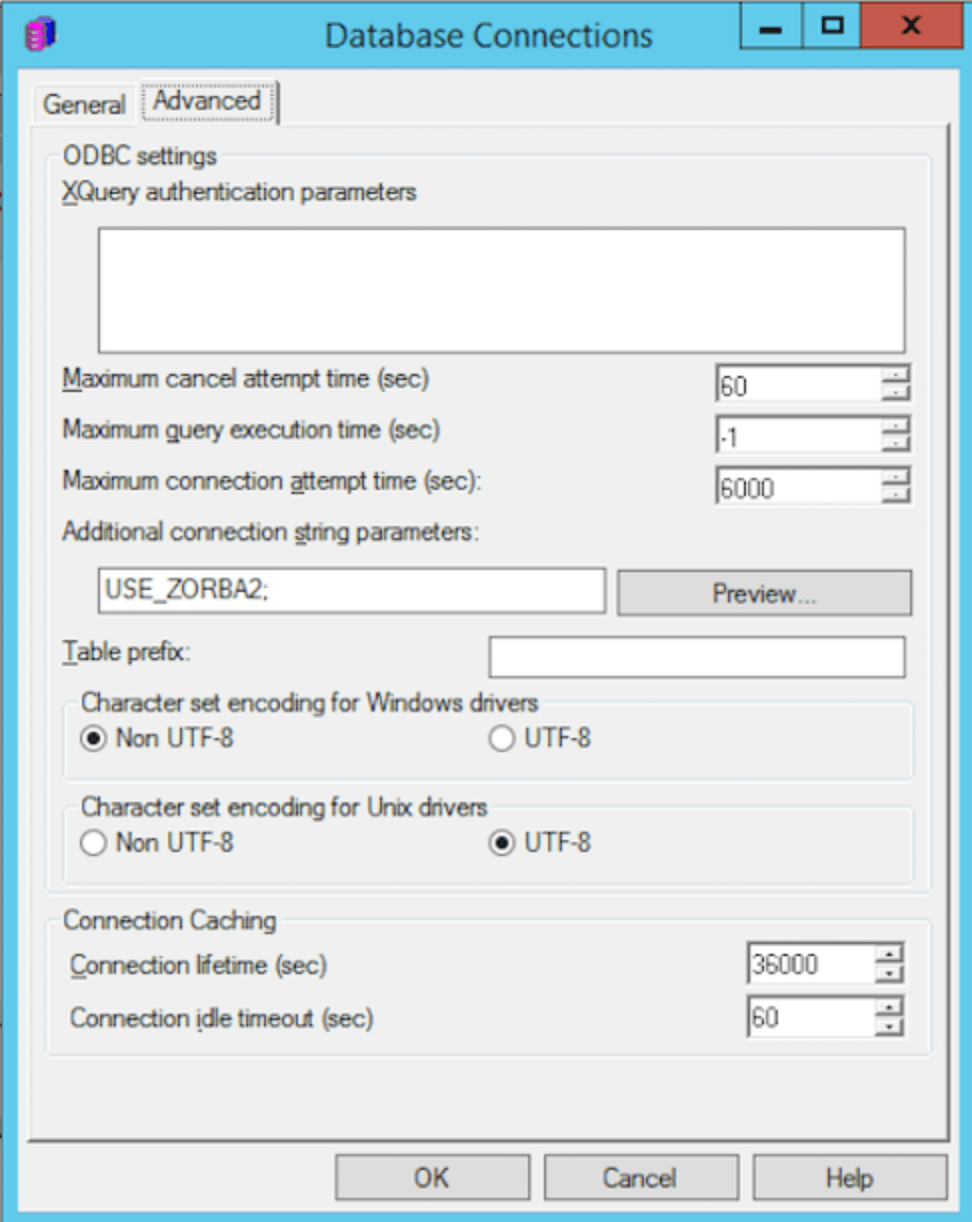
  1. Select the advanced tab and under additional connection string parameters, add USE_ZORBA2; (don’t forget the semicolon). For zorba3, please add USE_ZORBA3; 
ka04W00000148BVQAY_0EM4W0000071yBx.jpeg
  1. Click OK and make sure that your database instance as the new XQuery2 selected as the database connection and click OK.
ka04W00000148BVQAY_0EM4W0000071yC2.jpeg
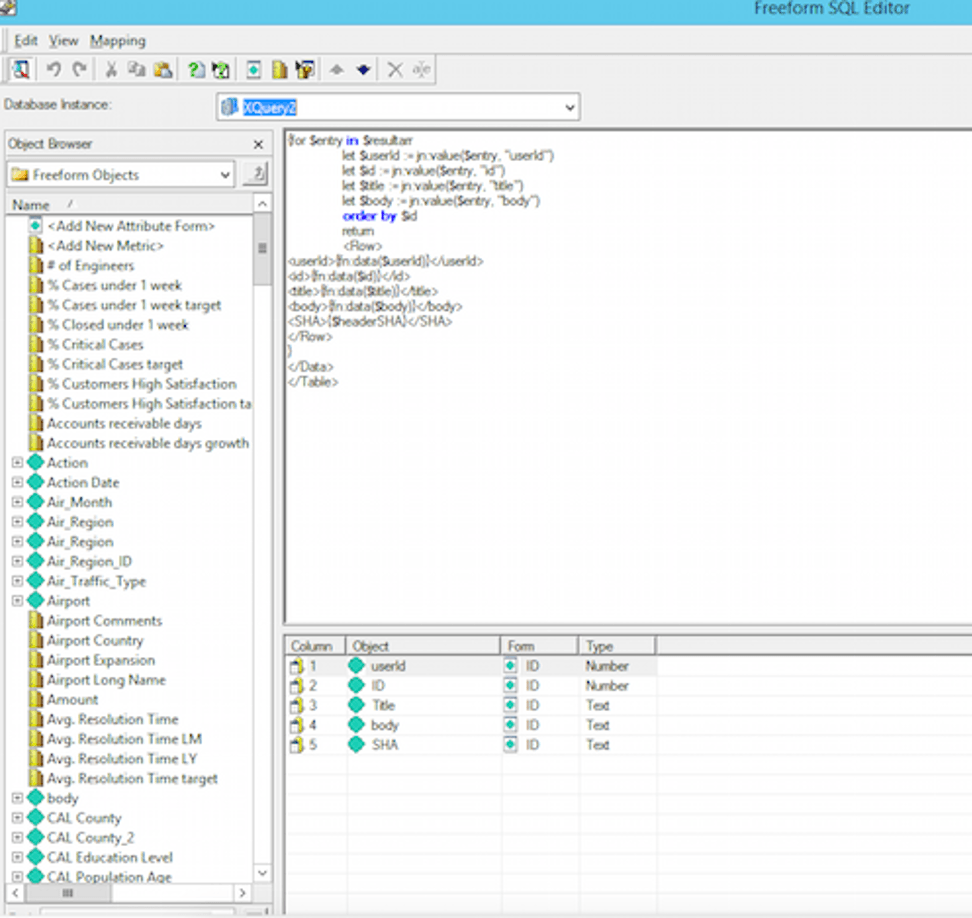
  1. When creating a XQuery report, make sure the Database instance is set to XQuery2.
ka04W00000148BVQAY_0EM4W0000071yC7.jpeg

Refer to the code sample below for an example that leverages Zorba2 and Zorba3 libraries. 
NOTE: Zorba 2/3 libraries will not work in the XEG tool.
 

Sample XQuery script leveraging Zorba2 and Zorba3 libraries


import module namespace jn = "http://jsoniq.org/functions";
declare copy-namespaces no-preserve, no-inherit;
declare namespace mstr-rest = 'http://www.Strategy.com/xquery/rest-functions';
 
declare function mstr-rest:post($uri,$payload,$header) external;

let $header := ('')

let $uri := ('https://jsonplaceholder.typicode.com/posts')

let $payload := ( )
let $jsonresult := mstr-rest:post($uri,$payload,$header)

let $result := jn:parse-json($jsonresult)

let $resultarr := jn:members($result)
 
return
<Table><ColumnHeaders>
<ColumnHeader  name='userId' type='xs:number' />
<ColumnHeader  name='id' type='xs:number' />
<ColumnHeader  name='title' type='xs:string' />
<ColumnHeader  name='body' type='xs:string' />
</ColumnHeaders>
<Data>

{for $entry in $resultarr
let $userId := $entry("userId")
let $id := $entry("id")
let $title :=$entry("title")
let $body := $entry("body")
order by $id
return  
<Row>
<userId>{fn:data($userId)}</userId>
<id>{fn:data($id)}</id>
<title>{fn:data($title)}</title>
<body>{fn:data($body)}</body>
</Row>
}
</Data>
</Table>
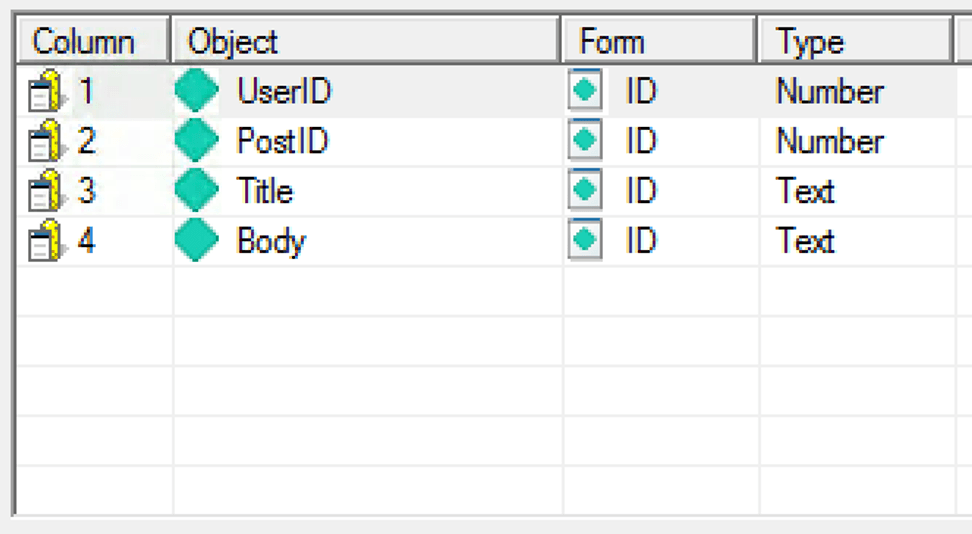


Create the following objects within the XQuery definition:

ka04W00000148BVQAY_0EM4W0000071yCC.jpeg

The resulting report will look like the below screenshot:
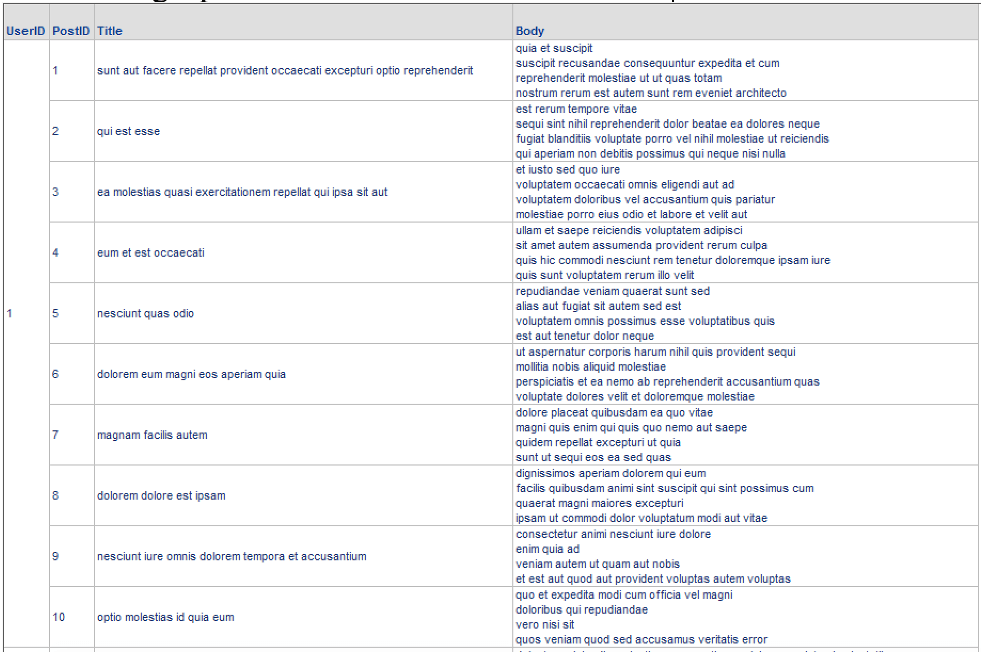
ka04W00000148BVQAY_0EM4W0000071yCM.jpeg


For Zorba3, you can refer to http://www.zorba.io/documentation/latest/modules/jsoniq/core to create SQL and refer to http://www.zorba.io/documentation/latest/zorba/xml_json/ for support with the new JSONiq language.


Comment

0 comments

Details

Knowledge Article

Published:

October 30, 2017

Last Updated:

March 6, 2019