Strategy use different JDBC drivers to different data sources, either through shipped drivers or native drivers.However, different drivers have different JDBC implimentations.Data type of the date,time,datetime,timestamp might show different results.
If you encounter such issue. please consider setting the JVM option of Strategy Database Connection.
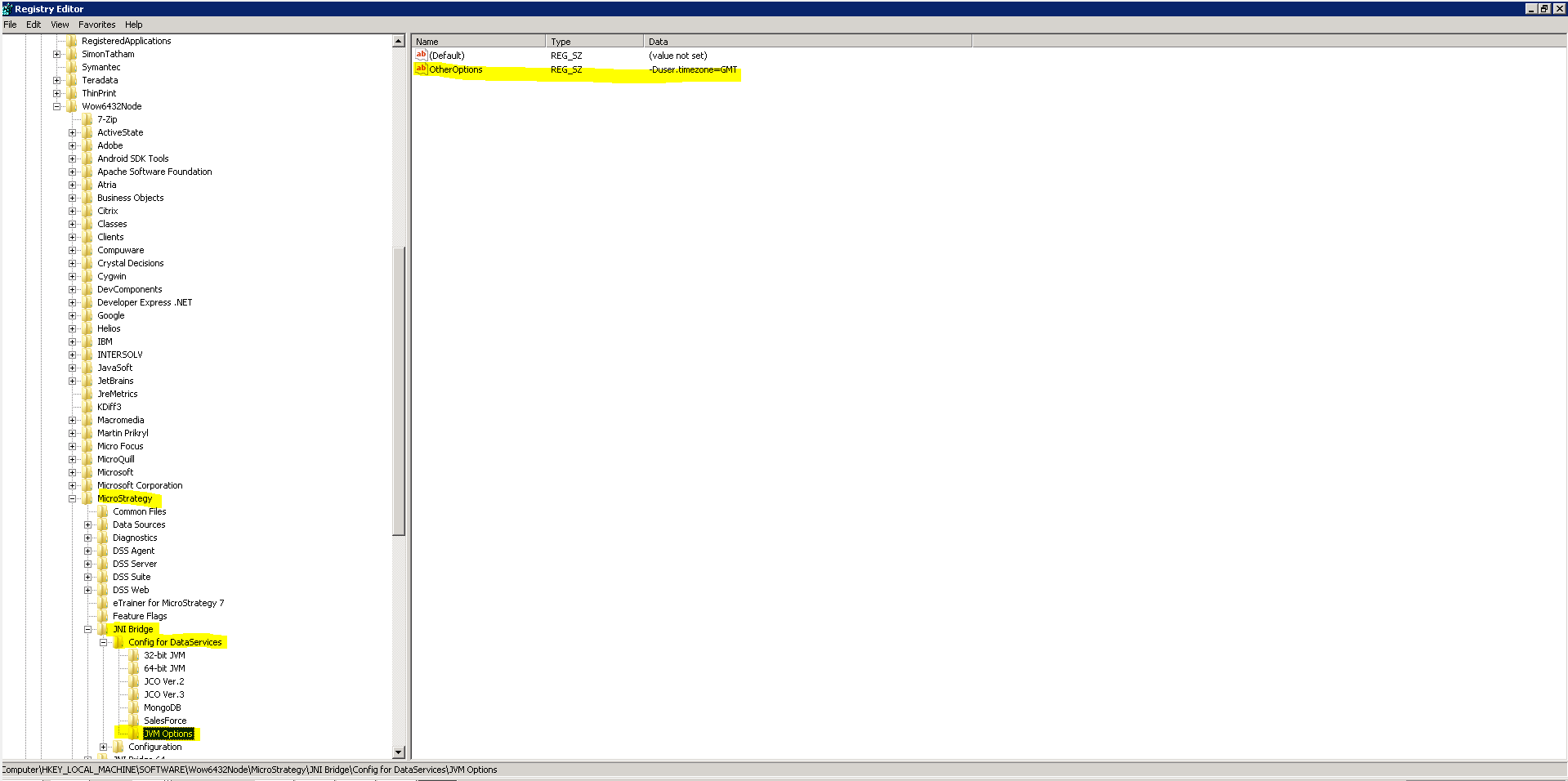
Open Windows Registry Editor
Registry:
[HKEY_LOCAL_MACHINE\SOFTWARE\Wow6432Node\MicroStrategy\JNI Bridge\Config for DataServices\JVM Options]
Keys:
"OtherOptions"="-Duser.timezone=GMT"
NOTE: Please manually add a new key 'JVM Options' like below if couldn't find "JVM Options" key.
File to edit:
MSTR_INSTALL_PATH/MSIReg.reg
Locate the line "[HKEYLOCALMACHINE\SOFTWARE\MicroStrategy\JNI Bridge\Config for DataServices\JVM Options]" and modify "OtherOptions" line.
NOTE: If an additional parameter is present within OtherOptions, separate parameters with semicolons such as:
BEFORE: "OtherOptions"="-Drefine.verbosity=error"AFTER: "OtherOptions"="-Drefine.verbosity=error;-Duser.time
Restart i-Server to take effect.
