EducationSoftwareStrategy.com
StrategyCommunity

Knowledge Base

Product

Community

Knowledge Base

TopicsBrowse ArticlesDeveloper Zone

Product

Download SoftwareProduct DocumentationSecurity Hub

Education

Tutorial VideosSolution GalleryEducation courses

Community

GuidelinesGrandmastersEvents
x_social-icon_white.svglinkedin_social-icon_white.svg
Strategy logoCommunity

© Strategy Inc. All Rights Reserved.

LegalTerms of UsePrivacy Policy
  1. Home
  2. Topics

How to Access Nested Arrays in Mongo DB into MicroStrategy


Community Admin

• Strategy


Starting with the release of Strategy ONE (March 2024), dossiers are also known as dashboards.
SYMPTOM:
 
When using MongoDB as a data warehouse in Strategy, if collections (tables) are using nested arrays, these changes are split up into multiple tables into Strategy and these tables need to be joined in Data Import or Developer
Sample Document in MongoDB:
Following is the sample Nested Document that is created in MongoDB data warehouse
 
db.NestedArray.find().pretty();
{
    "_id" : ObjectId("5c893e04b9a978521332ad68"),
    "a" : 1,
    "b" : 2,
    "children" : [
        {
            "x" : "some long, complicated thing",
            "y" : [
                5,
                6
            ],
            "huge_image" : "..."
        },
        {
            "x" : "some other complicated thing",
            "y" : [
                1,
                2,
                3
            ],
            "huge_image" : "..."
        }
    ]
}
 
Steps to Model the Data into Strategy:
 
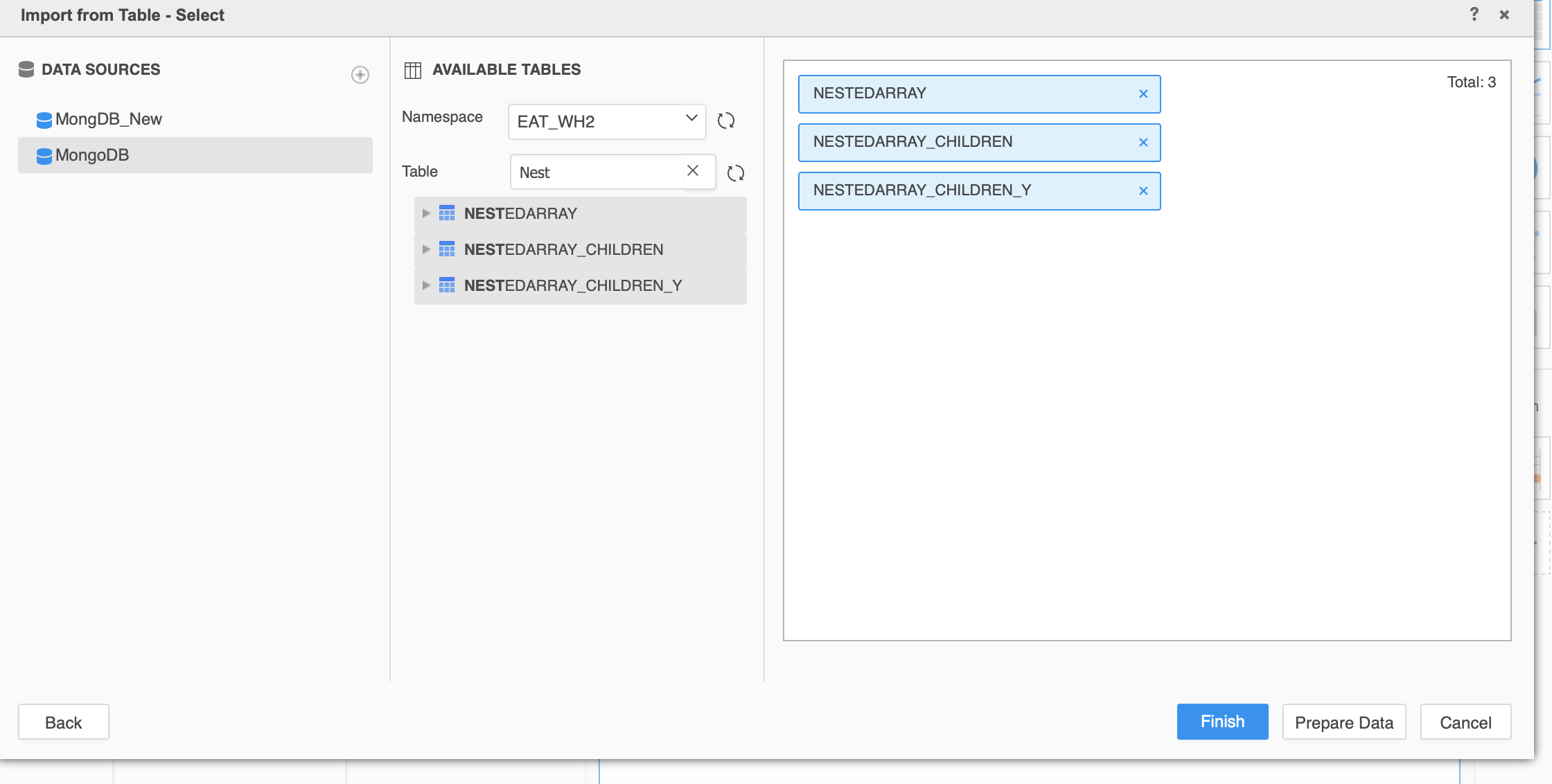
When we try to connect to MongoDB from Strategy all the nested documents from the above collection are created as separate tables as shown below.
 

ka0PW0000001JWzYAM_0EM44000000glES.jpeg

In order to report the data from the above tables, we need to join these tables. Click on Prepare Data from the above screen shot.
Join these table as shown in the below screen shot and click finish.
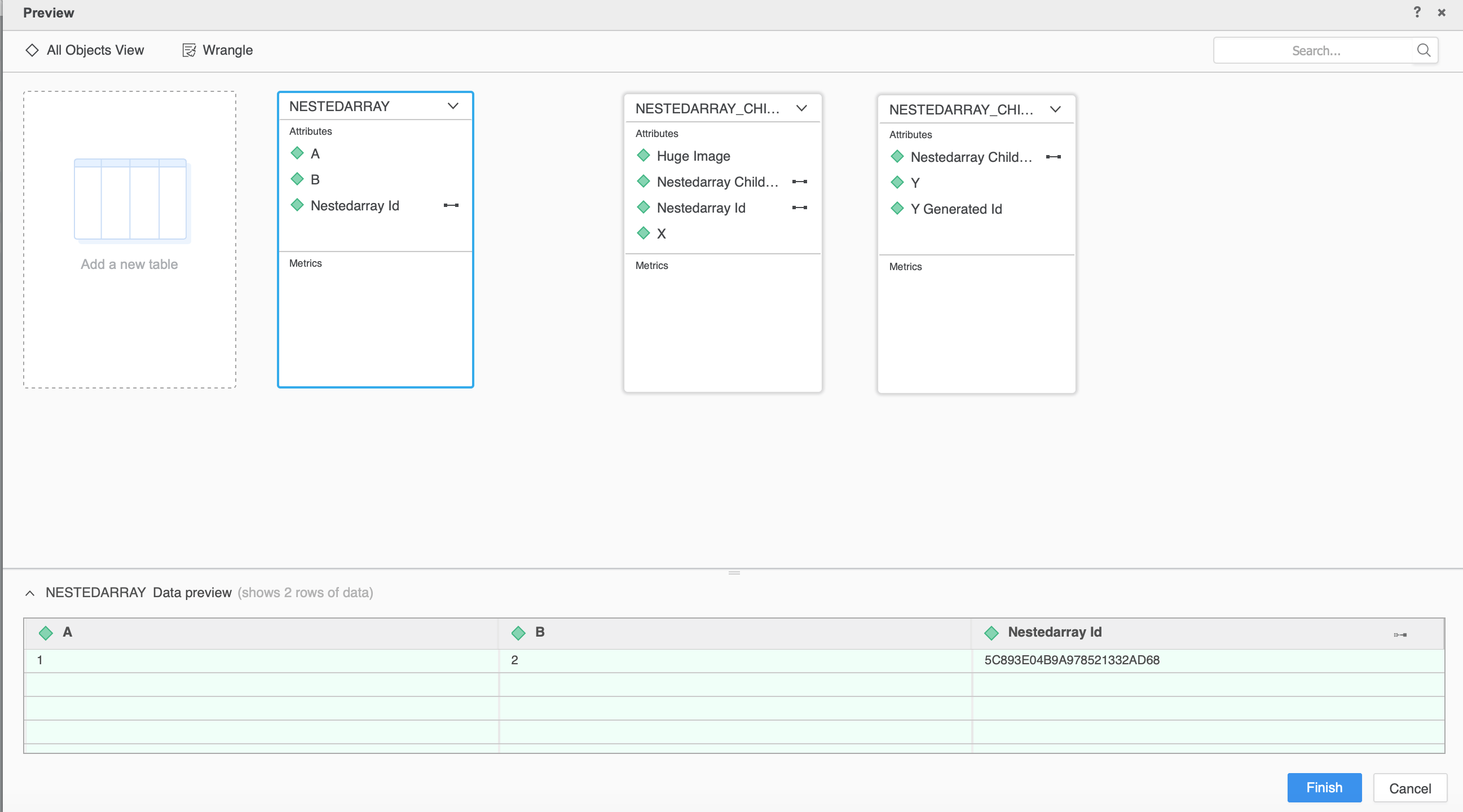
  • “Id” field of NESTEDARRAY table to “Nestedarray Id” field in NESTEDARRAY_CHILDREDN table
  • “Nestedarray Id” field of table NESTEDARRAY_CHILDREDN to “Nestedarray Children Id” field of table “NESTEDARRAY_CHILDREDN_Y”
ka0PW0000001JWzYAM_0EM44000000glEm.jpeg

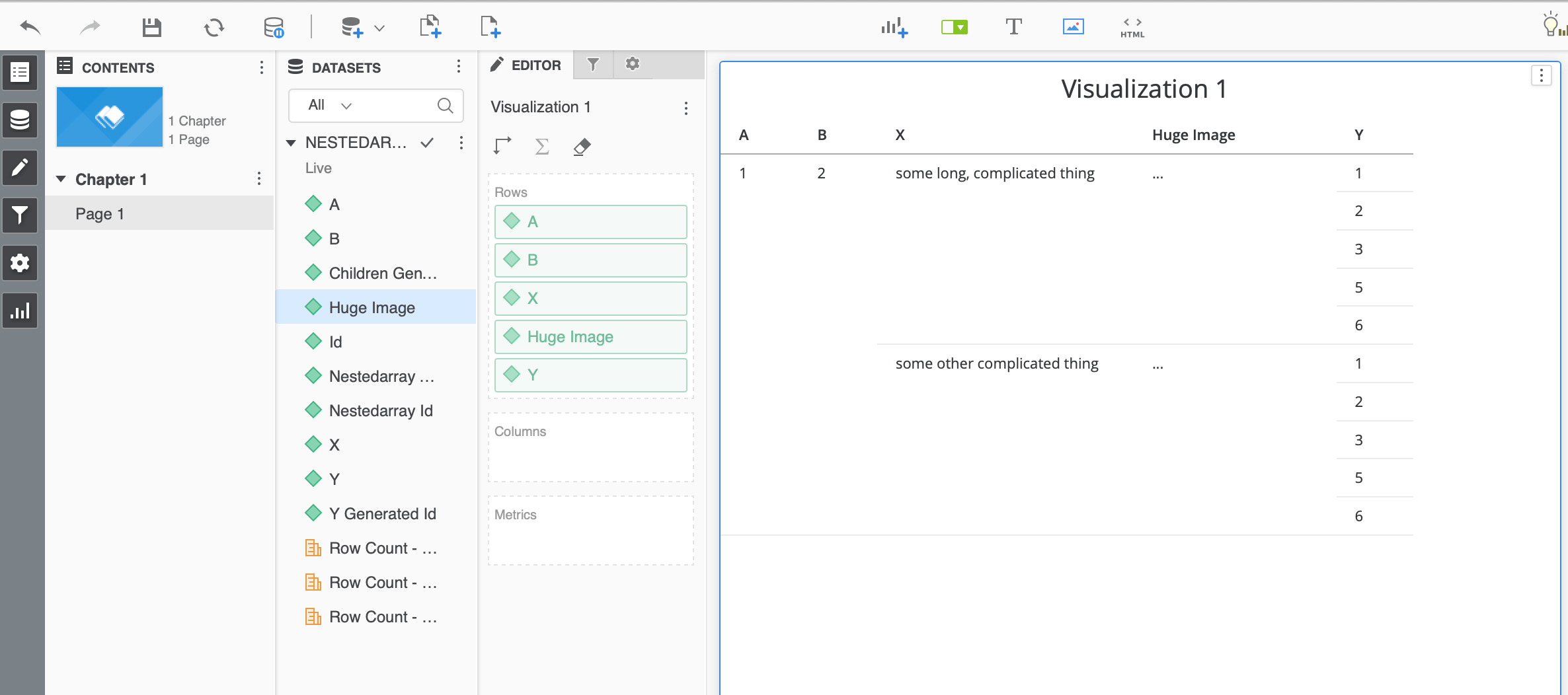
Create a dossier with the data model created above will show the data as shown below in a flat report format.
ka0PW0000001JWzYAM_0EM44000000glEr.jpeg

KB483124


Comment

0 comments

Details

Knowledge Article

Published:

April 4, 2019

Last Updated:

March 21, 2024