EducationSoftwareStrategy.com
StrategyCommunity

Knowledge Base

Product

Community

Knowledge Base

TopicsBrowse ArticlesDeveloper Zone

Product

Download SoftwareProduct DocumentationSecurity Hub

Education

Tutorial VideosSolution GalleryEducation courses

Community

GuidelinesGrandmastersEvents
x_social-icon_white.svglinkedin_social-icon_white.svg
Strategy logoCommunity

© Strategy Inc. All Rights Reserved.

LegalTerms of UsePrivacy Policy
  1. Home
  2. Topics

How to Allow a Non-Administrator User to Start the Intelligence Server on Windows


Community Admin

• Strategy


This article provides instructions on how to allow a non-administrator user to start the Intelligence server on Windows in MicroStrategy 2021.

Starting in Strategy 2019, allowing a non-administrator user to start the Intelligence server on Windows requires an additional step compared to past versions.
In versions prior to 2019, a non-administrator user needed access to the

C:/Program Files (x86)/Strategy
and
C:/Program Files (x86)/Common Files/Strategy
folders. After obtaining access, the service account needed to be changed to a non-administrator with the proper credentials. As a result, the non-administrator user could then start and stop the Intelligence server.
However, in newer versions, including version 2021, a non-administrator user also needs to reserve an HTTP URL namespace for the REST port. Since non-administrator users do not have the privileges to reserve an HTTP URL namespace, the administrator must add them manually.

How to Allow a Non-Administrator User to Start the Intelligence Server

  • Give the non-administrator user control to 
    C:/Program Files (x86)/Strategy
    and
    C:/Program Files (x86)/Common Files/Strategy
    folders. Remember to replace all child object permissions.
ka0PW0000000vpVYAQ_0EM2R000000lXrh.jpeg
  • Run Command Prompt as an administrator and enter the following command:
    netsh http add urlacl url=http or https://*:REST port/api user=domain\username 


    For example: 
    netsh>http add urlacl url=https://*:34962/api user=corp\rendo  
    (If Intelligence Server has TLS configured)

    netsh>http add urlacl url=http://*:34962/api user=corp\rendo 
    (If Intelligence Server does not have TLS configured)
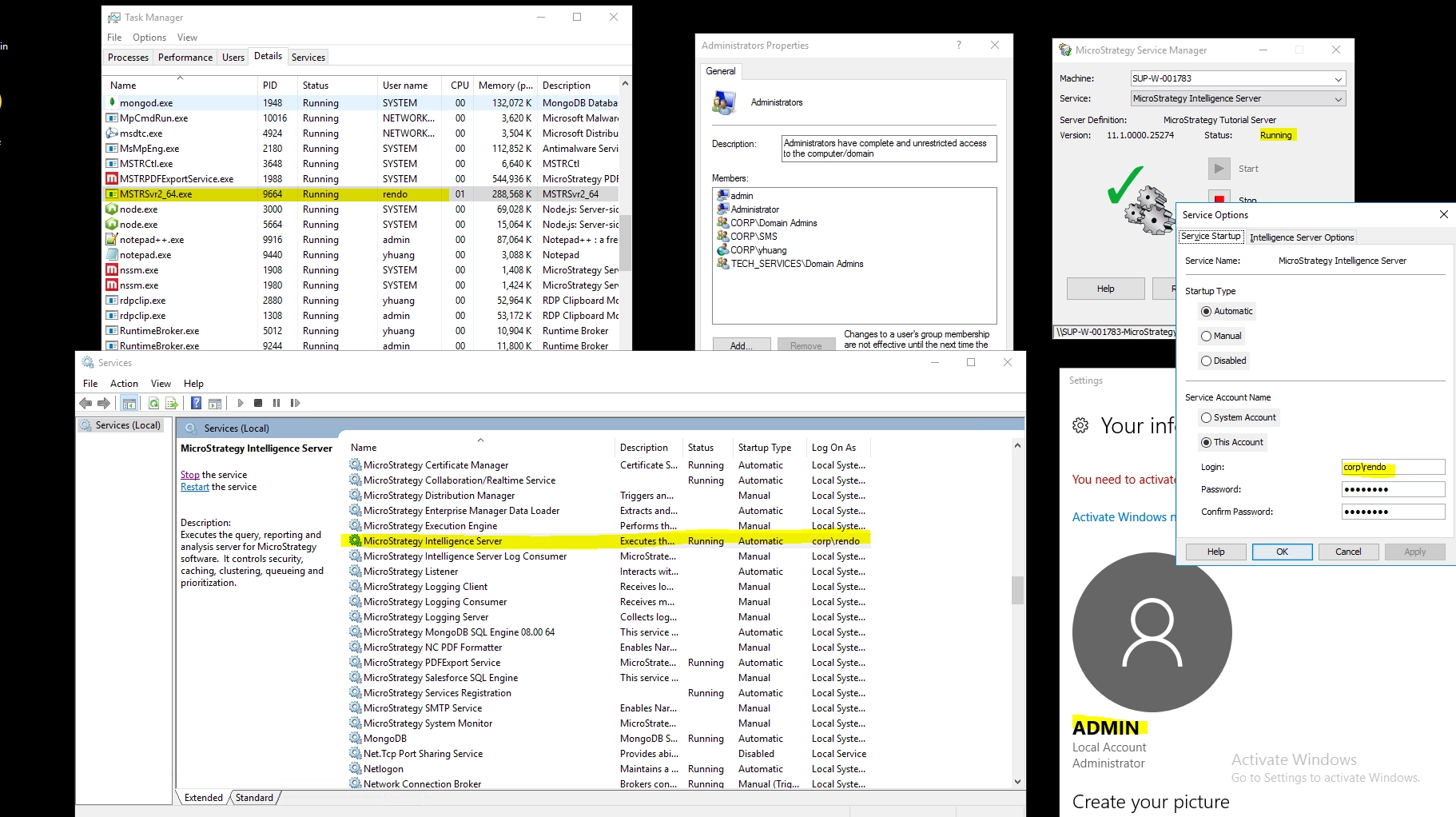
     
  • Change the service user through Service Manager to a non-administrator user.
    The non-administrator user can start or stop the Intelligence server.
ka0PW0000000vpVYAQ_0EM2R000000lV7D.jpeg

Comment

0 comments

Details

Knowledge Article

Published:

July 30, 2019

Last Updated:

February 26, 2024