Strategy node monitoring provides the functionality to monitor and control Strategy Services through Strategy Workstation. To support monitoring functionality, a Strategy Services Registration agent is shipped and installed on each customer's machine.
After performing an uninstall operation to Strategy 2021 and above, you may find that Services Registration and monitoring do not work properly. Specifically, when Strategy Workstation is connected to the machine and the monitoring -> services view is selected, you encounter the error message, "The attempt to get services information failed. Strategy Services Registration is NOT available, please check the service status."


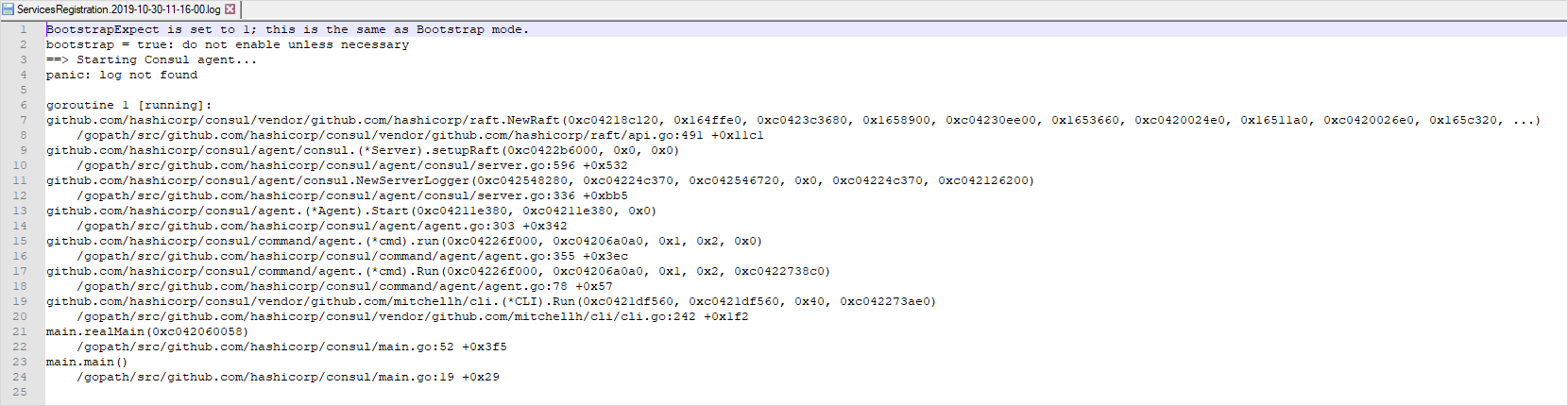

Services Registration and monitoring use a third-party binary called Consul to consolidate the list of Strategy services and their statuses on your machine. In Strategy 2021 or above, Conosol binary has been upgraded to a newer version. The new binary may write additional entries in into the local cache written into the data folder.
When the Strategy Update is uninstalled, the Consul binary is reverted back to the older version. Upon startup, this old binary attempts to load the cache from the data folder and does not recognize the additional entries written by the uninstalled, newer binary. This results in an error in the log entries.
To resolve the issue, you need to delete the data folders and restart Strategy Services Registration.
