[Symptom]
Data import from SAP HANA shows only the information views when we choose the pick table option
[Reason]
Base tables in SAP HANA in multiple schemas need to have distinct names to be used in Strategy. Information Views will make use of the HANA OLAP engine/Join Engine to and in-memory solution of HANA for live connection and better performance.
To avoid the situation of having same table names in multiple schemas, we do not show by default tables present in other database schemas (schema being the equivalent to a database in SQL Server or a user in Oracle, generally speaking). Schema “_SYS_BIC” will have all the information views, naming convention of these views will have the package associated with it removing the conflict of having the same name for any two information views created.
SELECT DISTINCT SCHEMA_NAME as NAME_SPACE, TABLE_NAME as TAB_NAME, TABLE_TYPE as TAB_TYPE
FROM SYS.TABLES
WHERE SCHEMA_NAME IN ('#LOGIN_NAME#')
UNION
SELECT DISTINCT SCHEMA_NAME as NAME_SPACE, VIEW_NAME as TAB_NAME, VIEW_TYPE as TAB_TYPE
FROM SYS.VIEWS
WHERE (SCHEMA_NAME = '#LOGIN_NAME#' OR SCHEMA_NAME = '_SYS_BIC') AND VIEW_TYPE NOT IN ('HIERARCHY')
[Workaround]
Use Type a Query or Build a Query Option to access the specific tables
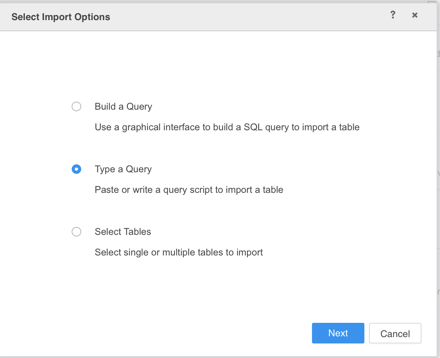
We can also use the developer to access the tables, below is the additional documentation to import views in developer.
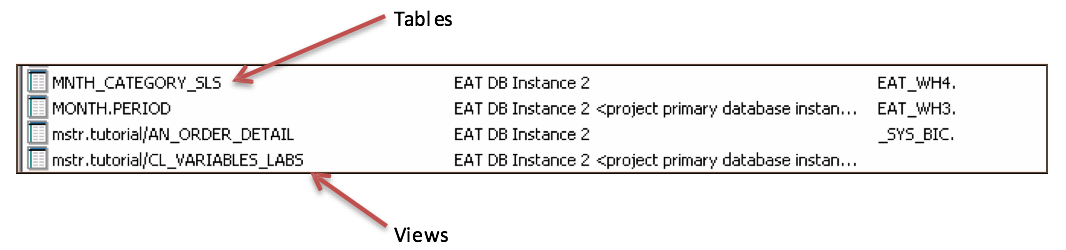
Even though Strategy treats views no different than tables, tables and views appear differently in Strategy. Views in Strategy appear with the name of their package and tables with just the name of the tables. You can see the difference below in the way views and tables appear in Strategy
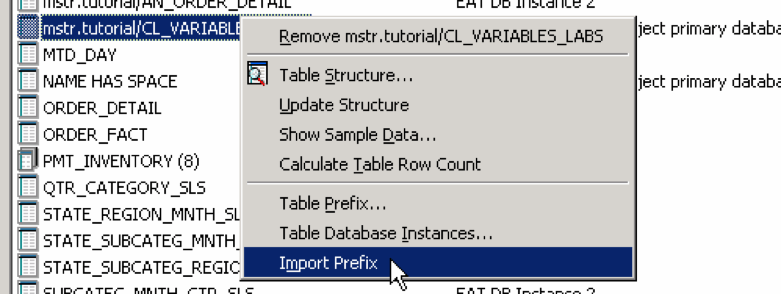
Along with importing the views in the Strategy Warehouse Catalog, you also need to import the prefix _SYS_BIC so that the Strategy SQL engine can generate proper SQL against the views. To import the prefix, right click on the view in the warehouse catalog and select Import Prefix.
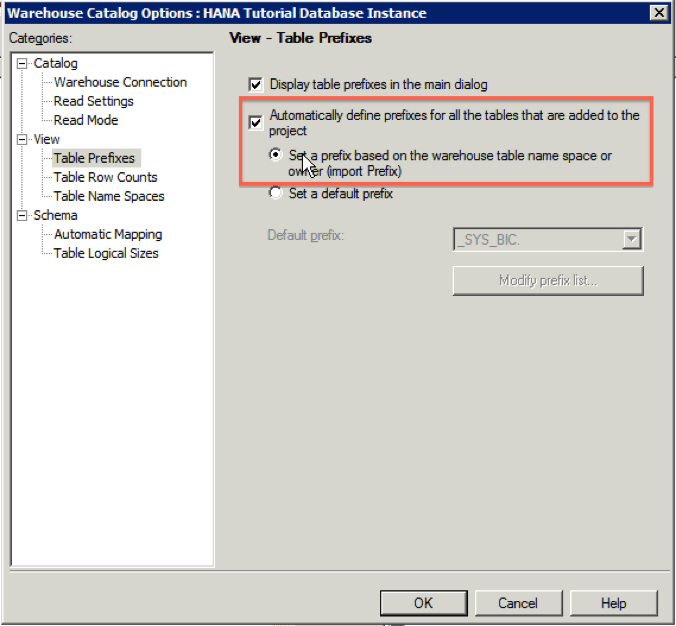
It is possible to configure the Warehouse Catalog to automatically import table prefixes (In the Warehouse Catalog, choose Tools > Options…):