Introduction:
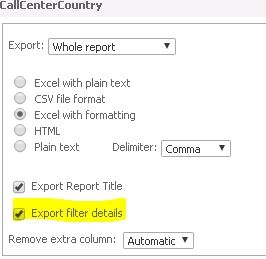
When a prompt or filter is included in the report, users may wish to view the report filter details in the Excel files that get distributed through Strategy Distribution Services. To accomplish this, the following steps must be implemented.
Note: The Excel export options set at the project level do not directly apply to subscriptions and it is necessary to go through the steps below to get the report filter details included in the Excel files delivered through Strategy Distribution Services.


KB439348
