Why MapD?
During last 8 to 10 years, there has been an exponential growth of business data in organizations worldwide, but the computing power of the CPU has not increased at the same pace. Yet users expect sub-second response times to queries into the datasets saved on a CPU. Massively parallel processing frameworks have tried solve this problem: Hadoop and other big data technologies (SparkSQL, Hive, Drill) try to bridge this gap by distributing the computation among commodity hardware, and this works fine for batch jobs. However, these frameworks usually cannot achieve sub-second response times in interactive queries due to inter-node communication and synchronization. MapD tries to bridge the gap between the large data to be processed and the lack of computing resources to process it quickly enough by performing database computations on a GPU. A GPU is a massively parallel computing systems optimized for numerical computations.
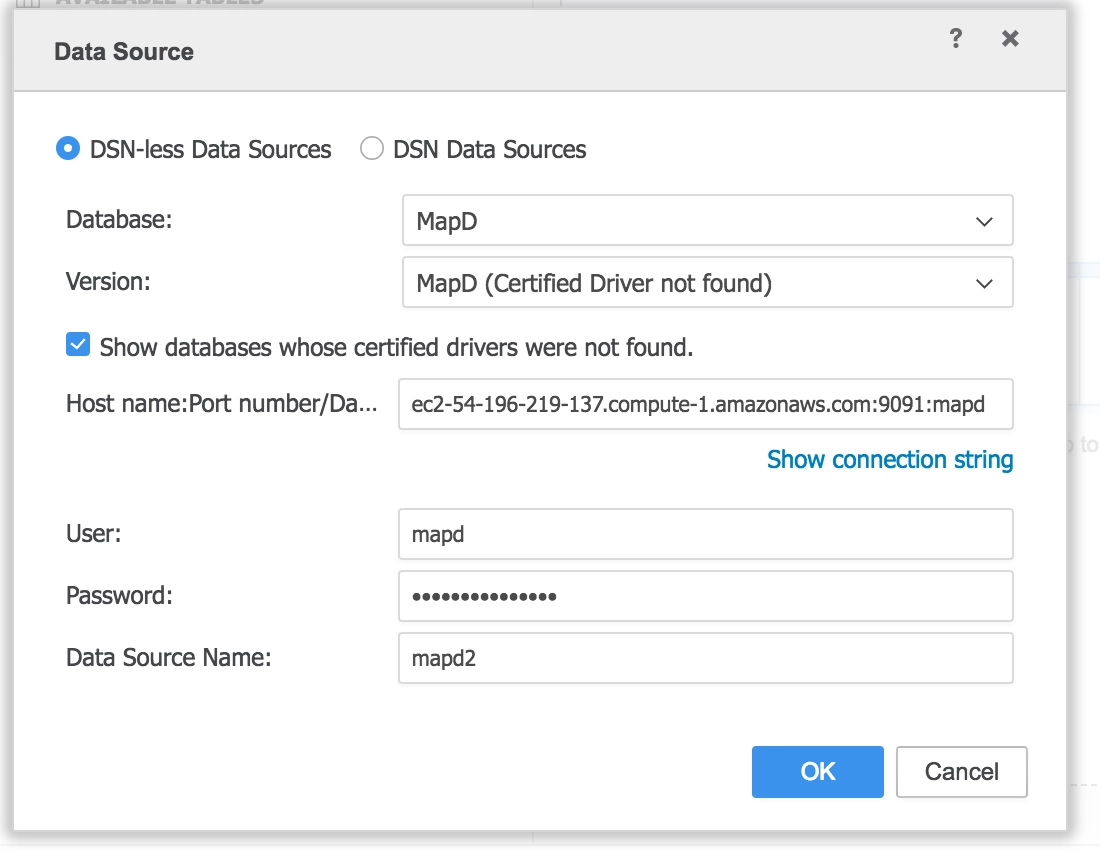
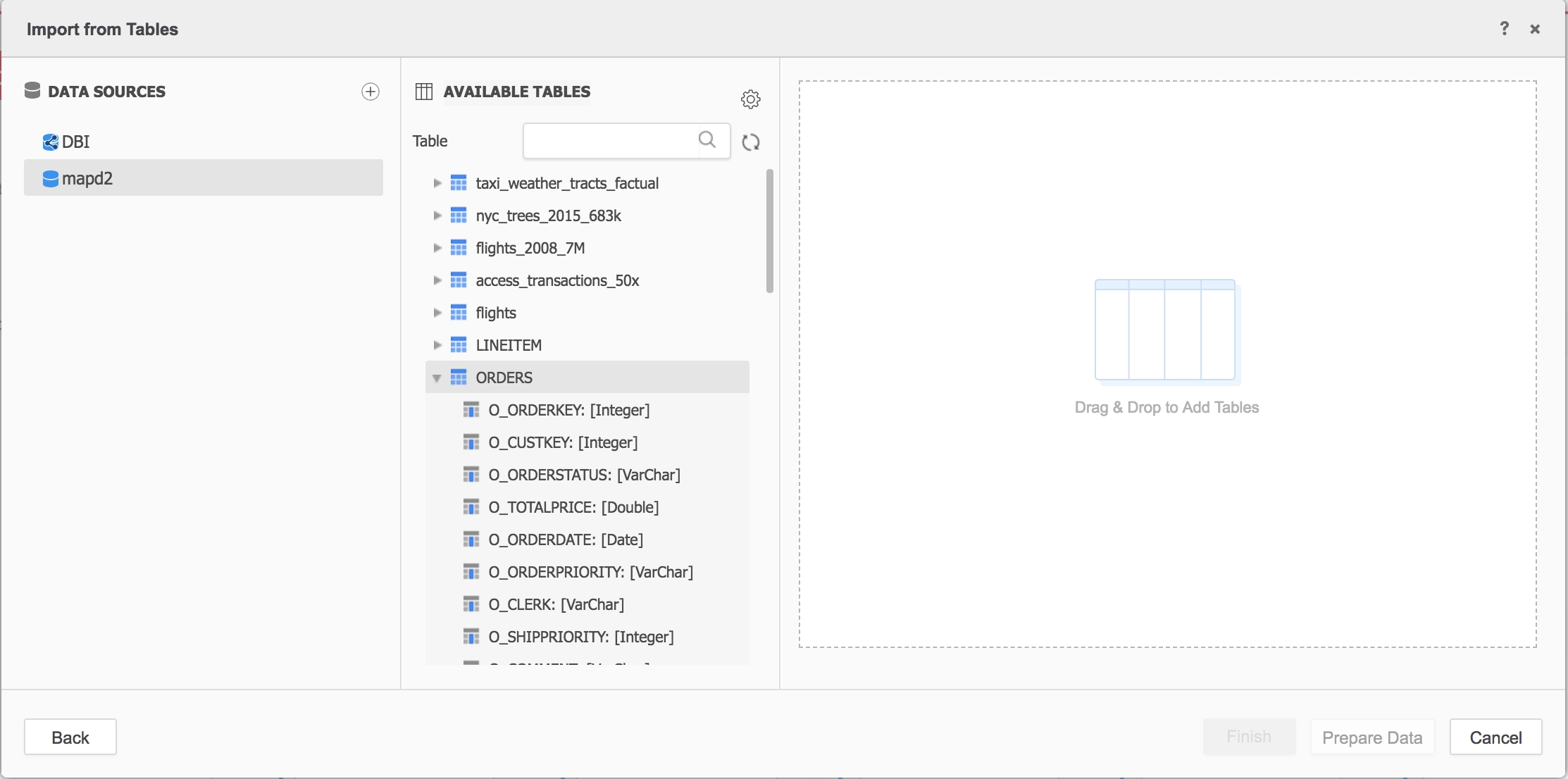
MapD would sit on top of the persistent storage such as relational DB, hadoop based DB, then bring a subset of the database for fast interactive analytics. Also, MapD supports ingesting data on real time through kafka. In order to visualize the data you can connect through Strategy following steps found later in this document.
When should you use MapD?
For query response time optimization, MapD performs best when its dataset is loaded in GPU RAM (VRAM). Once the dataset is loaded GPU RAM MapD, MapD has the fastest response times according to independent benchmarks (check benchmark section).
MapD connector will be shipped out of the box in Strategy 11.1 (excluding the JDBC driver). And for versions before that, please follow below steps to connect to MapD:
Steps:
$java -jar AddConnector.jar --file dtmapping_mapd.xsl --target DTMAPPING.PDS
The file DTMAPPING.PDS has been updated.
$java -jar AddConnector.jar --file dbproperties_mapd.xsl --target DBProperties.xml
The file DBProperties.xml has been updated.


"mapdjdbc-1.0-SNAPSHOT-jar-with-dependencies.jar": "com.mapd.jdbc.MapDDriver"