QUESTION:
While there are several ways to show "No data return" message inside Reports or Report Services documents, formatting may be found lost if specified with HTML Tag. This limitation is explained in:
KB35938: Export to PDF does not retain the formatted message defined for "Display message in document grids" in Project Configuration in MicroStrategy Developer 10.x
ANSWER:
Use text box where formatting options such as font color and alignment can be specified and preserved after exported to PDF.
STEPS FOR WORKAROUND:
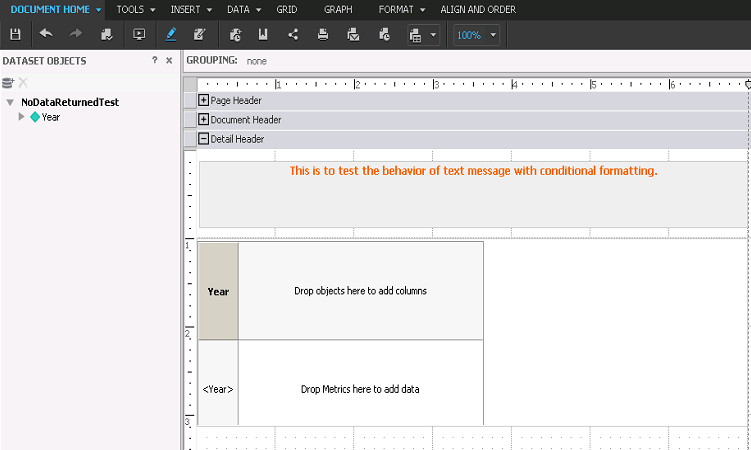
1. Create a new Report Services document with a textbox in Detail Header section along with a grid which has "Year" attribute as shown below:
2. Right click on the textbox and select "Conditional formatting" > "Advanced..." Specify the condition as shown below:
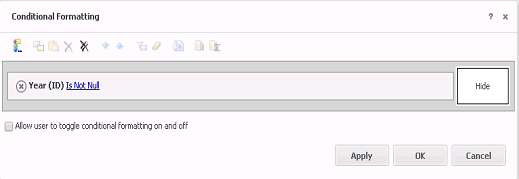
Year (ID) IsNotNull, then "Hide"
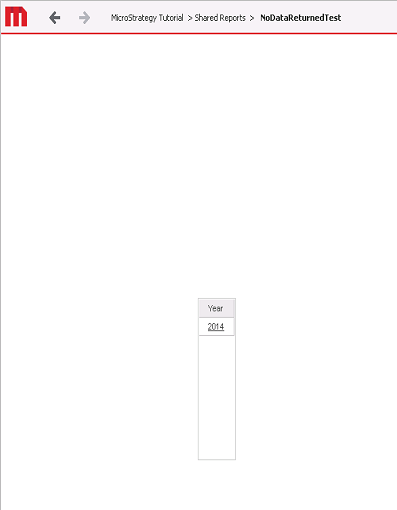
3. Execute the document and confirm that the message in the textbox does not appear when there is a value returned for "Year"
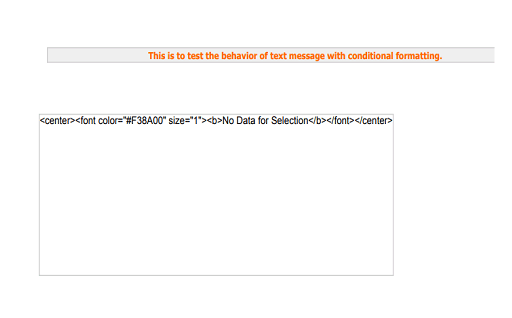
4. When there is no data returned by the grid, the text message is visible along with the text defined in Project Configurations > Report definition > Advanced > No data returned > Display message in document grids.
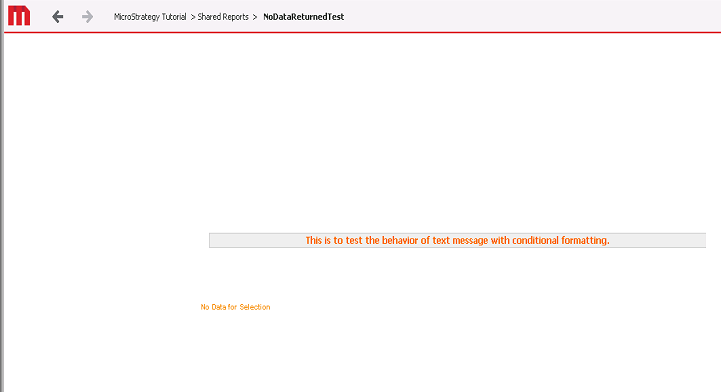
5. Export to PDF and notice that the formatting of the letters in textbox is preserved while the one for letters coming from Project Configuration option is not.
KB440239
