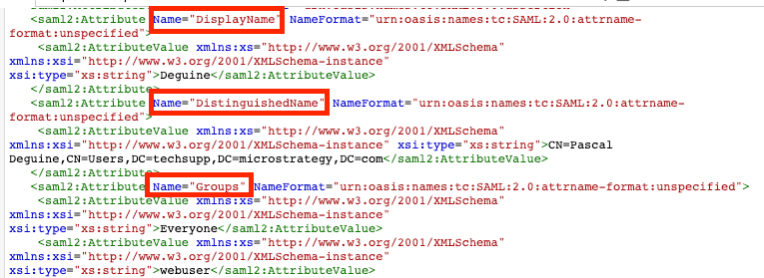
SAML authentication works by exchanging user information between the Identity Provider (IDP) and the Service Provider (SP) through SAML messages. These contain details such as user login, authentication state, audience and relevant attributes such as group memberships, full name, etc.
The Service Provider, here a Strategy application, creates a SAML request which informs the IDP that a user intends to authenticate. This SAML request will be submitted by the client browser, attached to a HTTP(S) request to the SAML endpoint of the IDP. The Identity Provider will process the SAML request, request the user to authenticate and subsequently provide a SAML response that is forwarded back to the SP by the client browser.
SAML messages can be captured using HTTP tracing tools. SAML Chrome Panel is an add-on for Google Chrome, that allows to capture and read SAML request and responses in Chrome Developer Tools.
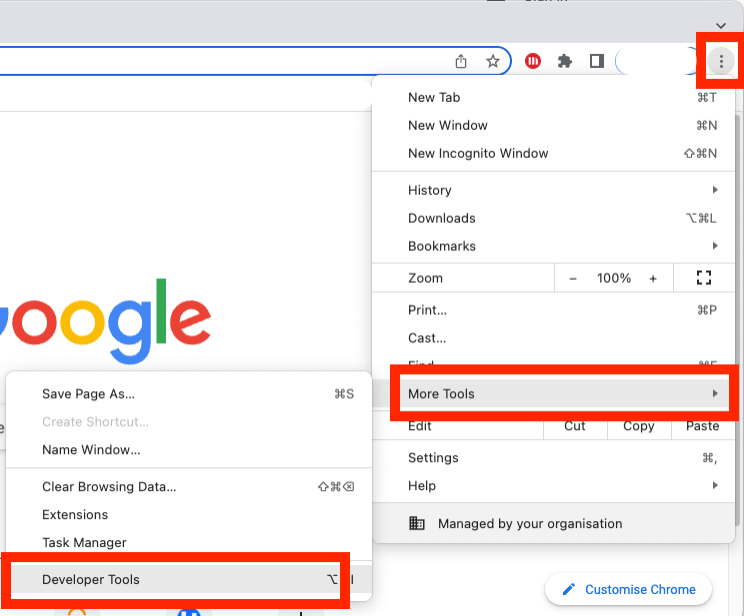
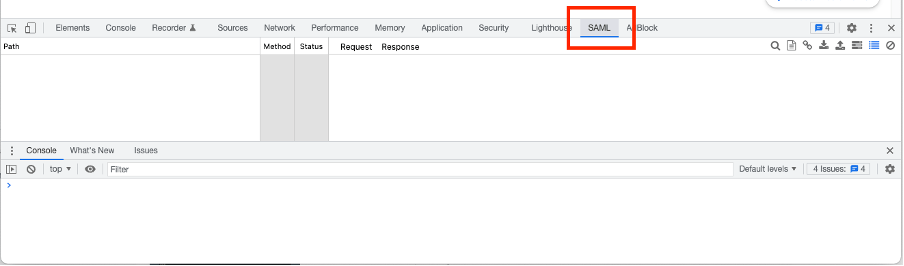
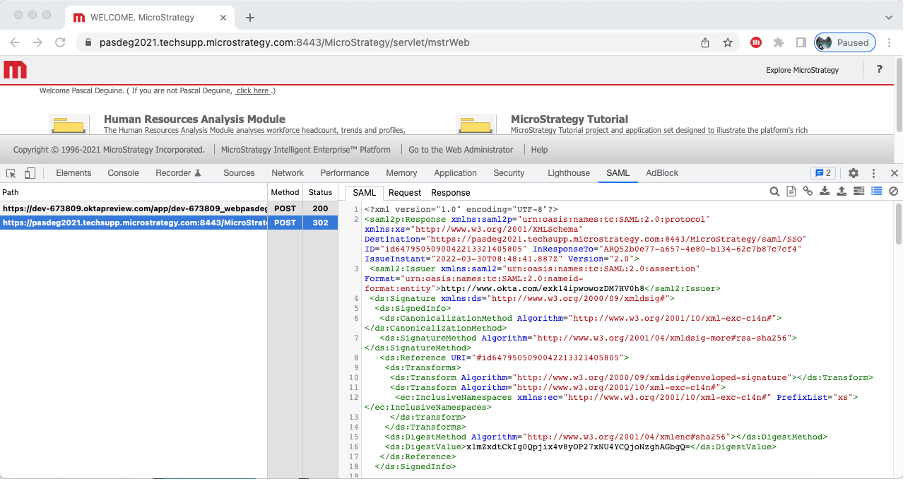
Common authentication issues leading to an “Error on Login” error page may include:


Common issues after SAML authentication completed but user is unable to log into a Strategy project may include:

THIRD PARTY SOFTWARE INSTALLATION WARNING:
The third-party product(s) discussed in this technical note is manufactured by vendors independent of Strategy. Strategy makes no warranty, express, implied or otherwise, regarding this product, including its performance or reliability.
