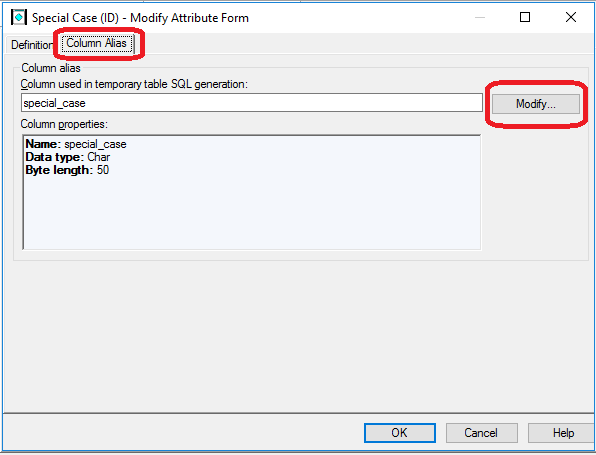
If a report contains an emoji in a column and the data type of the column alias in the attribute form is set to Char or VarChar, no data is returned. In Strategy 2021, parameterized query for text input and column type hint for secure text input are enabled for the SQL Server by default. With this feature enabled, reports with emojis may continue to not return data–the same behavior as having the feature disabled.

The report is composed of attributes with emojis and the corresponding column is stored as NVarChar in the SQL Server database. However, the data type of the column alias is set to Char or VarChar in Strategy, which is not consistent with the data type of the SQL Server database column. When running the report with parameterized query for text input and column type hint for secure text input enabled, the emoji cannot be retrieved from the SQL Server database.

There are two ways to workaround this issue.
<PROPERTY NAME="Column Type Hint for Secure Text Input" VALUE="1" />under the
VLDB Data Typesection in
DATABASE.PDS.
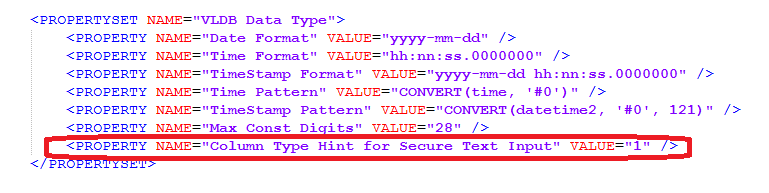
DATABASE.PDSfor the SQL Server.