Wireshark is an open source packet analyzer that is useful for diagnosing issues with MicroStrategy products that connect to the Intelligence Server, which communicates exclusively over TCP connections. Wireshark is only necessary on Windows clients and servers; for Linux TCP capture, see TN42120.
To capture a Wireshark log, follow the steps below:
1. Download and install Wireshark here.
2. Open Wireshark and select the active adapter. The adapters are listed in no particular order, but the active adapter will have an active "heartbeat."
3. The capture screen will appear and immediately begin to populate. The capture does not require more input at this time, and the issue that the capture is being done for should be reproduced at this time.
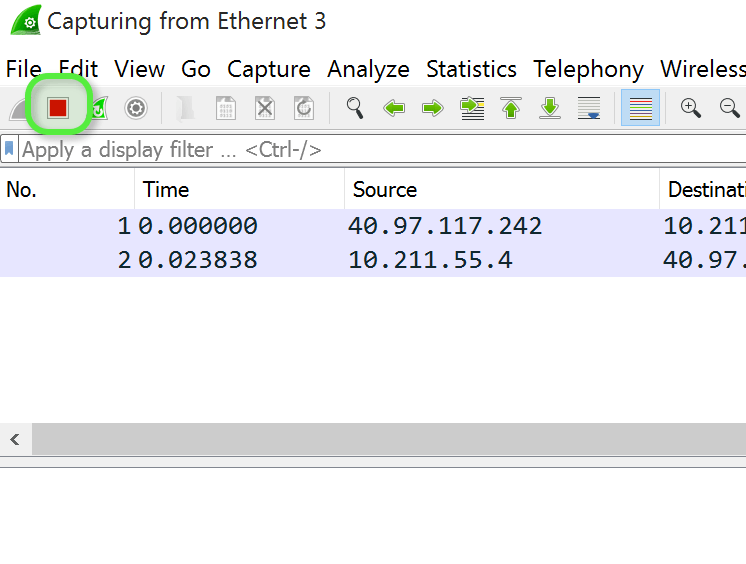
4. Once the issue is reproduced, press the red stop button at the top, noted below: