Background
Strategy have enabled Sybase IQ in Data Source Management. Currently, only ODBC is supported.
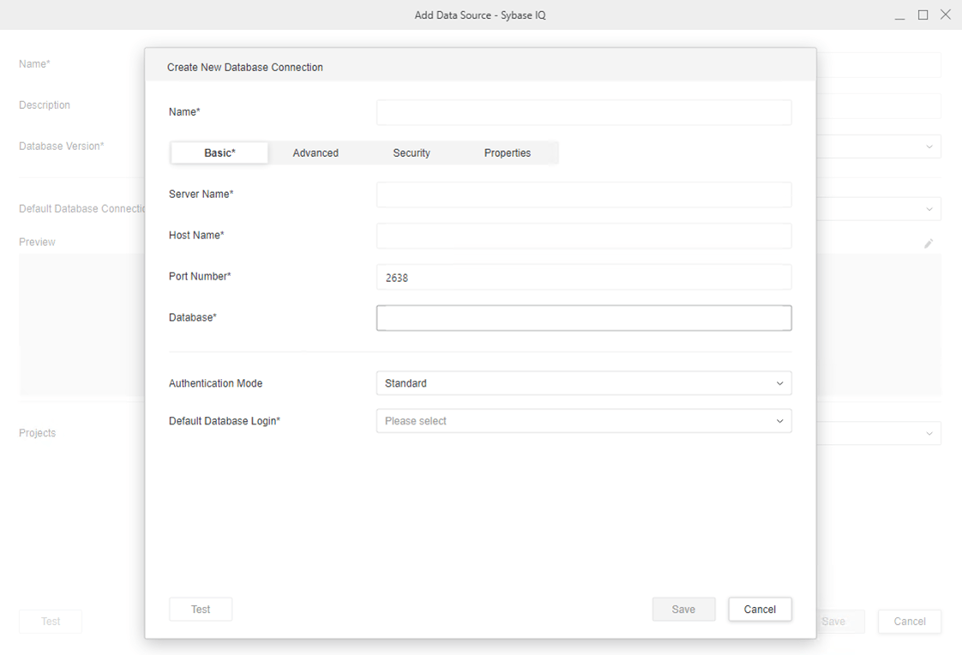
Since ODBC driver for Sybase IQ is not a Strategy-branded driver. The following steps show how to install Sybase IQ ODBC driver and configure Strategy.
tar -zxvf Linux64-iq1610_eval.tgz
cd Linux64-iq1610sp05_eval
./setup.bin
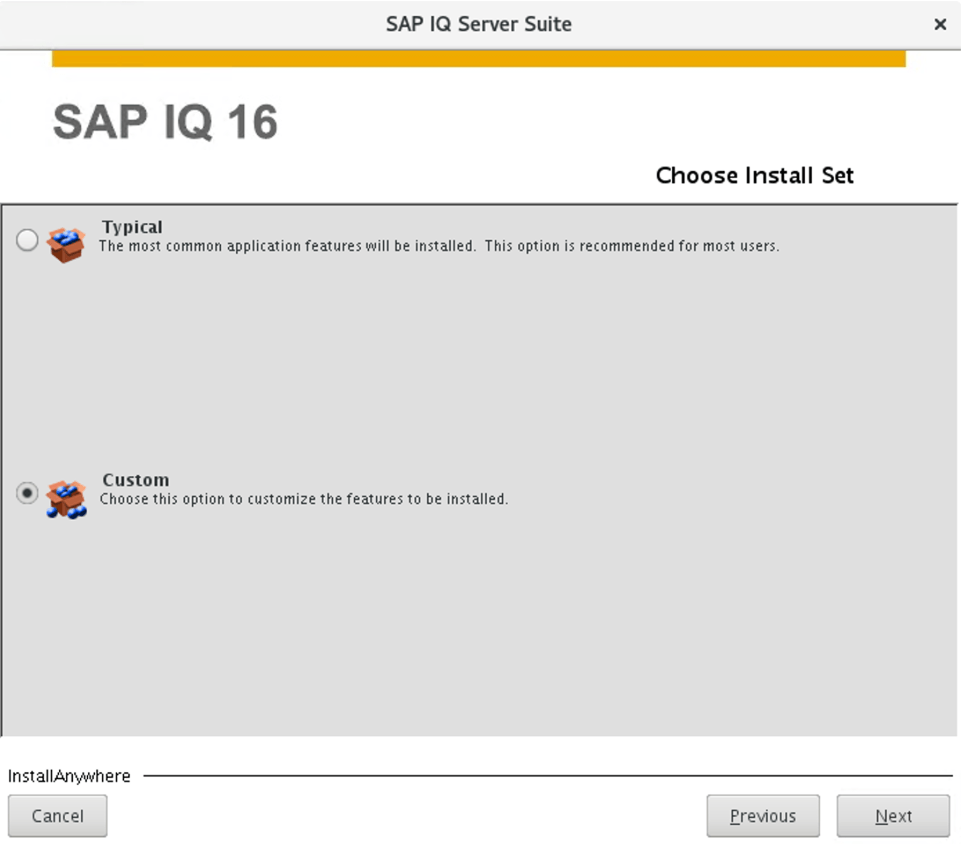
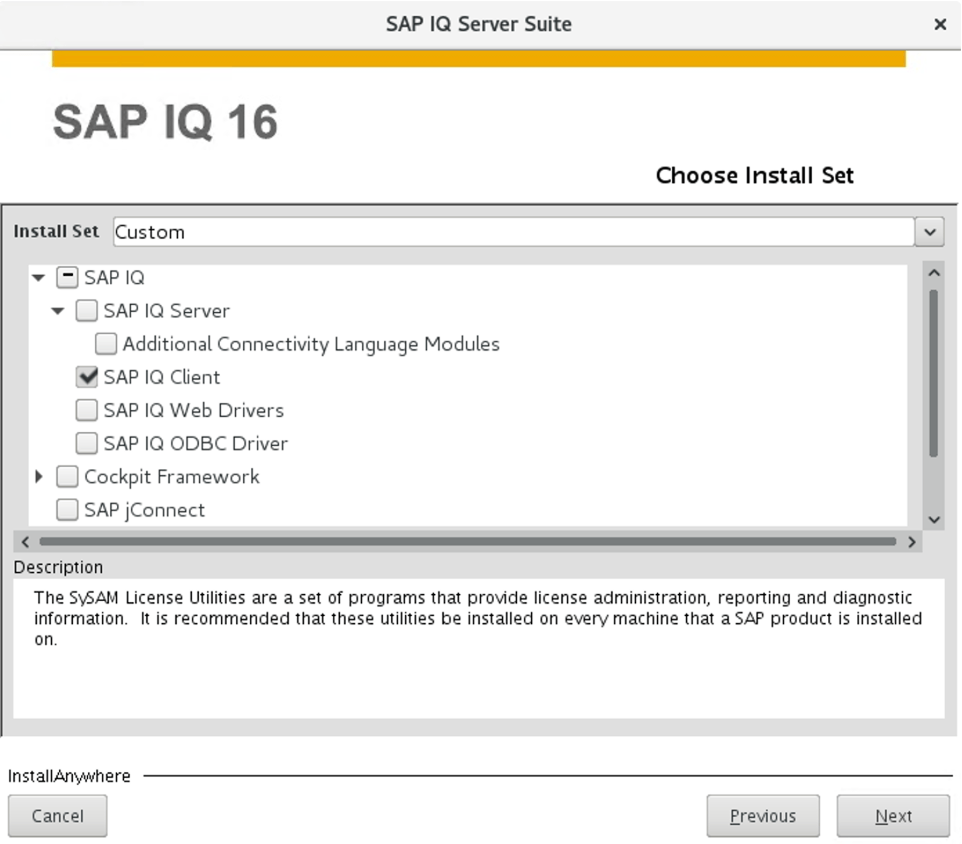
NOTE: Installing SAP IQ ODBC Driver only is not enough to establish an ODBC connection. However, SAP IQ Client will have ODBC driver included.
The directory where ODBC driver for Sybase IQ is installed should always be accessible to Strategy Intelligence Server.
The following set of instructions are divided into two sections: how to define the location of your environment and how to configure a DSN.
HOME_PATH, where
HOME_PATHis the directory you specified as the Home Directory during installation. Browse to the folder
env.
ODBC.shfile by entering the following command:
chmod u+w ODBC.sh
ODBC.shfile and add the location of the directory where the ODBC Driver for Sybase Adaptive Server IQ is installed. Within the
ODBC.shfile, the following definitions are included:
IQDIR16='<IQDIR16>'
<IQDIR16>placeholders with the directory path. Do not modify any other occurrences of <TIBCO_DRIVER_PATH> within
ODBC.sh.
# ODBC Driver for SAP Sybase IQ 16.x
#
IQDIR16='/opt/SybaseIQ/IQ-16_1'

if [ "${IQDIR16}" != '<IQDIR16>' ]; then
	export IQDIR16

	mstr_append_path PATH "${IQDIR16:?}/bin64"
	export PATH

	mstr_append_path LD_LIBRARY_PATH "${IQDIR16:?}"/lib64
	export LD_LIBRARY_PATH
fi
ODBC.shfile and remove Write privileges from the file by entering the following command:
chmod a-w ODBC.sh
HOME_PATHwhere
HOME_PATHis the directory you specified as the home directory during Strategy installation.
as is:
[Sybase IQ]
Driver=<IQDIR>/lib/libdbodbc12_r.so (if 15.4) or libdbodbc16_r.so (if 16.0)
Description=IQ ODBC Driver
APILevel=0
ConnectFunctions=YYY
DriverODBCVer=3.52
FileUsage=0
Setup=<IQDIR>/lib/libdbodbc12_r.so (if 15.4) or libdbodbc16_r.so (if 16.0)
SQLLevel=0
DriverUnicodeType=1
[Sybase IQ]
Driver=/opt/SybaseIQ/IQ-16_1/lib64/libdbodbc17_r.so
Description=IQ ODBC Driver
APILevel=0
ConnectFunctions=YYY
DriverODBCVer=3.52
FileUsage=0
Setup=/opt/SybaseIQ/IQ-16_1/lib64/libdbodbc17_r.so
SQLLevel=0
DriverUnicodeType=1
HOME_PATHwhere
HOME_PATHis the directory you specified as the home directory during installation.
odbc.ini.examplefile and find the section that starts with [SAP SYBASEIQ16]. Copy the section into the
odbc.inifile.
For details on these DSN parameters, refer to the product documentation provided directly by the database vendor.
