Follow the steps below to set up the Tutorial environment.
3. Create each DSN on the Developer machine:
4. Create a 2-tier project source and connect to the DSN "poc metadata".
* You can log in as an Administrator without a password.
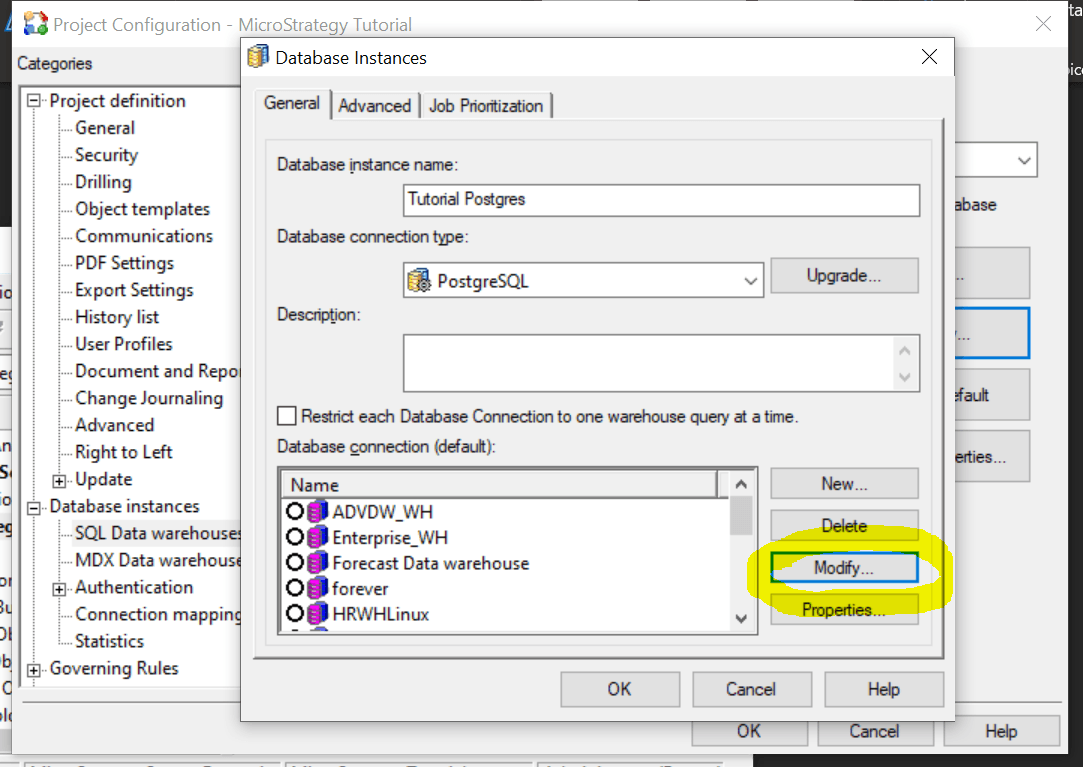
5. Expand Administration → Project Configuration → Database Instances, Modify the database instance “Tutorial Postgres”, and update the database login information for the Tutorial warehouse.
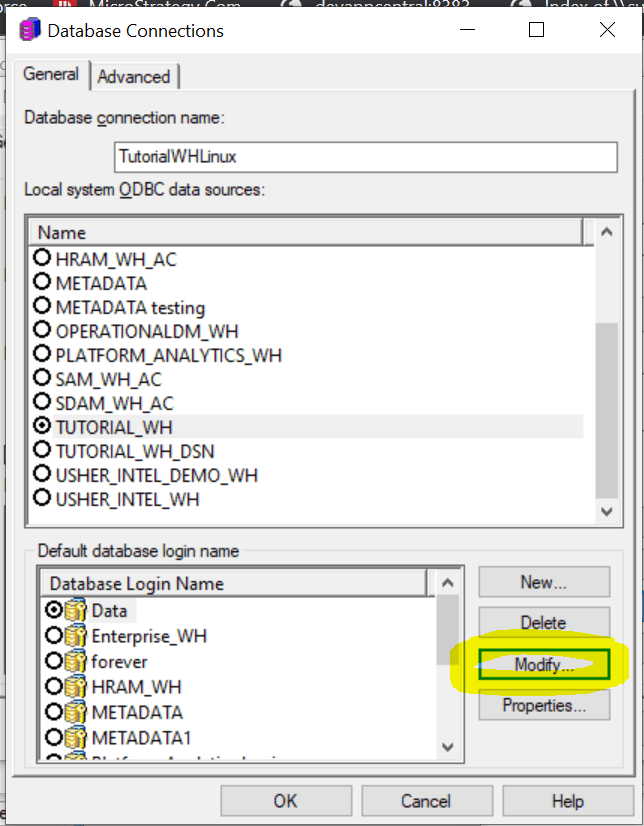
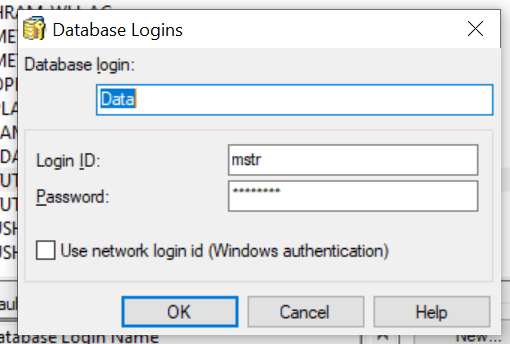
6. Perform the same procedure for the database instance "Operational Datamart" to update the database login information for Operational datamart.
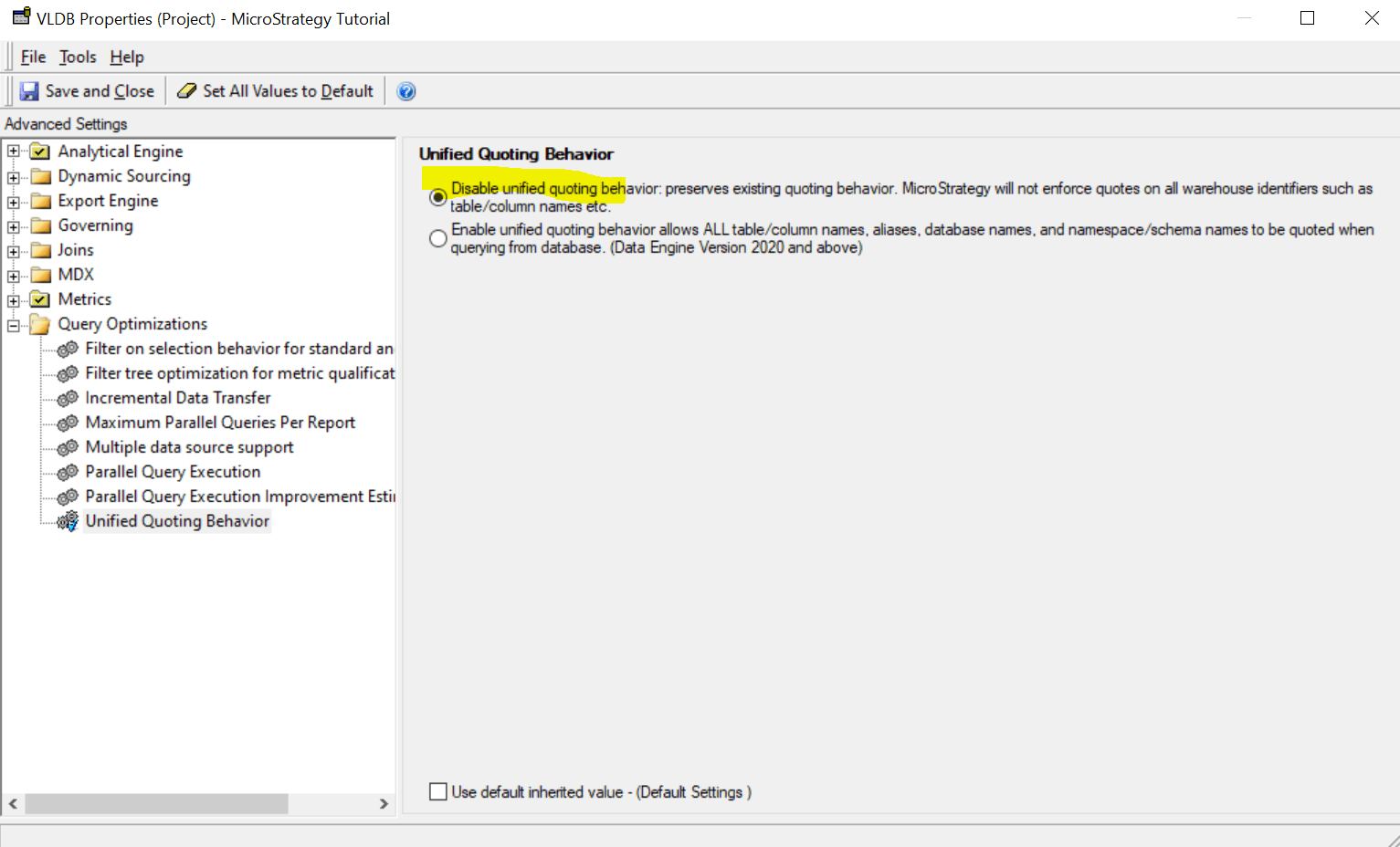
7. Right-click on the project "MicroStrategy Tutorial" and select Project Configuration. Click "Configuration" , Advanced, then "Analytical Engine VLDB Settings" under Project Definition-> Details.
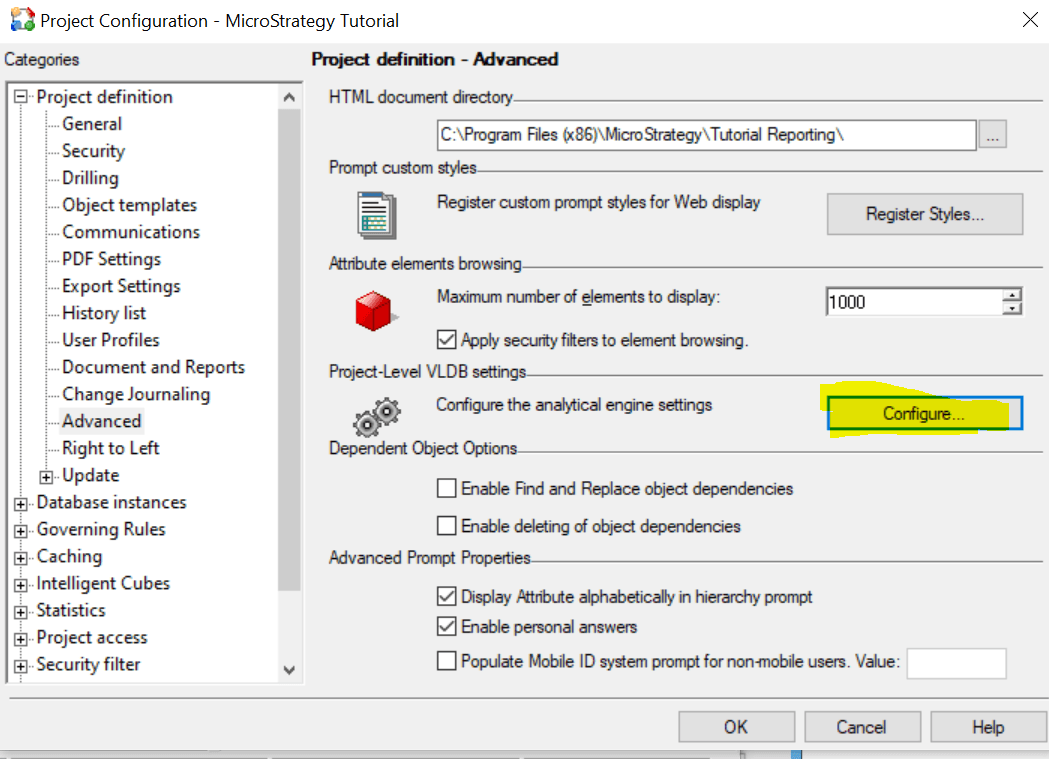
Disable Unified Quoting Behavior in Query Optimization.
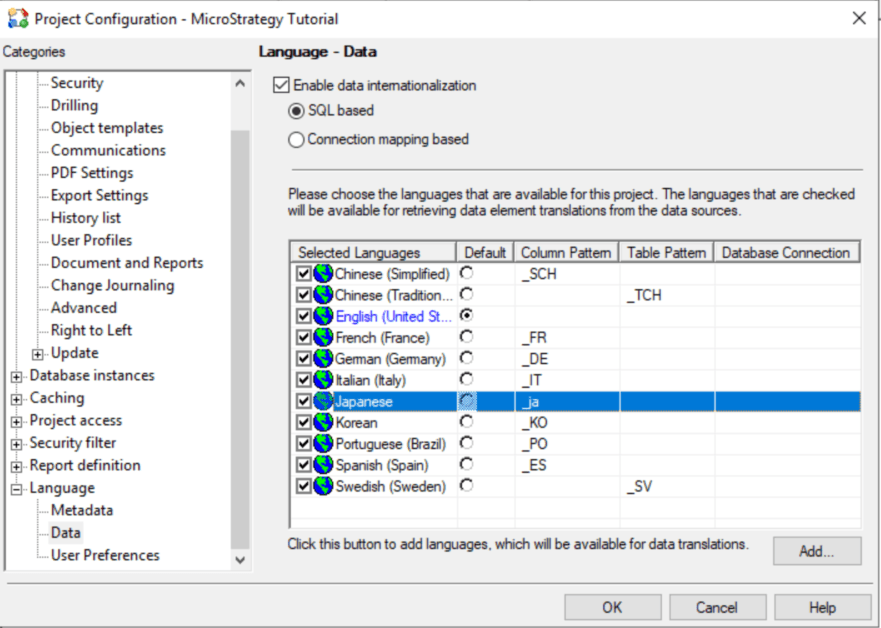
if data internationalization feature is used, go to Project congiruation-Language-Data and modify the column pattern from uppercase letters to lowercase.
E,g for Japanese, before change, it is _JA. After change, it should be _ja, for Postgresql.
At this point, Developer will be able to use the 2-Tier Tutorial project.
If you need to use 3-Tier on the Web, Library, or Workstation, then follow the steps below.
8. Activate the Tutorial project at 3-Tier using one of the following methods.
8-1. Configure Intelligence Server with restored metadata with Configuration Wizard
8-2. Use the project duplication function to duplicate only the Tutorial project to your metadata.
If you do not want to add sample users in the Tutorial environment, set the project replication option "Users and User Groups" to "None".
9. If the Intelligence server is hosted on a different machine than the Developer, be sure to create the following two DSNs on the Intelligence server machine.
DSN name for Tutorial warehouse: TUTORIAL_WH
DSN name for Operational data mart: OPERATIONALDM_WH
10. Copy the images under \ StrategyTutorial_2021_Files \ Images to your web server.
For ASP:. \ Web ASPx \ Images
For JSP:. \ Webapps \ Strategy \ images
If you also need to use Mobile and Library, copy them to their respective images folders.
11. Stop the Intelligence Server service.
12. Copy the files under StrategyTutorial_2021_Files \ Cubes to the following folder.
<Strategy Install Path >> \ Intelligence Server \ Cube \ <server definition name> \ Server_ <server> _P <Tutorial project ID>
* You can check the <Tutorial project ID> from "Project configuration".
13. Restart the Intelligence Server service.
Tutorial projects are now available on the Web / Library / Workstation.
■ Other notes:
Some data files are provided under \ StrategyTutorial_2021_Files \ Data_Files. ..
Required for data import cubes. If you are asked to republish the cube, please upload the file and republish it.
For example, if you run Casino Analysis under MicroStrategy Platform Capabilities> MicroStrategy Report Services> Visual Insight, you will receive an error message that you need to republish the cube, select Slots_Past_6Months.xlsx to republish the cube.
