EducationSoftwareStrategy.com
StrategyCommunity

Knowledge Base

Product

Community

Knowledge Base

TopicsBrowse ArticlesDeveloper Zone

Product

Download SoftwareProduct DocumentationSecurity Hub

Education

Tutorial VideosSolution GalleryEducation courses

Community

GuidelinesGrandmastersEvents
x_social-icon_white.svglinkedin_social-icon_white.svg
Strategy logoCommunity

© Strategy Inc. All Rights Reserved.

LegalTerms of UsePrivacy Policy
  1. Home
  2. Topics

KB484205: How to connect to IBM Integrated Analytics System with MicroStrategy 2020 Update 2


Daquan Wang

Software Engineer, Senior • MicroStrategy


Starting in MicroStrategy 2020 Update 2, an independent IBM Integrated Analytics System connector is included. This article explains how to connect to this connector to retrieve data.

IBM Integrated Analytics System is a unified hybrid data management analytics solution introduced by IBM. 
IBM® Integrated Analytics System consists of a high-performance hardware platform and optimized database query engine software that work together to support various data analysis and business reporting features.
IAS software consists of the IAS application, that is, Db2® Warehouse which runs in a Docker container and provides control over data and analytics applications, and the IAS platform software, which is responsible for managing and monitoring hardware components. Hardware components depend on the model that you purchase.
For details, see this IBM release note. 

In Strategy 2020 Update 2


Starting in Strategy 2020 Update 2, an independent IBM Integrated Analytics System connector is included. The usage is consistent with IBM Db2. 
To retrieve data from IBM Integrated Analytics System with Strategy, refer to the following steps: 
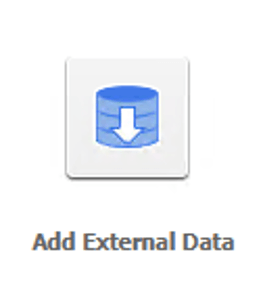
  • In Strategy Web, click Create > Add External Data.
ka02R000000bt9lQAA_0EM2R0000019fCP.jpeg
  • In the Connect to Your Data dialog, select IBM Integrated Analytics System.
ka02R000000bt9lQAA_0EM2R0000019fCU.jpeg
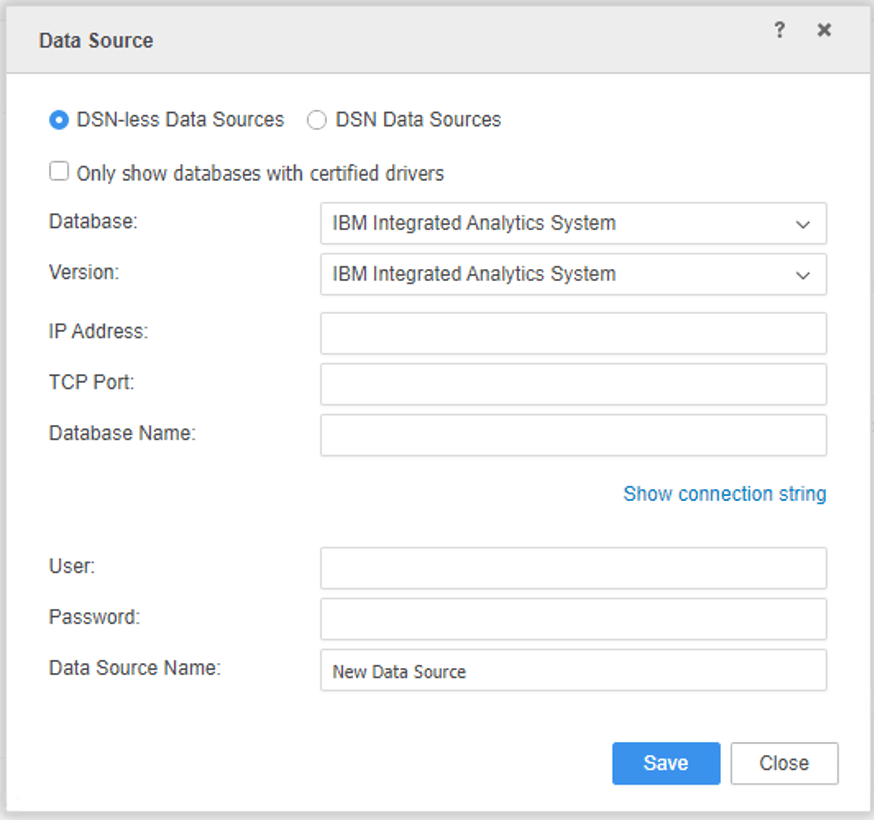
  • Enter your data source credentials.
ka02R000000bt9lQAA_0EM2R0000019fCZ.jpeg
  • Sample Connection Strings 
    The IBM Integrated Analytics System connector in Strategy utilizes the shipped Db2 driver. Please see the following connection strings for your reference:

    JDBC
    JDBC;Driver={com.Strategy.jdbc.db2.DB2Driver};URL={jdbc:Strategy:db2://:;AUTHENTICATIONMETHOD=encryptedPassword;DATABASENAME=};MatchedJarFile=mydb2.jar;

     
    ODBC
    DRIVER={Strategy ODBC Driver for Db2 Wire Protocol}; IpAddress=; TcpPort=; Database=;AuthenticationMethod=1;


Comment

0 comments

Details

Knowledge Article

Published:

April 22, 2020

Last Updated:

July 10, 2020