INTRODUCTION
This article describes how to create a metric with an attribute as a filter using a Case statement in a Visual Insight dashboard in Strategy Web.
Content
In order to create a metric in Strategy Visual Insight to filter on a specific attribute, a Case statement function can be used to get the designed results.
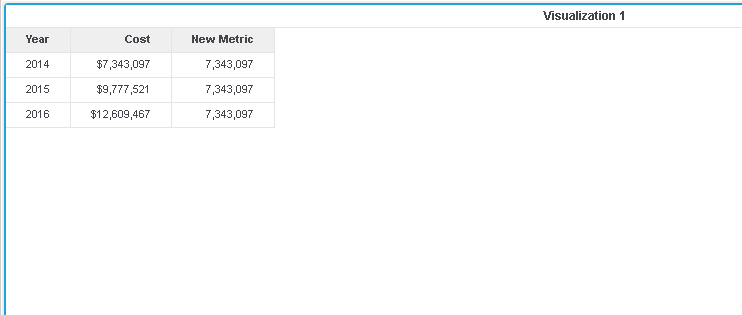
Syntax
Sum(IF((Attribute@ID=Element),Metric,0)){}
Where:
REPRODUCING STEPS IN TUTORIAL
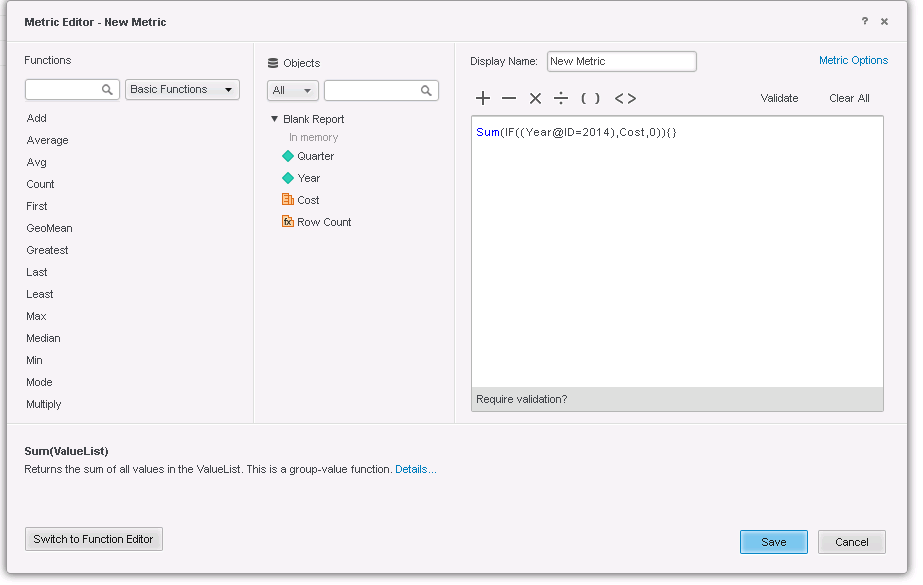
1. Create a new derived metric in a VI Dashboard with the formula below:
Sum(IF((Year@ID=2014),Cost,0)){}
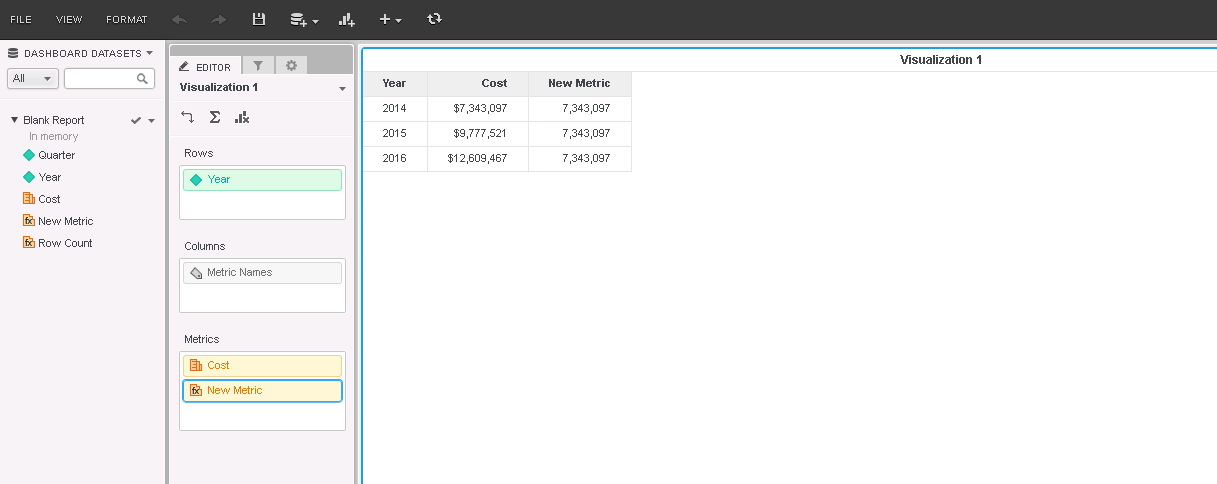
2. Add the new derived metric to the grid as shown below:
KB439226
