SUMMARY:
This technical note describes how to delete the first row when importing data through data import in Strategy Web 10.x.
CONTENT
When a user imports tables using Data import in Strategy Web, the user will like to remove the first row of data and use the second row as the top row.
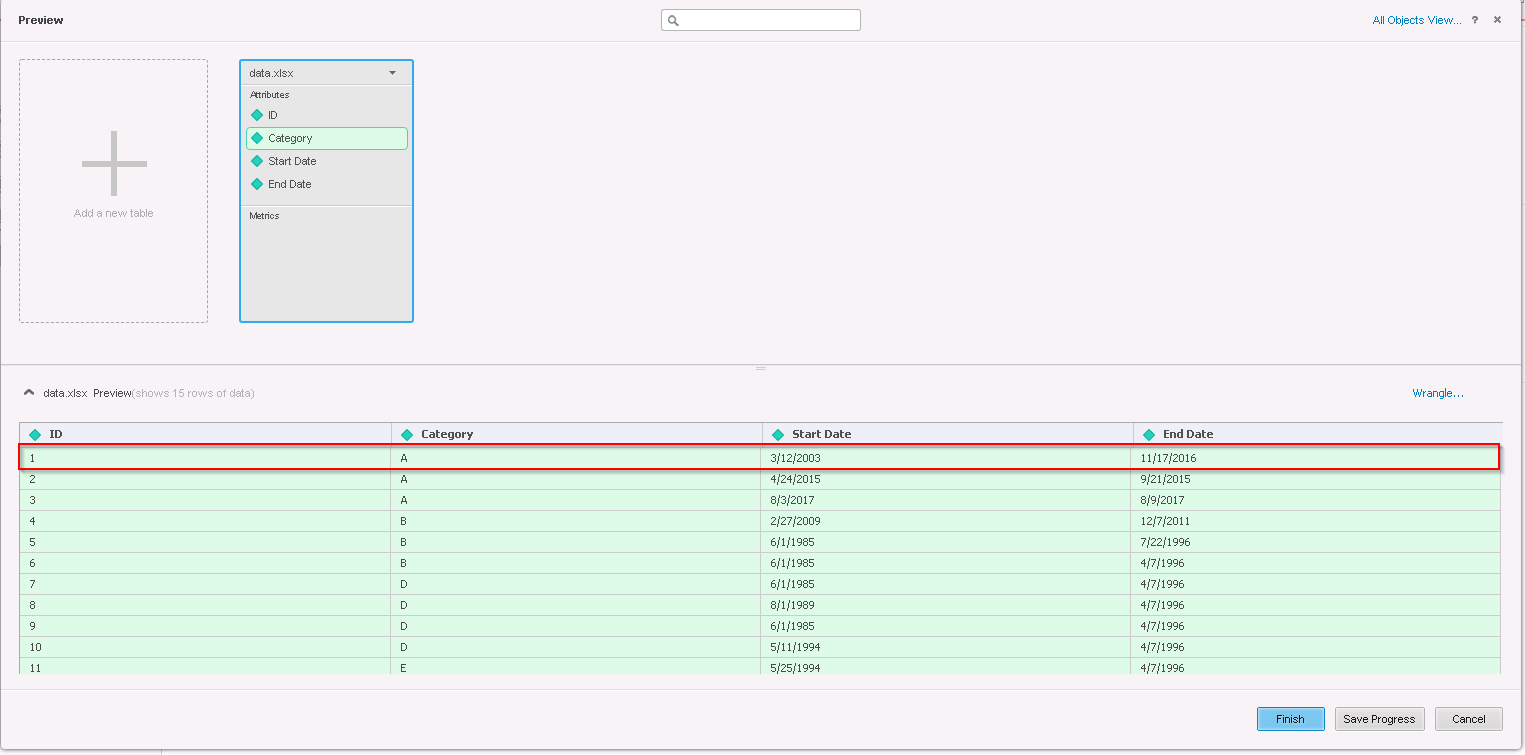
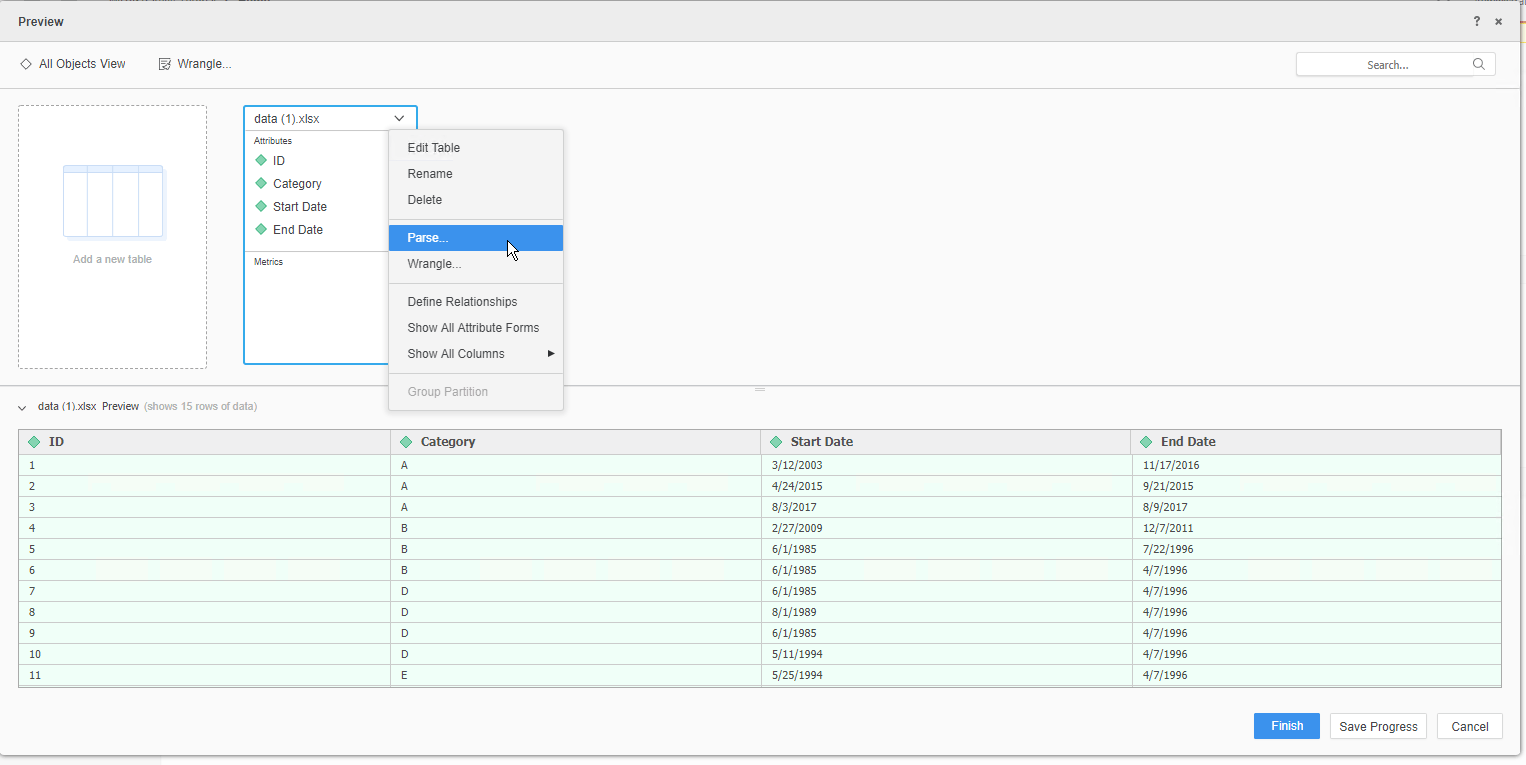
This can be done prior to wrangling the Cubes data, in the Data Import tables view mode, by going to the table's option --> Parse.
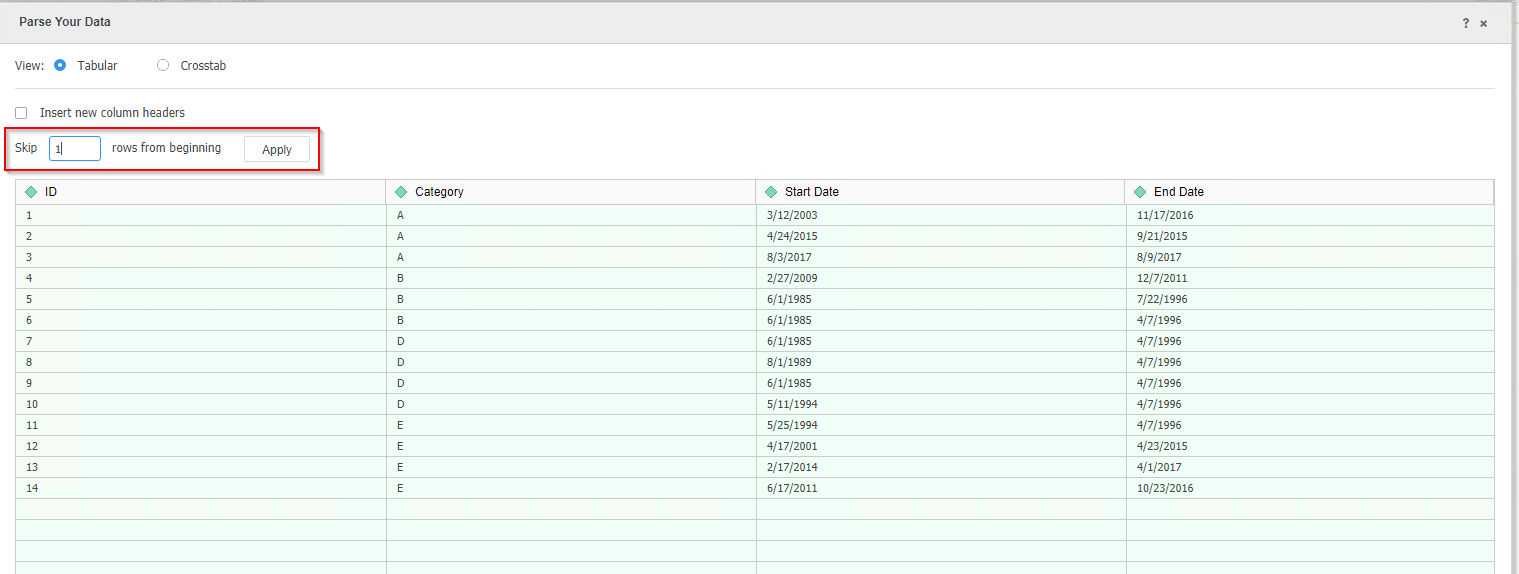
The user then gets an interface with a clear "Skip ‘N’ rows from beginning" feature where you can specify how many rows you'd like to delete.
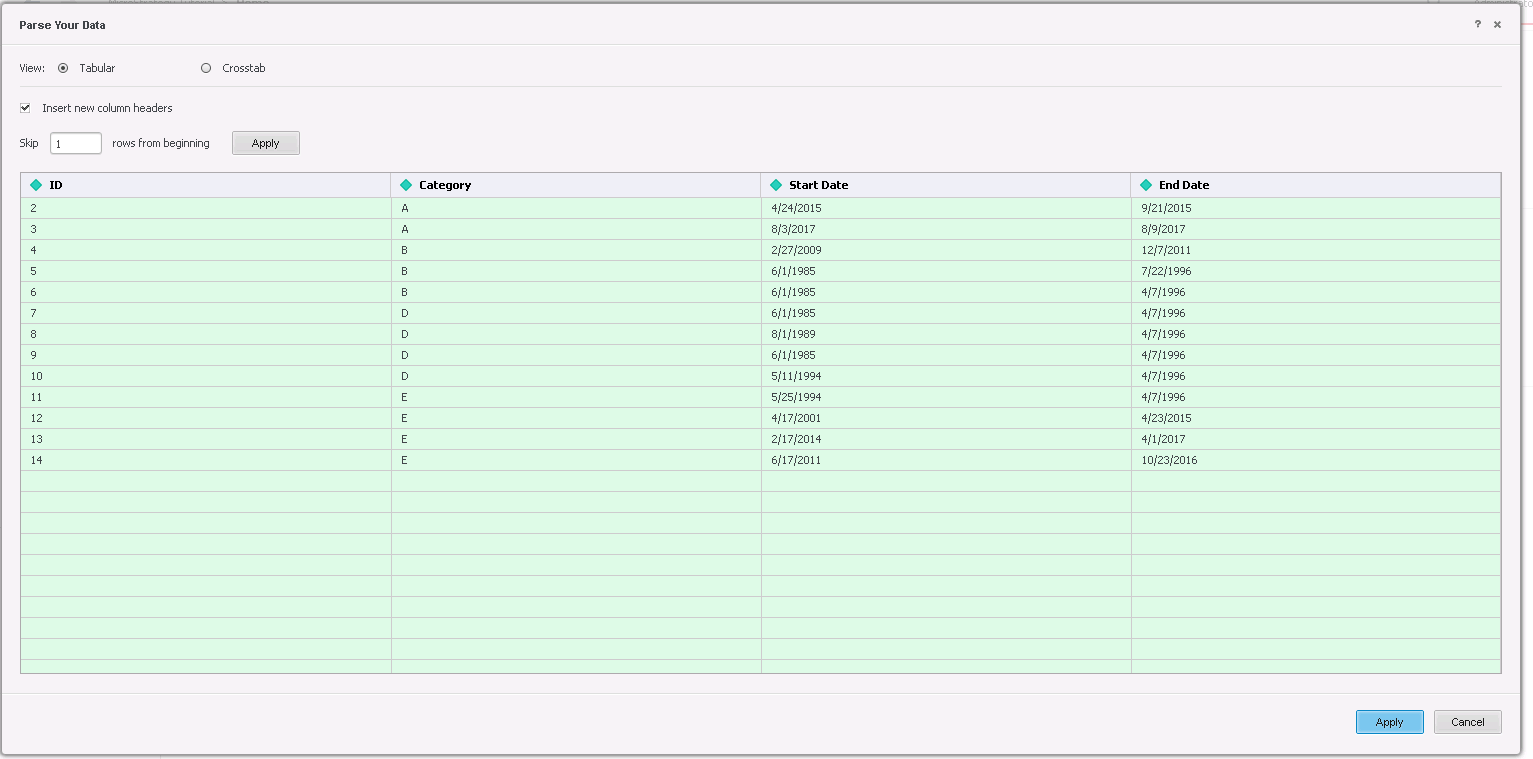
When the user applies the changes, the specified number of rows will be deleted from the table and the remaining rows will be moved up and used in the following order as a result.
KB441063
