EducationSoftwareStrategy.com
StrategyCommunity

Knowledge Base

Product

Community

Knowledge Base

TopicsBrowse ArticlesDeveloper Zone

Product

Download SoftwareProduct DocumentationSecurity Hub

Education

Tutorial VideosSolution GalleryEducation courses

Community

GuidelinesGrandmastersEvents
x_social-icon_white.svglinkedin_social-icon_white.svg
Strategy logoCommunity

© Strategy Inc. All Rights Reserved.

LegalTerms of UsePrivacy Policy
  1. Home
  2. Topics

How to design icons for free


Community Admin

• Strategy


This article describes how you can create and design your own icons for free with open source image editor Gimp.

Intro
Ever wanted to create and design your own icons for free for use with mobile apps and pixel perfect documents.
This article shows you how.
Prerequisites

  • download and install open source image editor Gimp (for windows and mac)  at 
    https://www.gimp.org

Next Step
search for free icons at http://www.flaticon.com
Example
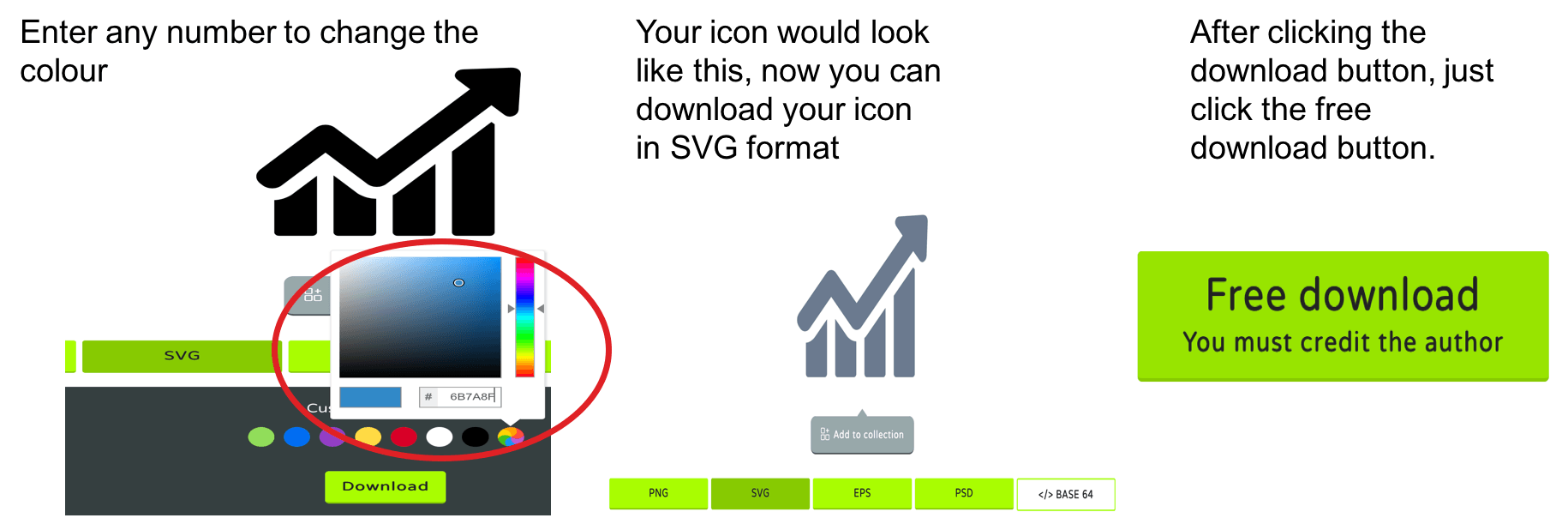
In this example I am searching for a graph icon and need to change the colour and size.
Step 1
ka04W000000uGB6QAM_0EM440000002NZX.png

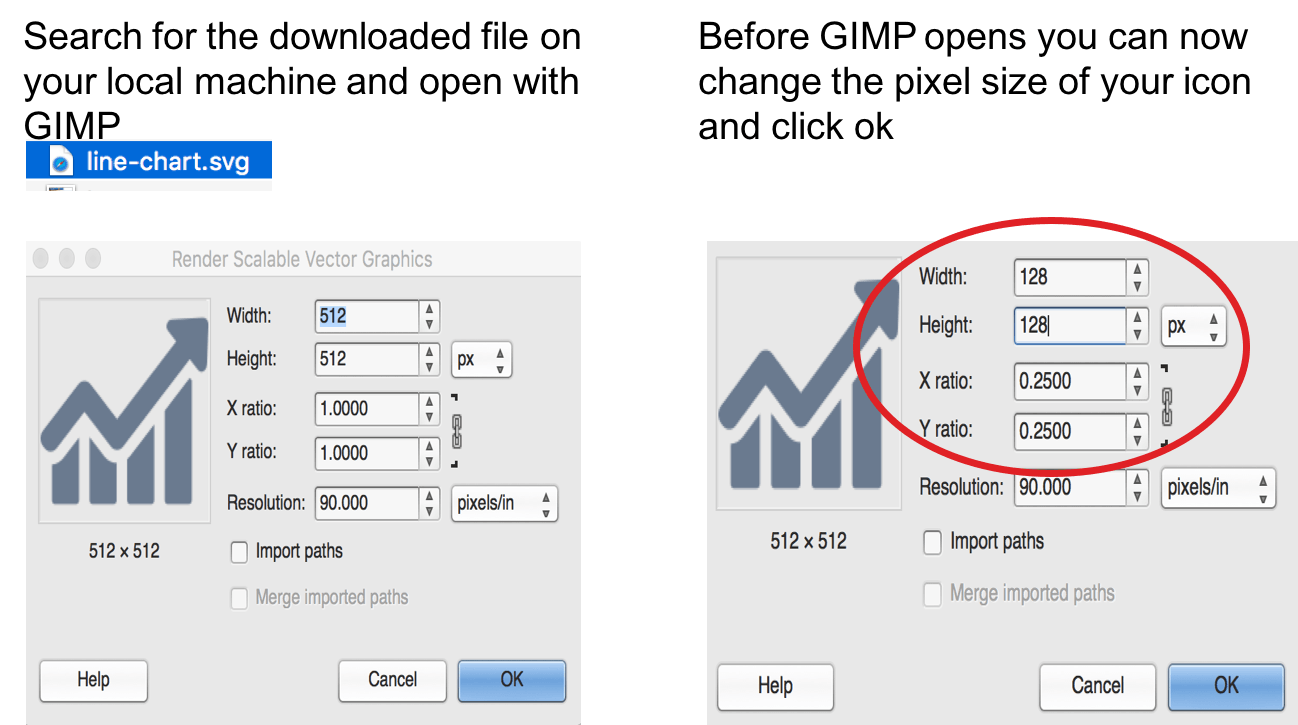
Step 2

ka04W000000uGB6QAM_0EM440000002NZh.png

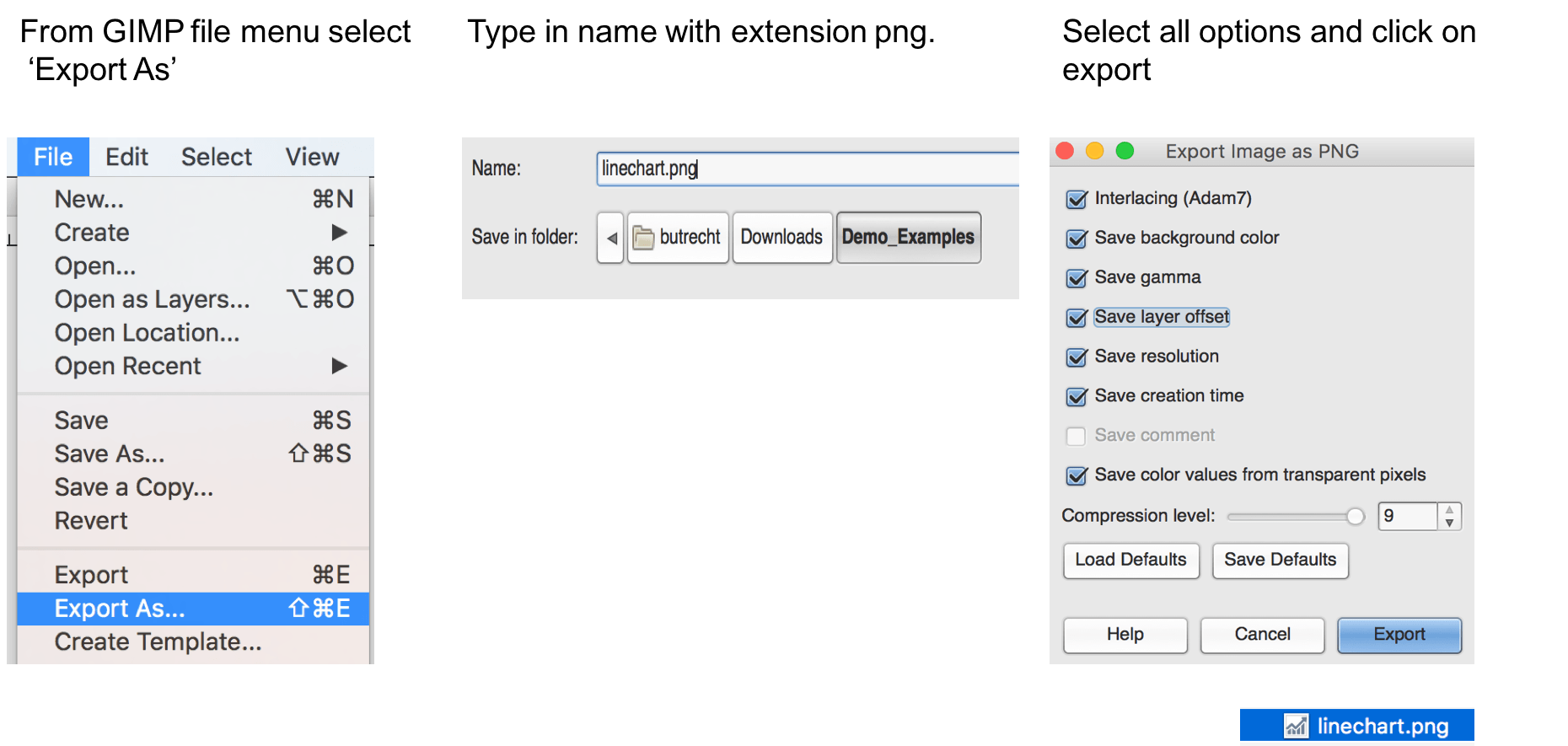
Step 3

ka04W000000uGB6QAM_0EM440000002NZm.png

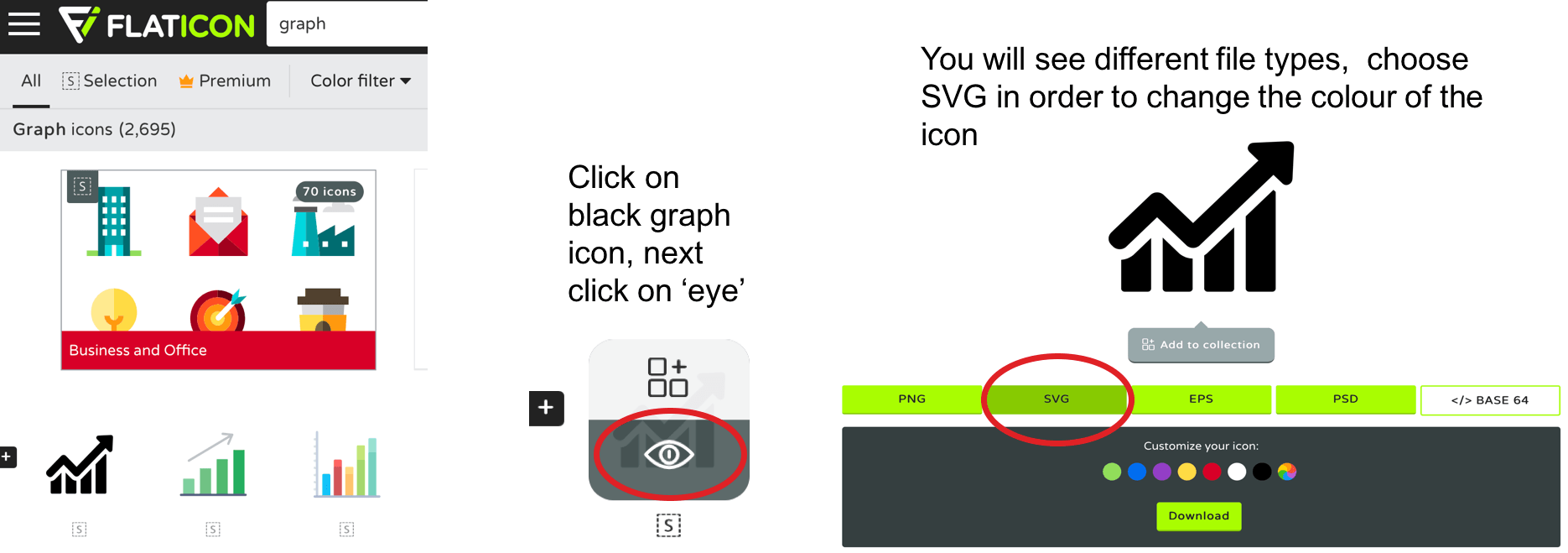
Step 4

ka04W000000uGB6QAM_0EM440000002NZw.png


Comment

0 comments

Details

Knowledge Article

Published:

June 2, 2017

Last Updated:

June 2, 2017