EducationSoftwareStrategy.com
StrategyCommunity

Knowledge Base

Product

Community

Knowledge Base

TopicsBrowse ArticlesDeveloper Zone

Product

Download SoftwareProduct DocumentationSecurity Hub

Education

Tutorial VideosSolution GalleryEducation courses

Community

GuidelinesGrandmastersEvents
x_social-icon_white.svglinkedin_social-icon_white.svg
Strategy logoCommunity

© Strategy Inc. All Rights Reserved.

LegalTerms of UsePrivacy Policy
  1. Home
  2. Topics

KB484726: How to disable the 'Who Has Access' section when sharing a dossier in MicroStrategy Web


Mengran (Molly) Wang

Senior Cloud Support Engineer III • MicroStrategy


This article explains how to disable the Who Has Access section when sharing a dossier in MicroStrategy Web.

Starting with the release of Strategy ONE (March 2024), dossiers are also known as dashboards.

Description 


When sharing a dossier via Strategy Web, you may not want some users to have the ability to modify the Who Has Access section. 
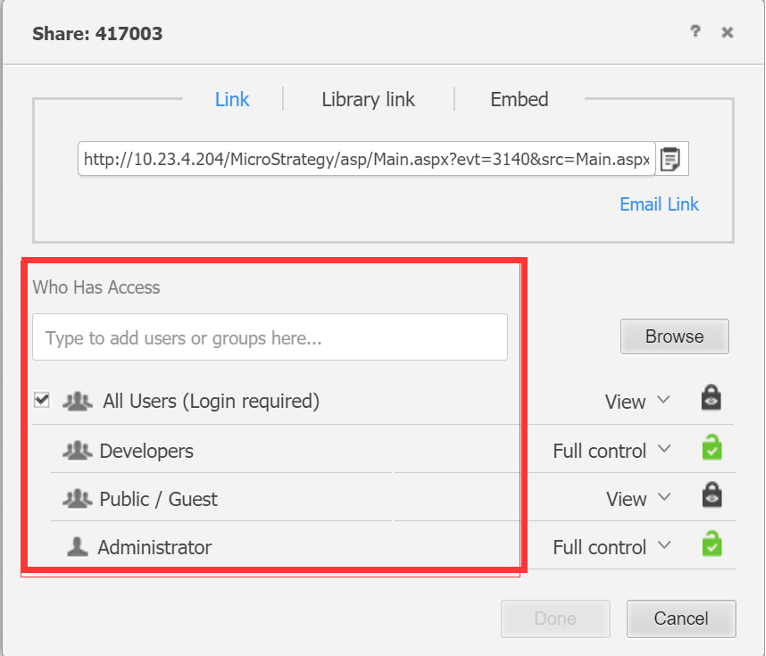
ka0PW0000001JeLYAU_0EM4W000001JfAo.jpeg

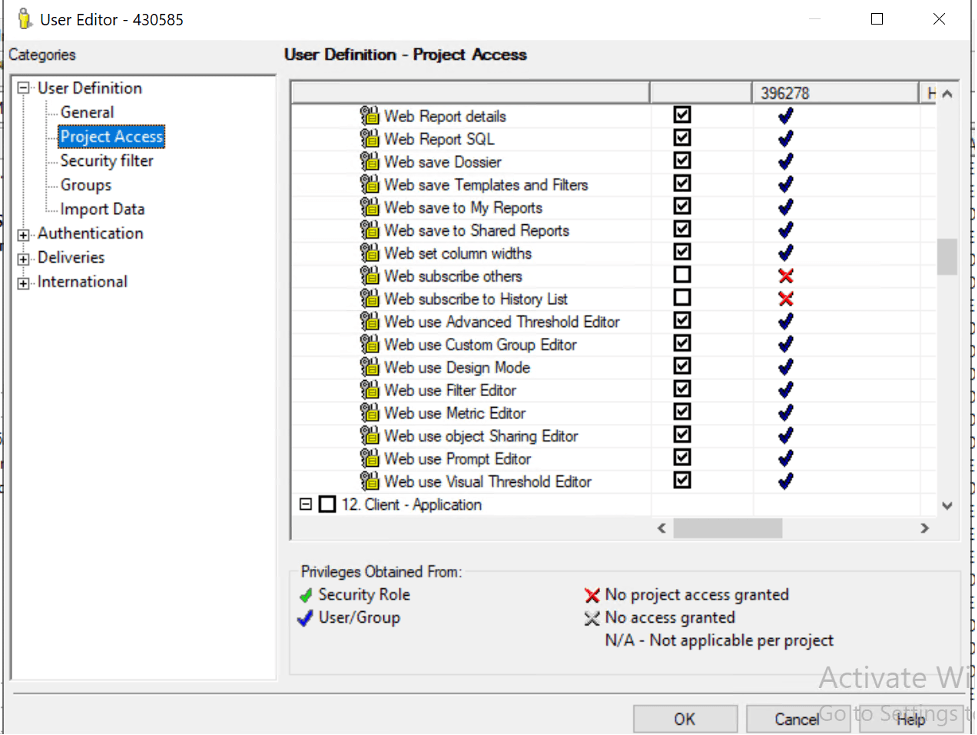
This can be achieved by disabling the Web subscribe to History List and Web subscribe to others privileges in Developer for users. 
ka0PW0000001JeLYAU_0EM4W000001JfAy.jpeg

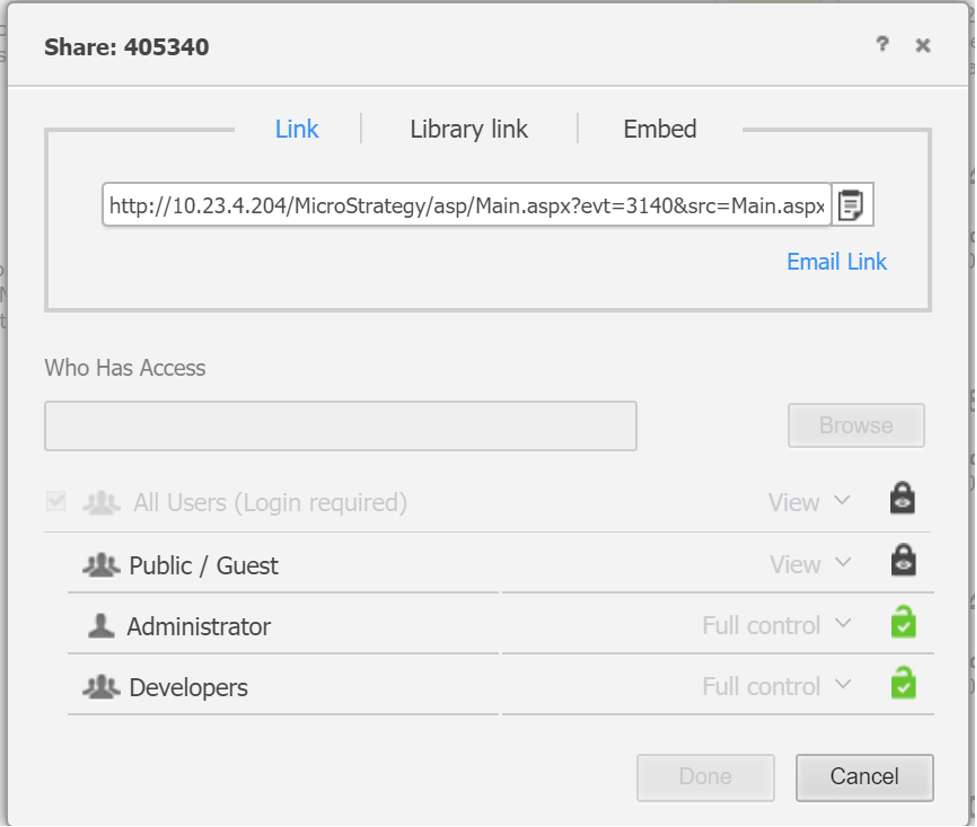
Then, the user is not able to define the Who has Access field, as shown below.
ka0PW0000001JeLYAU_0EM4W000001JfB3.jpeg

Comment

0 comments

Details

Knowledge Article

Published:

November 16, 2020

Last Updated:

March 21, 2024