EducationSoftwareStrategy.com
StrategyCommunity

Knowledge Base

Product

Community

Knowledge Base

TopicsBrowse ArticlesDeveloper Zone

Product

Download SoftwareProduct DocumentationSecurity Hub

Education

Tutorial VideosSolution GalleryEducation courses

Community

GuidelinesGrandmastersEvents
x_social-icon_white.svglinkedin_social-icon_white.svg
Strategy logoCommunity

© Strategy Inc. All Rights Reserved.

LegalTerms of UsePrivacy Policy
  1. Home
  2. Topics

KB483879: How to display zeros without currency symbols in MicroStrategy when using a SAP query


Lilin Yu

Quality Engineer, Senior • MicroStrategy


This article explains how to successfully display zeros without currency in MicroStrategy when you are using a SAP query.

Starting with the release of Strategy ONE (March 2024), dossiers are also known as dashboards.

Description


Setting a currency metric to Zero without Currency/Unit in a SAP query is not being inherited by Strategy. As a result, the BEX report shows zeros without currency for zero values, but the Strategy dossier shows zero with currency symbols for the same zero values.

Why is this happening?


This is not an identified defect in the Strategy product.
Instead, there is a query level setting called Zero Value Display, which can be set to Zero without Currency/Unit. However, there are some important restrictions and capabilities of SAP's MDX/OLAP BAPI interfaces. 
For example, the follow are unsupported list properties:

  • OLEDB for OLAP: It has its own query language, namely MDX. MDX has its own concept to suppress empty records, conditions, etc. The query settings don't apply to MDX. In particular, the condition Settings to Zero does not apply.


  • Formatting properties defined in Query Designer: For example, attribute properties, subtotals, etc.

You may encounter similar problems if you are using many settings in the SAP query designer. You cannot expect Strategy to perform exactly as BEX due conditions like the ones listed above.

Solution


To have zeros appear without currency values, follow the steps below:
  • Execute a dossier.
  • Right-click on a metric that contains currency with the value zero.
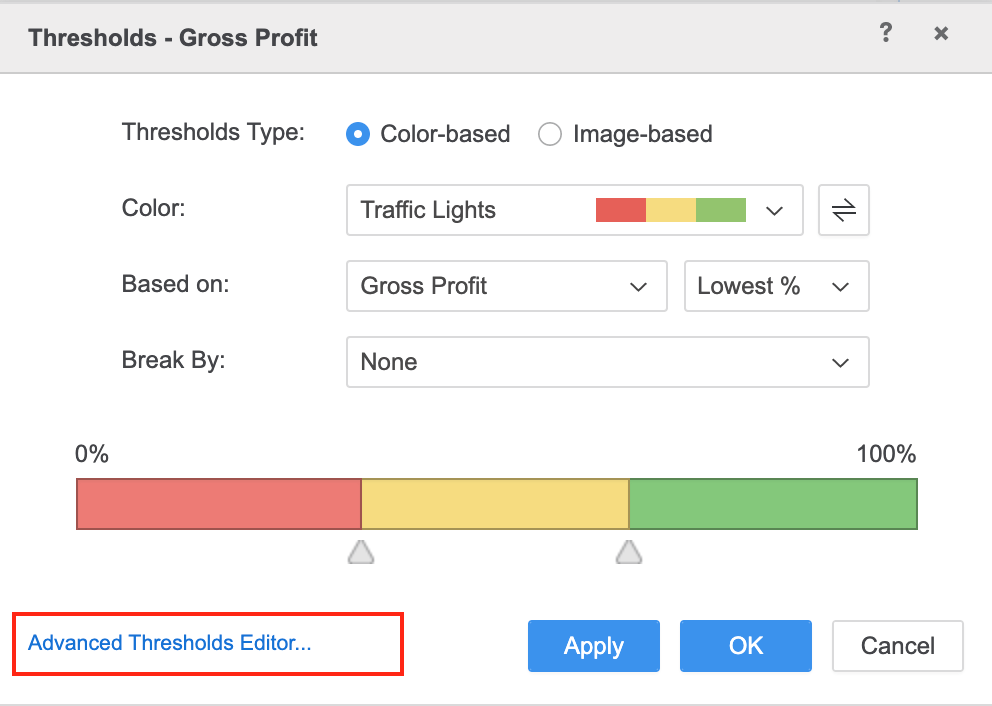
  • Choose Thresholds.
  • Click Advanced Threshold Editor.
ka0PW0000001JajYAE_0EM2R000000n9ZY.jpeg
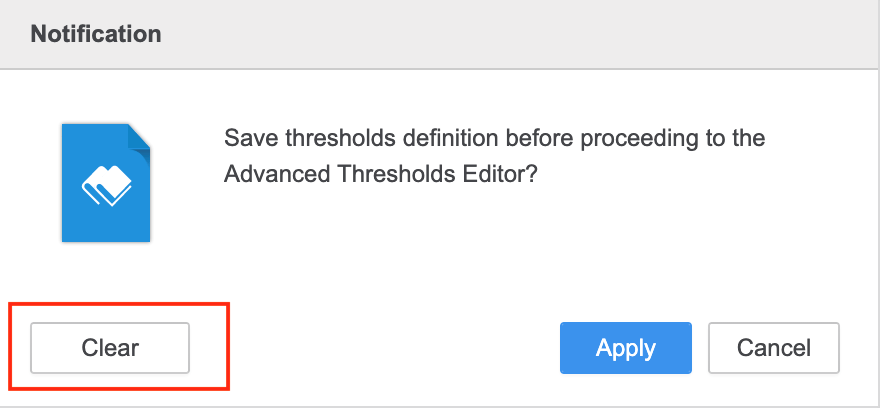
  • In the notification, click Clear.
ka0PW0000001JajYAE_0EM2R000000n9Zd.jpeg
  • Click New Threshold.
ka0PW0000001JajYAE_0EM2R000000n9Zi.jpeg
  • Choose the currency metric for Based On.
  • Select Equals as the Operator. 
  • Set Value to 0.
  • Click OK.
ka0PW0000001JajYAE_0EM2R000000n9Zn.jpeg
  • Click More > Formatting.
ka0PW0000001JajYAE_0EM2R000000n9Zs.jpeg
  • Select the Enable Data Replace checkbox.
  • Enter 0.00 in the Replace Text textbox.
  • Click the check mark. 
ka0PW0000001JajYAE_0EM2R000000n9Zx.jpeg
  • Click OK. The zeros should appear without any currency symbols.
ka0PW0000001JajYAE_0EM2R000000n9a2.jpeg

Comment

0 comments

Details

Knowledge Article

Published:

December 13, 2019

Last Updated:

March 21, 2024