EducationSoftwareStrategy.com
StrategyCommunity

Knowledge Base

Product

Community

Knowledge Base

TopicsBrowse ArticlesDeveloper Zone

Product

Download SoftwareProduct DocumentationSecurity Hub

Education

Tutorial VideosSolution GalleryEducation courses

Community

GuidelinesGrandmastersEvents
x_social-icon_white.svglinkedin_social-icon_white.svg
Strategy logoCommunity

© Strategy Inc. All Rights Reserved.

LegalTerms of UsePrivacy Policy
  1. Home
  2. Topics

How to ensure proper encoding of table names for Amazon Aurora and MariaDB in MicroStrategy 10


Norman Matos

Associate Scrum Master • Strategy


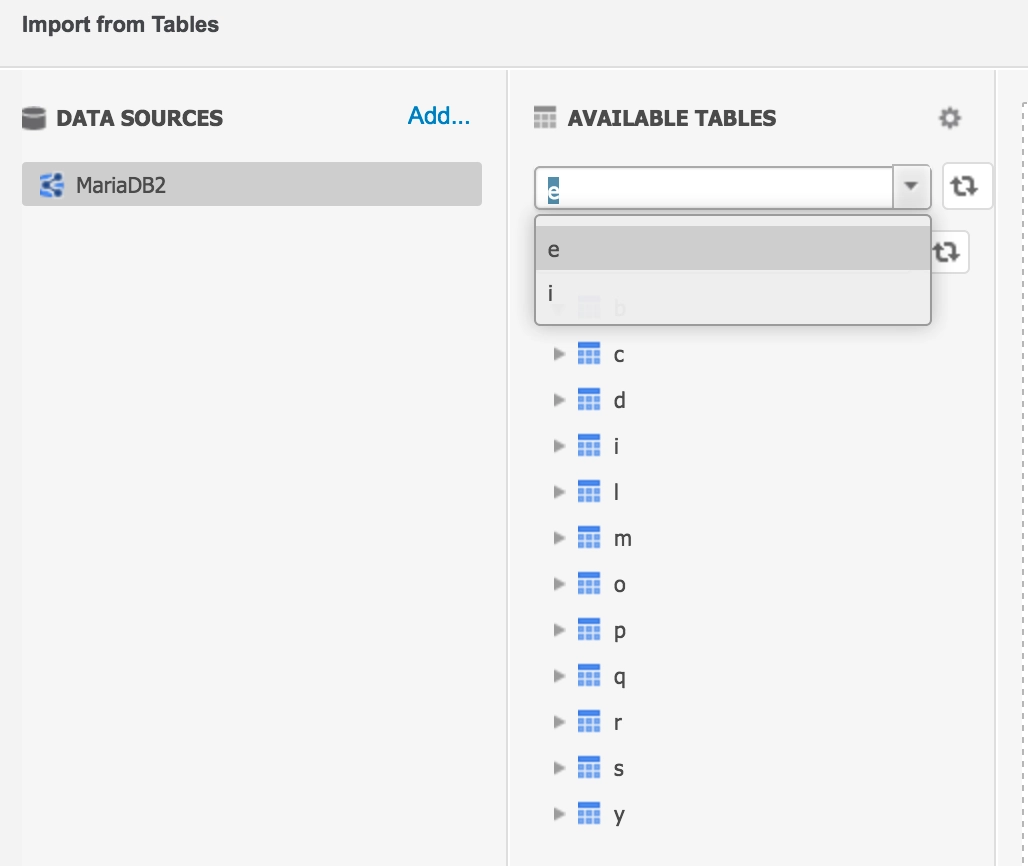
The web data import table catalog and Strategy developer warehouse table display table names are  truncated to one character when the datasource is MariaDB or Amazon Aurora, particularly when Strategy Intelligence Server is hosted in a Linux OS. This does not happen when Strategy Intelligence Server is installed in Windows OS:
 
Web data import (happens for both DSN and DSNless):
 

ka044000000kQ2vAAE_0EM44000000Q0am.png

 
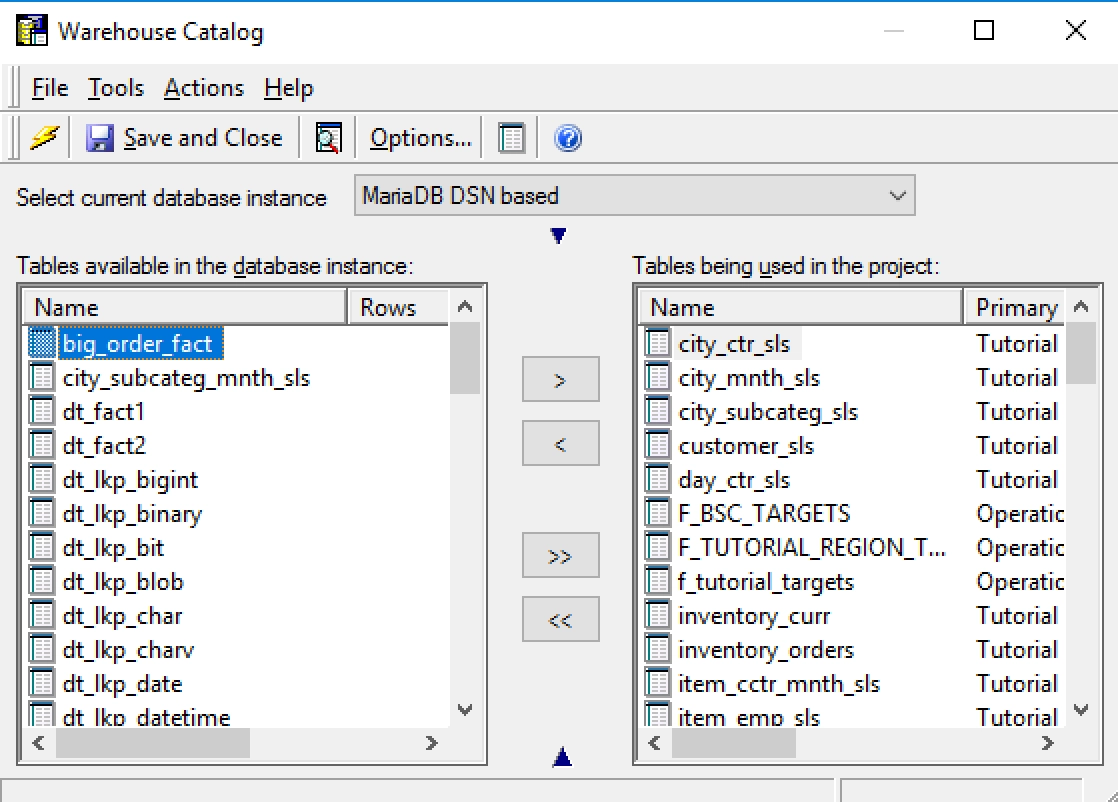
Strategy Developer WH catalog:

ka044000000kQ2vAAE_0EM44000000Q0ar.png


Workaround:
 
In high overview, the workaround is to change the way the driver encodes the character set from utf-8 to non utf-8. This works for both DSN and DSN-less connections:
 

  1. Make sure that the odbc.ini file (found in the folder where Strategy is installed) the MariaDB and the Amazon Aurora DSN have the parameter “DriverUnicodeType=1”


[MARIADB]
Driver=/usr/lib64/libmyodbc5w.so
Description=MySQL ODBC 5.3 Driver
SERVER=10.27.10.190
PORT=3306
DATABASE=eatwh2
OPTION=1048576
DriverUnicodeType=1
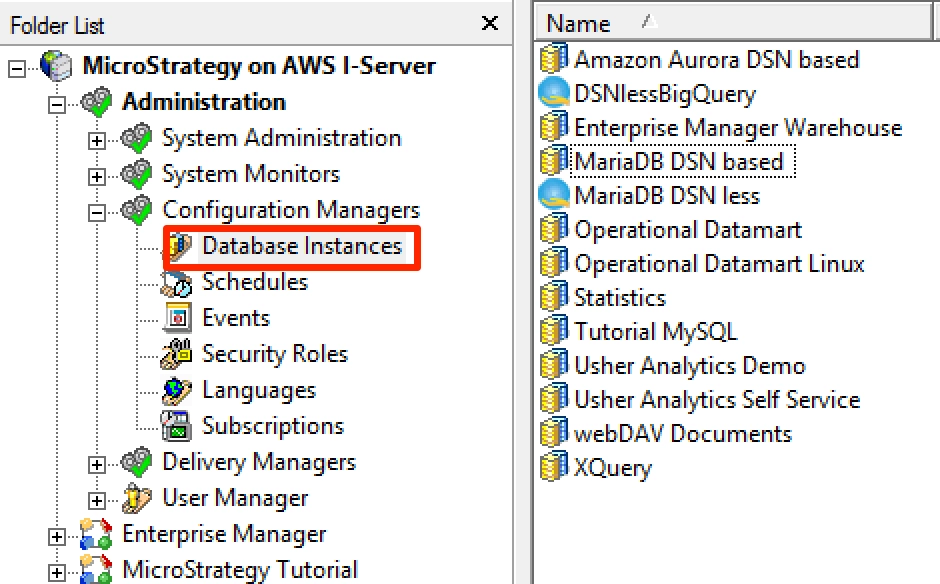
 

  • Open Strategy Developer. Go to the section “Administration>Configuration Managers>Database Instances”.
ka044000000kQ2vAAE_0EM44000000Q0aw.png
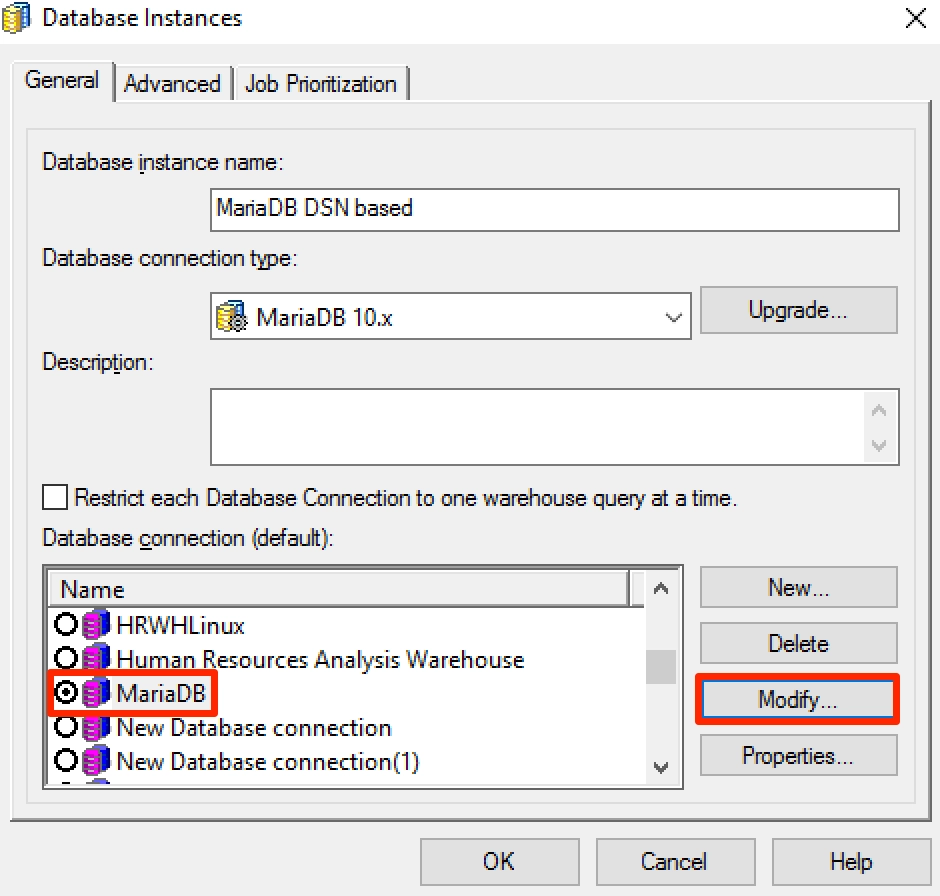
  • Then select the related database instance, right-mouse click on it and edit:
ka044000000kQ2vAAE_0EM44000000Q0b1.png
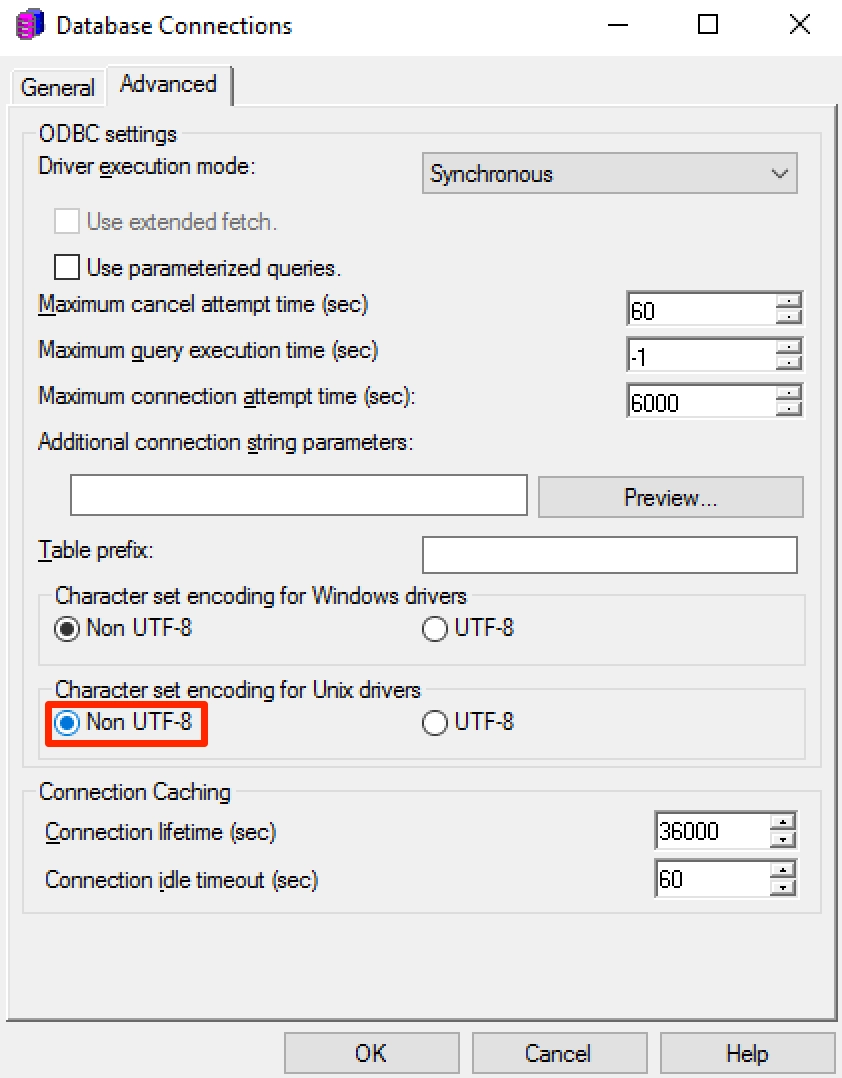
  • In the “Database Connections” dialog , change tab to the “Advanced” tab:
ka044000000kQ2vAAE_0EM44000000Q0b6.png
  • Change the “Character set encoding for Unix Drivers” option to “Non UTF-8”.
  • Ok in dialogs “Database Connections” and “Database Instance”.
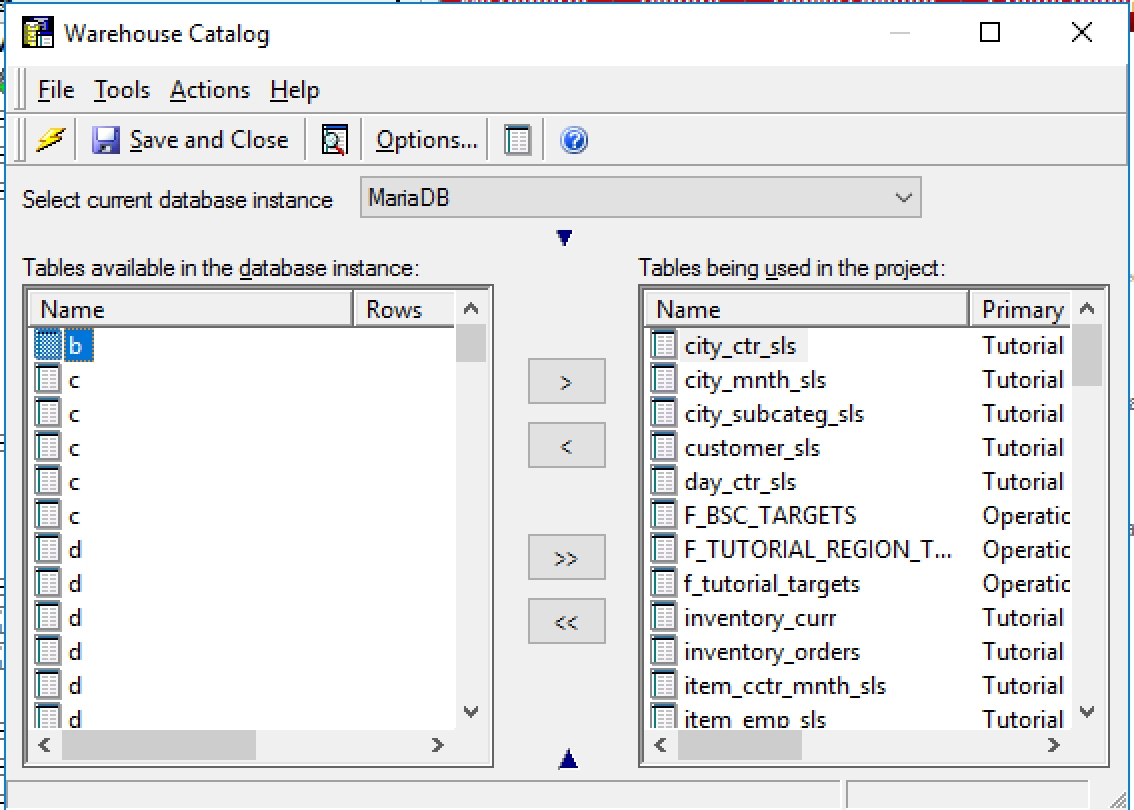
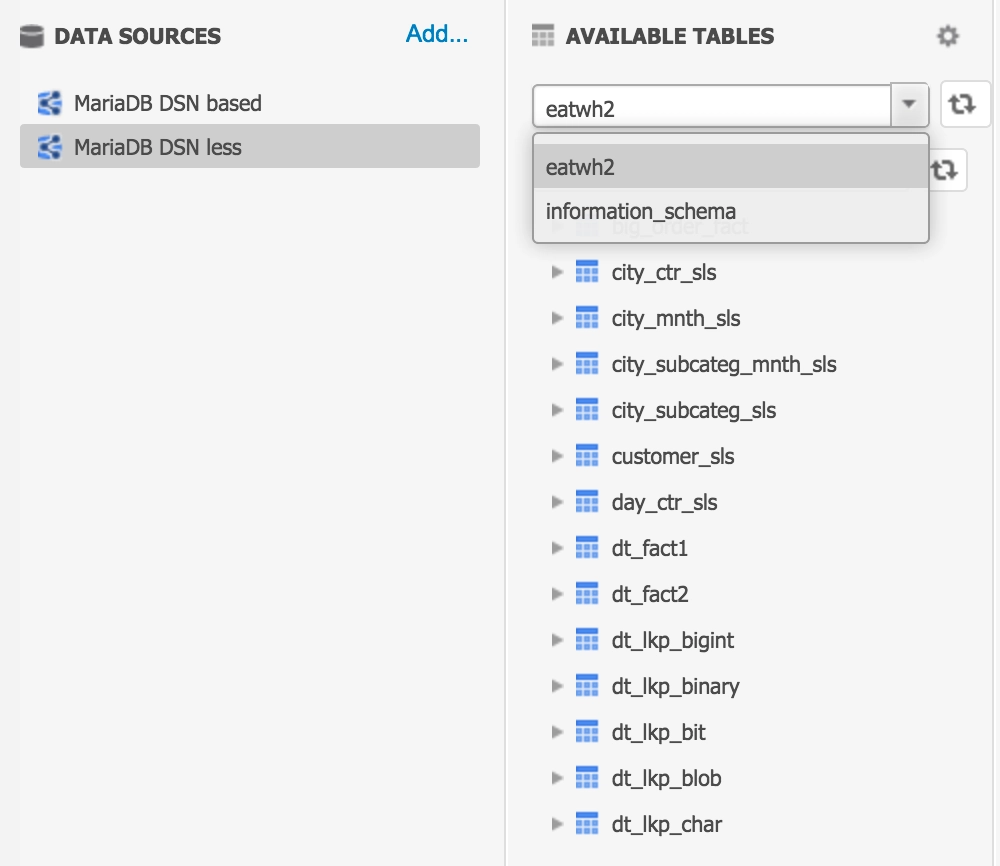
  • After these changes, the web data import table catalog and the developer warehouse catalog should work fine:
ka044000000kQ2vAAE_0EM44000000Q0bB.png
ka044000000kQ2vAAE_0EM44000000Q0bG.png


Comment

0 comments

Details

Knowledge Article

Published:

October 2, 2017

Last Updated:

October 2, 2017