Starting with the release of Strategy ONE (March 2024), dossiers are also known as dashboards.
By default, a document contain group attribute will still be exported into one sheet in Excel.
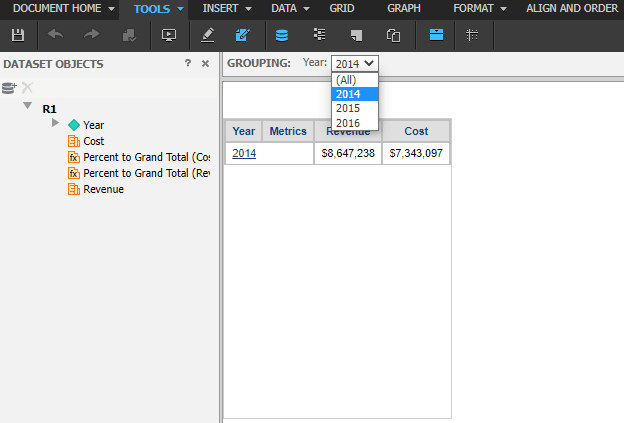
A document with ‘Year’ in Grouping, and attribute ‘Year’ in row, metrics ‘Revenue’ and ‘Cost’ in column as shown below:
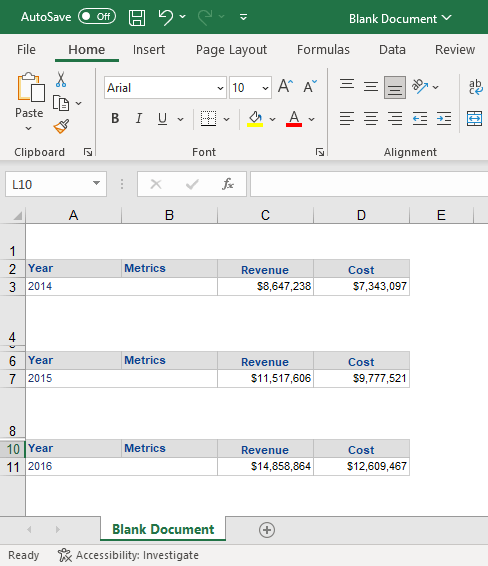
Contents divided by ‘Year’ are separated with empty rows but exist in same sheet as shown below:
To export different groups to separate sheets in Excel:
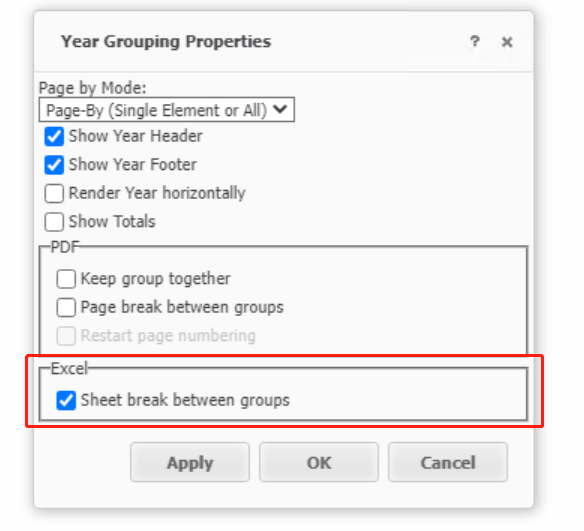
Right mouse click on the element in the grouping and choose “Grouping Properties”, and then check ‘Sheet break between groups’ as shown in the red rectangle below:
Click OK, then export the document. A notification box “Expand page-by” appears. Click OK to continue.
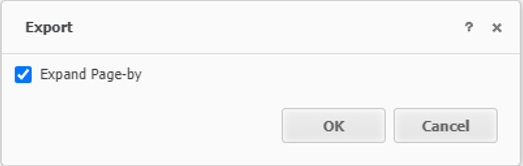
(NOTE: if uncheck the “Expand page-by” option, only one sheet with ‘Year’=2014 being exported.)
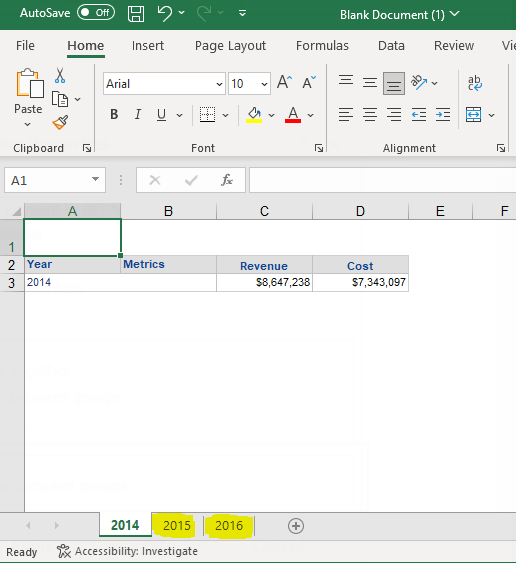
The excel results have separate worksheet as shown below:
NOTE: For Dossier Level Export Grids to Excel with Multiple Sheets is evaluated as new feature by Strategy.
