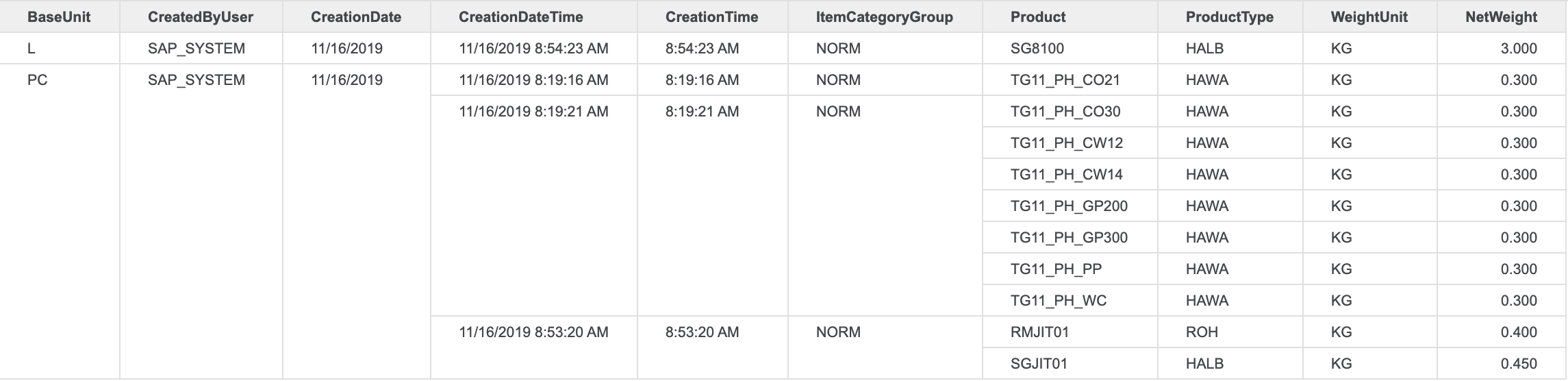
Starting with the release of Strategy ONE (March 2024), dossiers are also known as dashboards.
Core Data Services (CDS) views are built on existing database tables and views to provide an efficient way of data modeling.
There are several whitelisted CDS views pre-delivered with SAP S/4HANA Cloud which can be utilized to retrieve various kind of data from SAP S/4HANA Cloud tenant.
SAP S/4HANA Cloud also provides the flexibility to customers for creating their own custom CDS views, combining various whitelisted CDS views, to meet their specific requirement of retrieving data.
These custom CDS views can be easily exposed as OData Service(External API), which can then be utilized to fetch data out from SAP S/4HANA Cloud.
To create a custom CDS view on SAP S/4HANA Cloud, please refer to the SAP product documentation.
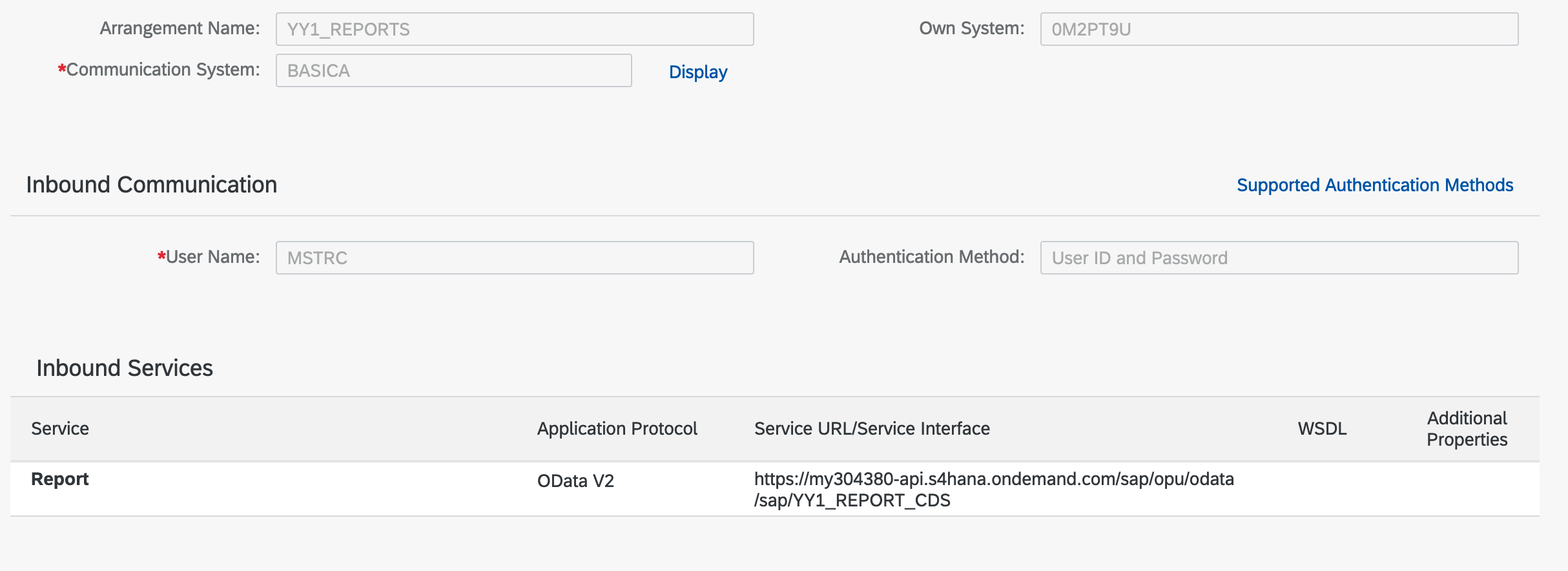
Here, the user has exposed the CDS view with communication arrangement (Basic Authentication).
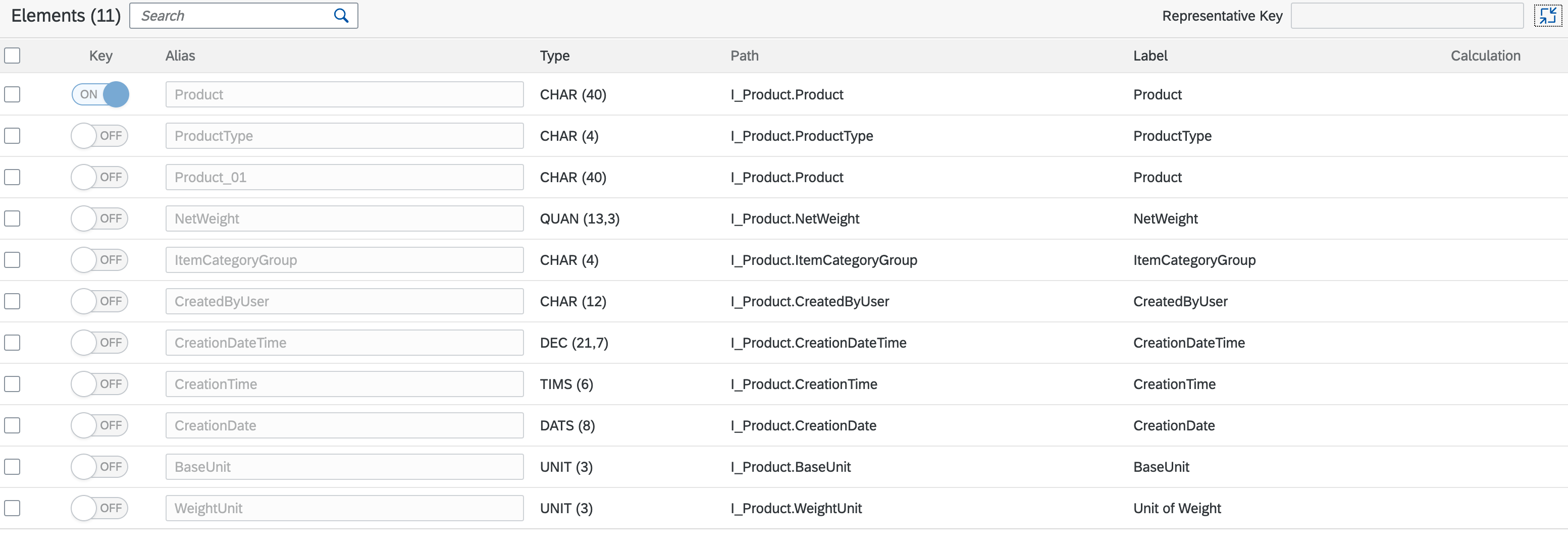
The user has created a custom CDS view on the service, I_Product, with certain columns specific to the production creation time, date, and details about type and weight.
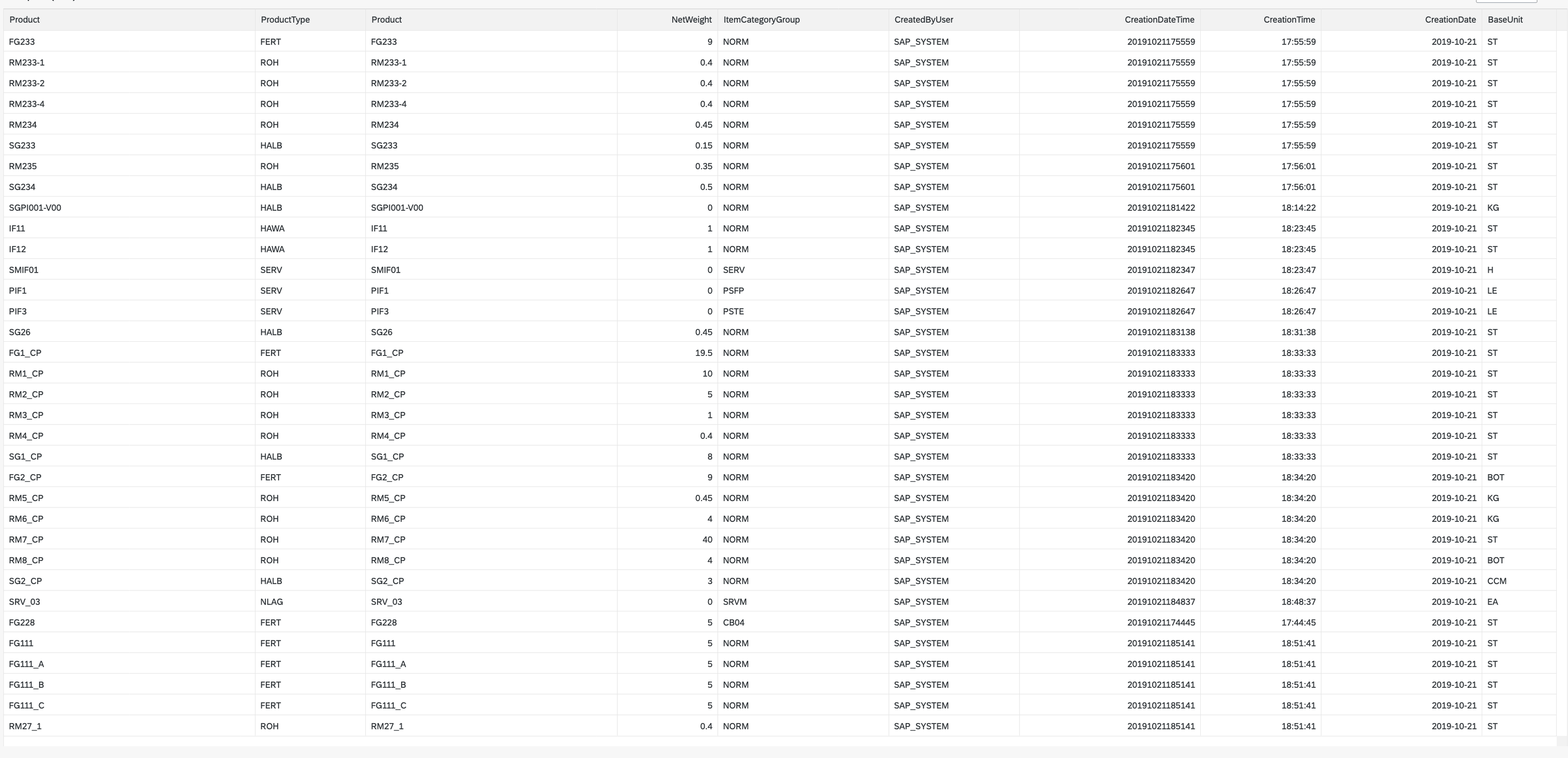
Now let's take a look at how the data is displayed on SAP S/4HANA Cloud.
Note: As you can see, the CreationDateTime column displays the data in a raw format, which is not ideal as an analyst presenting the data.
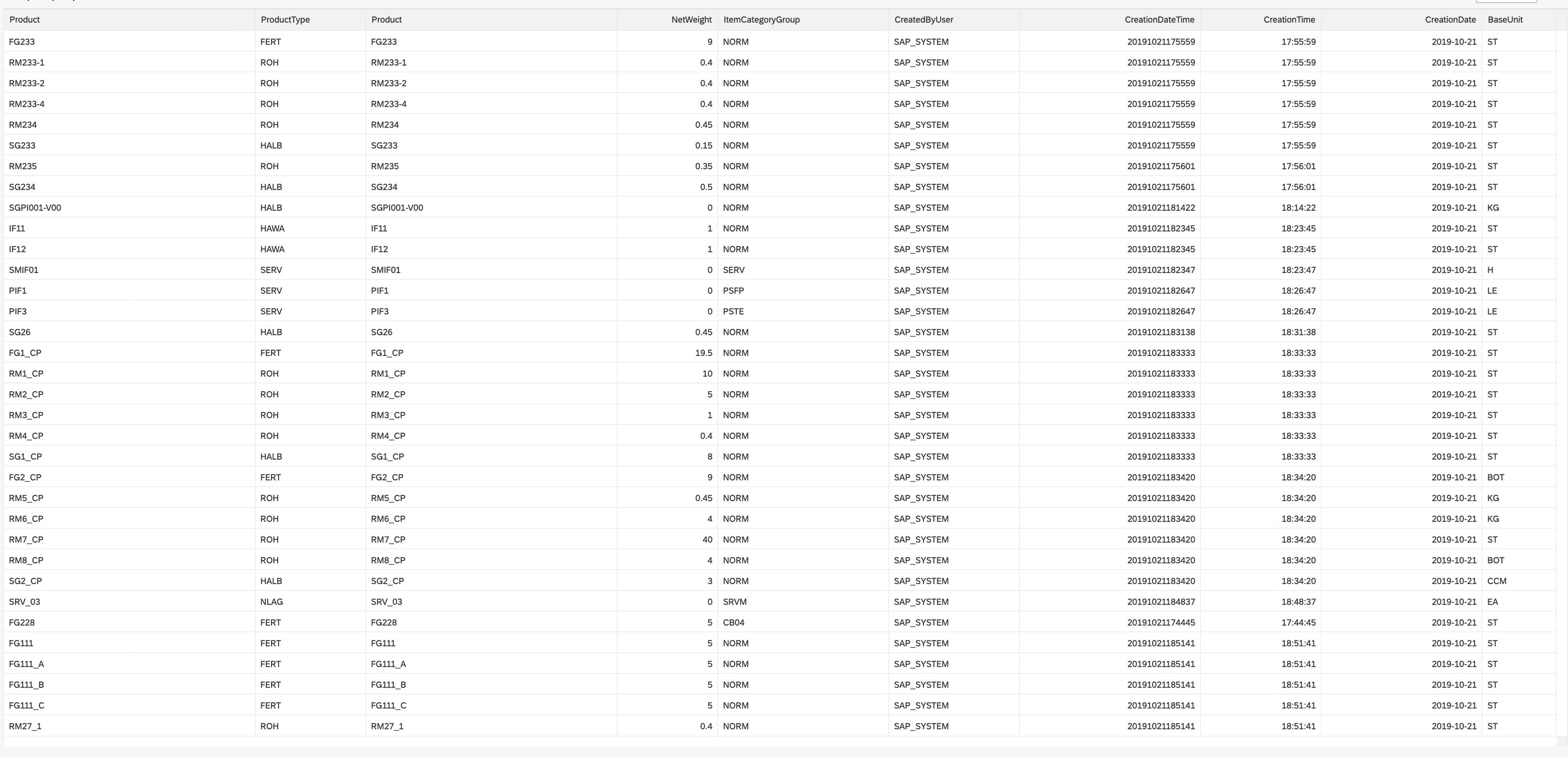
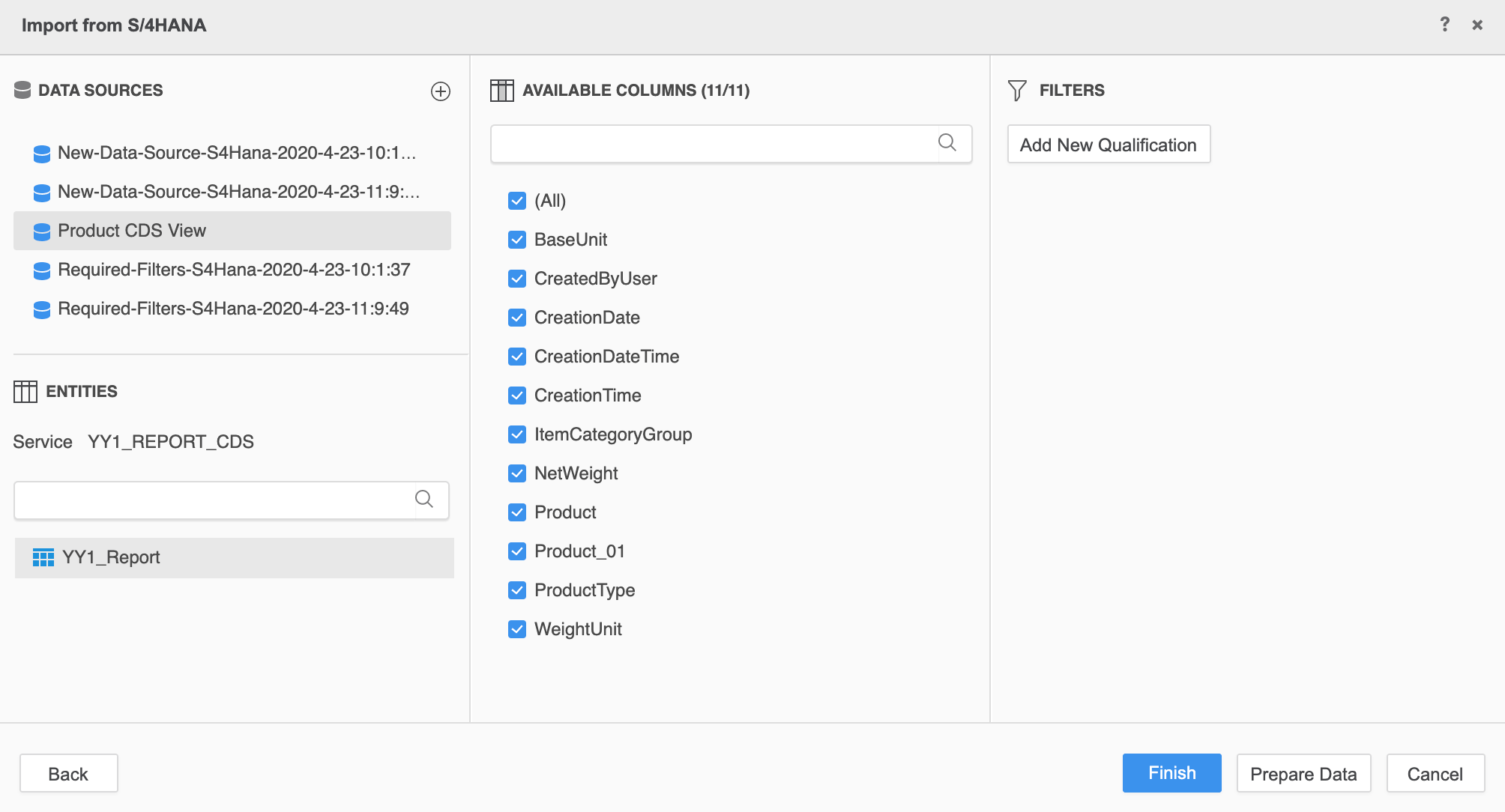
Let's see how this user can utilize this specific CDS view with the Strategy SAP S/4HANA connector.
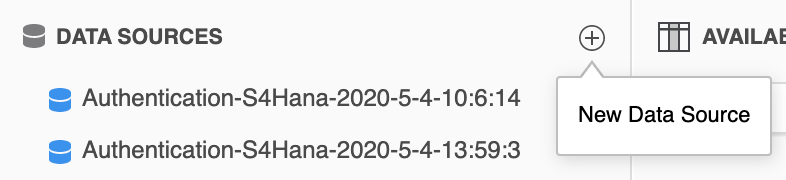
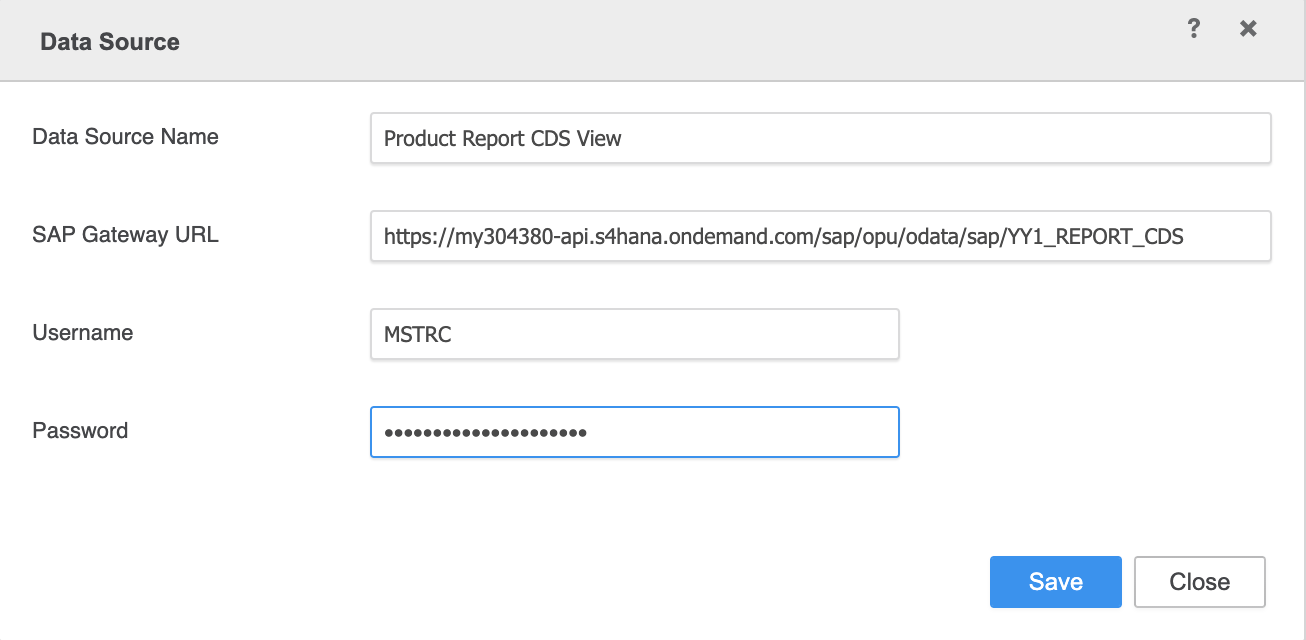
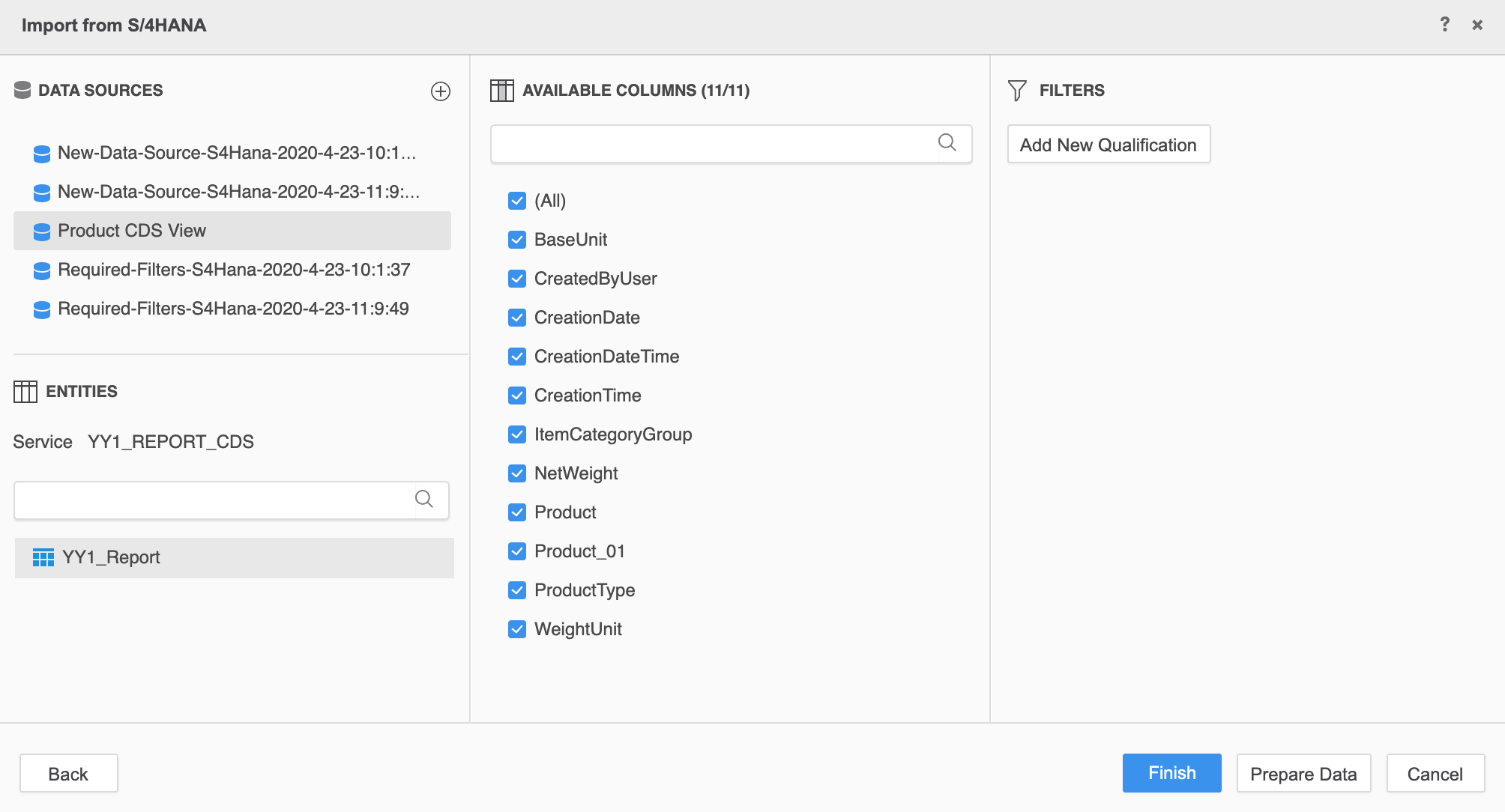
Now let's see how the data looks like inside this view.
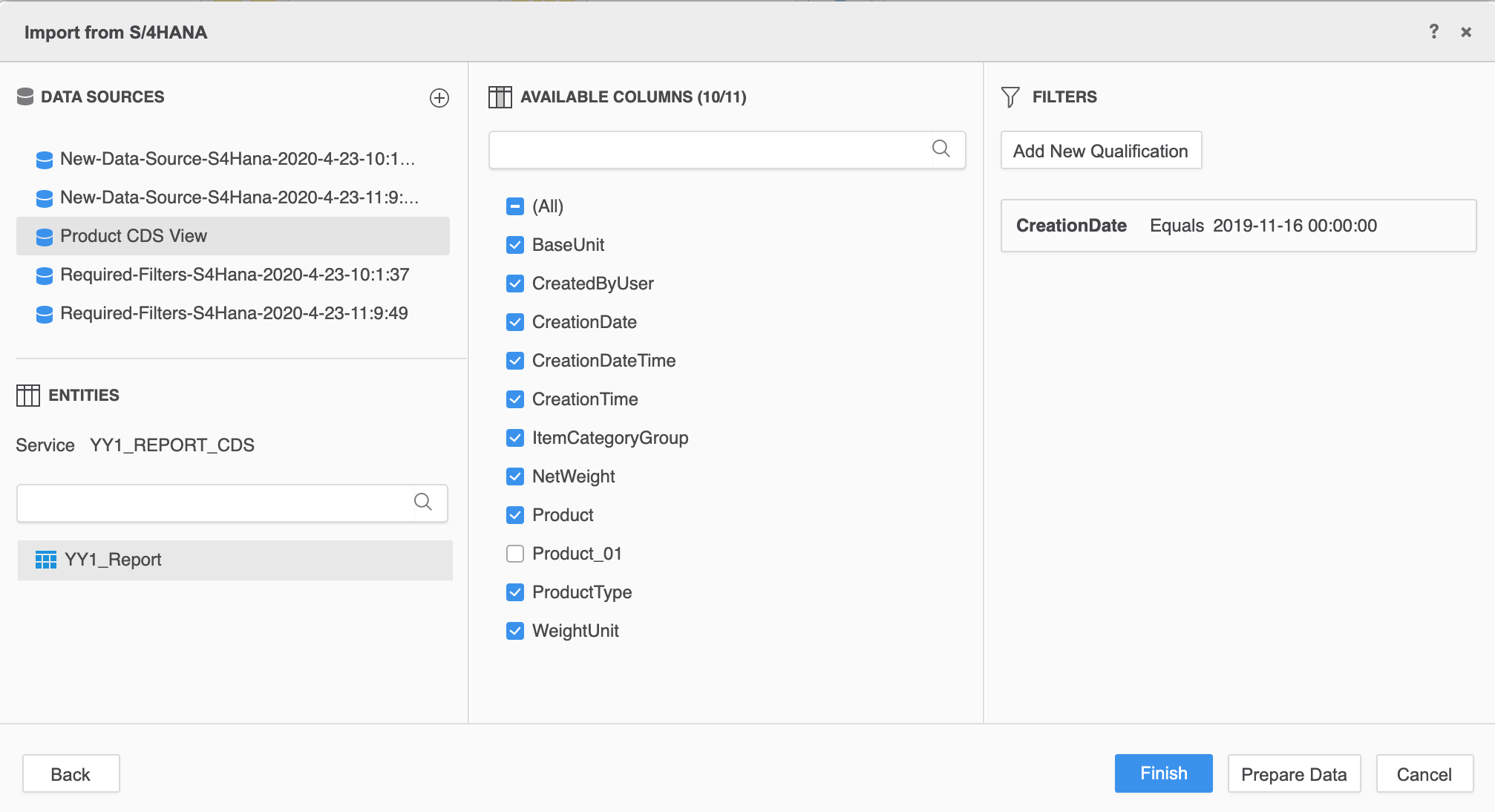
Click Prepare Data. You can see a duplicated Product column.
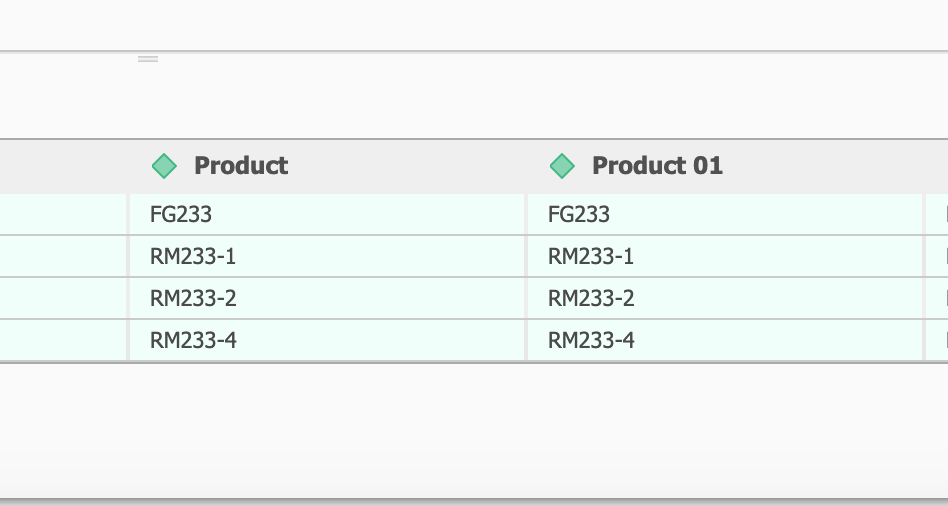
We can remove the duplicated column in two ways:
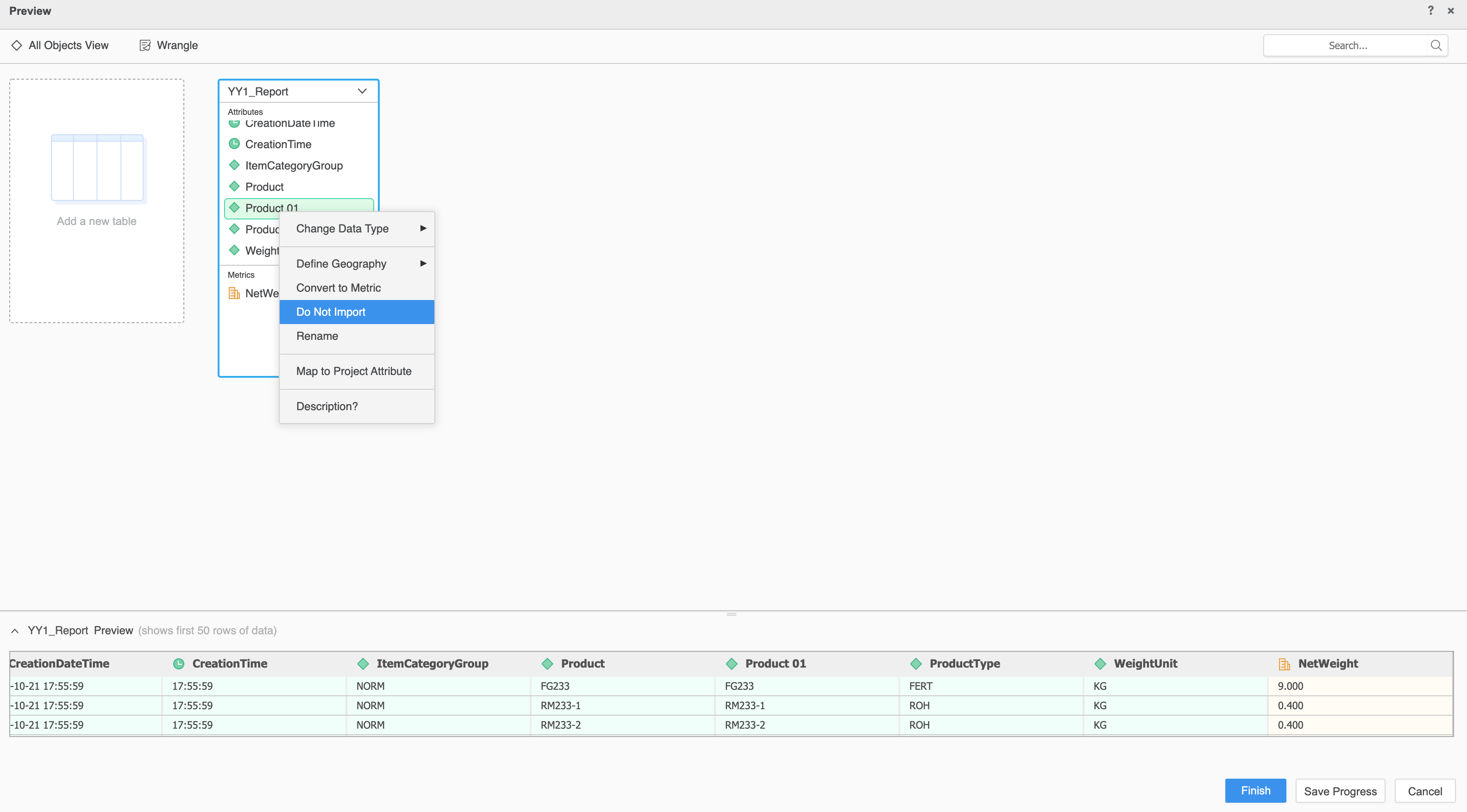
After updating the table in the Prepare Data dialog, it should look like the following:

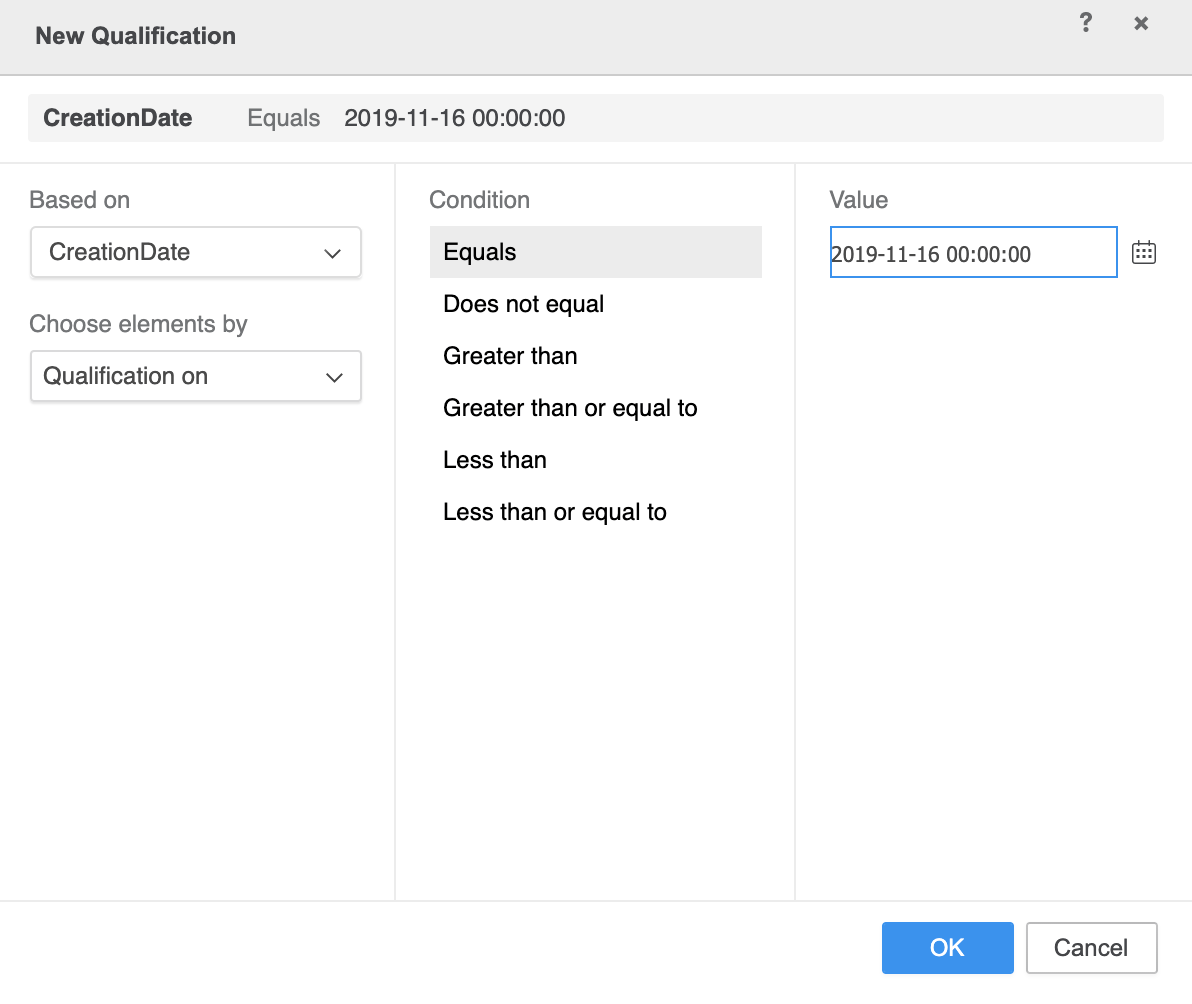
Now let's set a filter to fetch only the products that created on 2019-11-16.