When creating a Google BigQuery connection and data source, it can be difficult to retrieve the table
s in the Warehouse Catalog. Error messages like the following are common:
Query failed to execute. Execute Query failed. Error type: Odbc error. Odbc operation attempted: SQLExecDirect. [37000:70: on HSTMT] [Strategy][BigQuery] (70) Invalid query: Invalid project ID 'xxx-xxx.xxxx'. Project IDs must contain 6-63 lowercase letters, digits, or dashes. Some project IDs also include domain name separated by a colon. IDs must start with a letter and may not end with a dash.Query failed to execute. Execute Query failed. Error type: Odbc error. Odbc operation attempted: SQLExecDirect. [37000:70: on HSTMT] [Strategy][BigQuery] (70) Invalid query: Syntax error: Expected end of input but got "-" at [1:547]Query failed to execute. Execute Query failed. Error type: Odbc error. Odbc operation attempted: SQLExecDirect. [S1000:31750: on HSTMT] [Strategy][BigQuery] (31750) Dataset is not found. Not found: Dataset xxxx-xxxx:xxxx-xxxx was not found in location US
As per KB484010 , Strategy supports BigQuery multiple projects connect. However, according to Product Help: Use Separate Billing and Data Projects : “the JDBC driver is faster and natively supports listing across multiple projects. The Google BigQuery ODBC driver does not natively support multiple projects”. For this and other reasons, Strategy suggests using a JDBC connection over an ODBC one for BigQuery.
In addition to using a JDBC connection, it is necessary to know exactly to set it up in order for it to work.
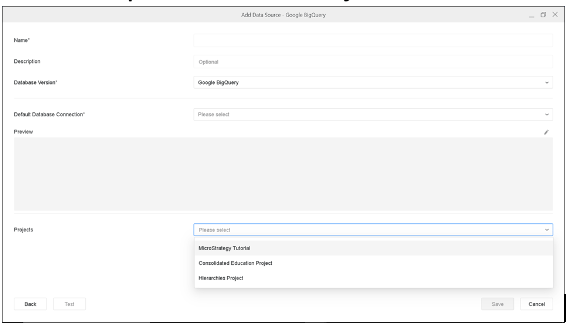
To properly create a GBQ source connection and import tables from different data projects:




SELECT DISTINCT table_schema AS name_space, table_name AS tab_name, column_name AS col_name, data_type, CASE WHEN data_type = 'BOOL' THEN 1 WHEN data_type IN ('DATE', 'DATETIME', 'FLOAT64', 'INT64', 'TIME', 'TIMESTAMP') THEN 8 WHEN data_type = 'NUMERIC' THEN 16 ELSE -1 END AS data_len, CASE WHEN data_type = 'FLOAT64' THEN 53 WHEN data_type = 'INT64' THEN 64 WHEN data_type = 'NUMERIC' THEN 38 ELSE null END AS data_prec, CASE WHEN data_type = 'INT64' THEN 0 WHEN data_type = 'NUMERIC' THEN 9 ELSE null END AS data_scale FROM #DATABASE_NAME#.INFORMATION_SCHEMA.COLUMNS
NOTE: You may also be able to add tables from different namespaces without having to change the retrieval SQL statement. But do set the proper prefixes for them.
