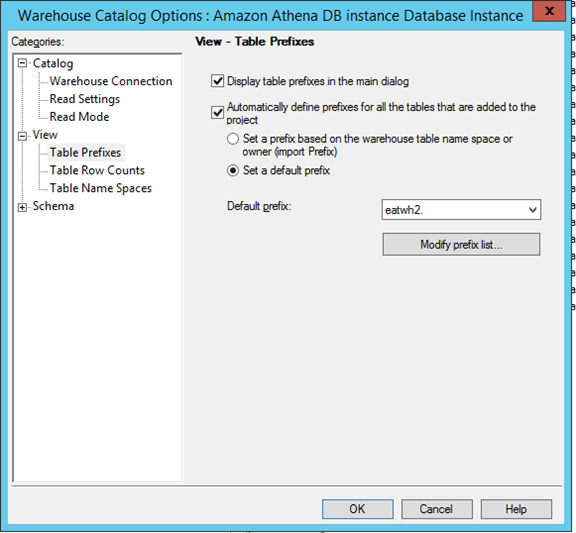
When using following data sources with as the gateway in Strategy Secure Enterprise 10.x, the SQL generated for ROLAP reports does not include namespace leading to error in execution:
Error message: “Table not found” or “Table name cannot be resolved”
Workaround:
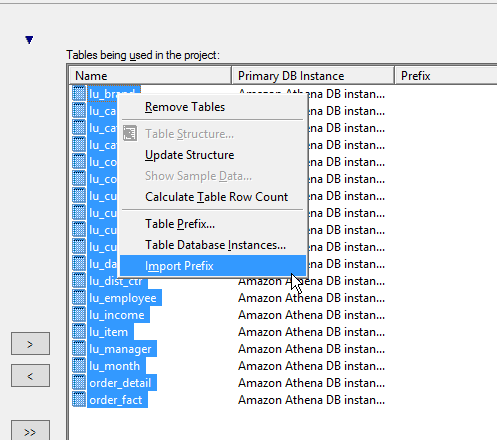
You should set the prefix in the WH catalog settings; first, import the prefix for all the tables, by right mouse clicking on the tables in your project and clicking on “import Prefix”
In addition to that, click on WH catalog Options and explicitly make sure to set the prefix from there to the right schema name. Check mark on “Automatically define prefixes for all the tables that are added to the project” and set the default prefix to your schema name.