Starting with the release of Strategy ONE (March 2024), dossiers are also known as dashboards.
Instruction steps:
evt=2048001&src=mstrWeb.2048001&documentID=5C3916CA4F3CAEF02DA845AE6D10D722 &elementsPromptAnswers=8D679D4B11D3E4981000E787EC6DE8A4;{&CurrentSelectionElementID:WCD6CC6C302C94FC5AD4313FF377EF5F1&}&elementsPromptAnswers=8D679D3711D3E4981000E787EC6DE8A4;{&CurrentSelectionElementID:W37B7CDF9607F416CBEF2C24E6DD57133&}&valuePromptAnswers={&CurrentSelectionID:W0939FE8A8D674EA9B3DBCDAB2B9E5313&}&promptanswermode=2
The URL includes dossier filter elements to answer attribute elements prompts and value prompts of the target RSD. Dossier Region filter and Category filter elements to answer RSD’s region and category element list prompt and Dossier’s Year filter to answer RSD’s Year value prompt.
The prompt answer syntax is:
Example:
&elementsPromptAnswers=8D679D4B11D3E4981000E787EC6DE8A4;{&CurrentSelectionElementID:WCD6CC6C302C94FC5AD4313FF377EF5F1&}
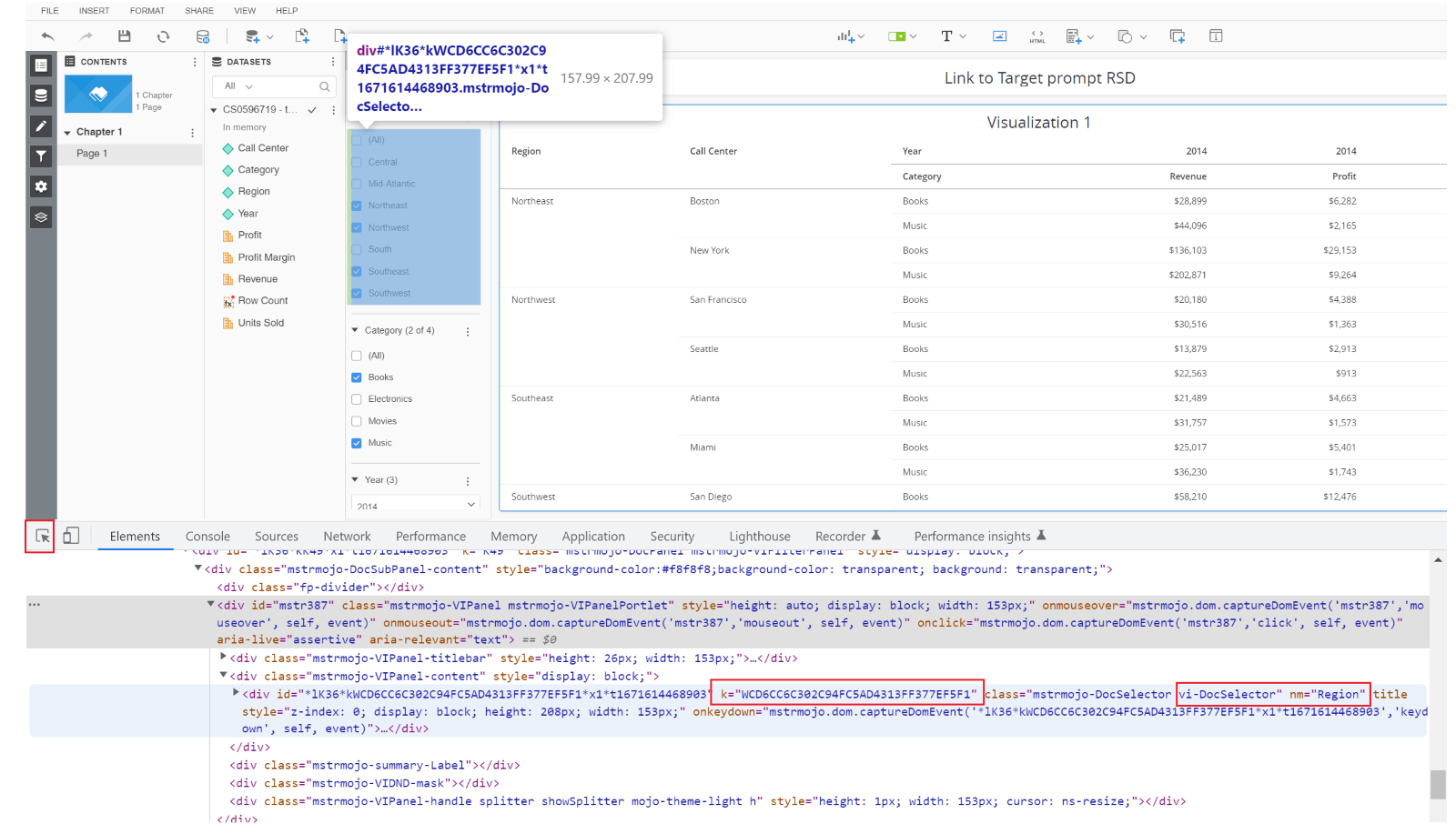
Here the Region attribute ID IS 8D679D4B11D3E4981000E787EC6DE8A4, and the ID “WCD6CC6C302C94FC5AD4313FF377EF5F1” is the source dossier’s Region filter node key.
Please refer to the below screenshot for how to get the dossier filter node key, run the dossier, and use the developer tool to get the required dossier filter node keys for each of the filter names separately.