SYMPTOM:
In the Strategy Office Options, the setting “Show hidden objects” allows users to see all the folders in Strategy Office, even if the folders are hidden to the user in Strategy Web. This setting can be found in the Strategy Office Options under General > View > Folder Options as seen below. By default, this setting is disabled.

ACTION:
It is possible to grey this option out for users in Office to prevent users from enabling this option as seen below.
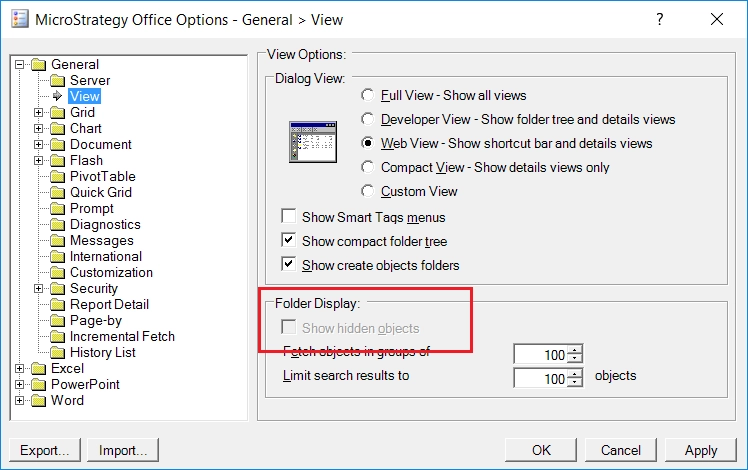
Follow the below steps to grey out and disable the “Show hidden objects” settings.
<add key="Show Hidden Objects" value="0" enable="0" override="1" />

The Strategy Internal Reference Number for this issue is: KB441140
