EducationSoftwareStrategy.com
StrategyCommunity

Knowledge Base

Product

Community

Knowledge Base

TopicsBrowse ArticlesDeveloper Zone

Product

Download SoftwareProduct DocumentationSecurity Hub

Education

Tutorial VideosSolution GalleryEducation courses

Community

GuidelinesGrandmastersEvents
x_social-icon_white.svglinkedin_social-icon_white.svg
Strategy logoCommunity

© Strategy Inc. All Rights Reserved.

LegalTerms of UsePrivacy Policy
  1. Home
  2. Topics

KB484547: How to remove sample dossiers which appear by default when using My Page as the start page in MicroStrategy Web 2019 and later


Mengran (Molly) Wang

Senior Cloud Support Engineer III • MicroStrategy


This article explains how to remove the sample dossiers that appear by default when using My Page as the start page in MicroStrategy Web 2019 and later.

Starting with the release of Strategy ONE (March 2024), dossiers are also known as dashboards.

Description 


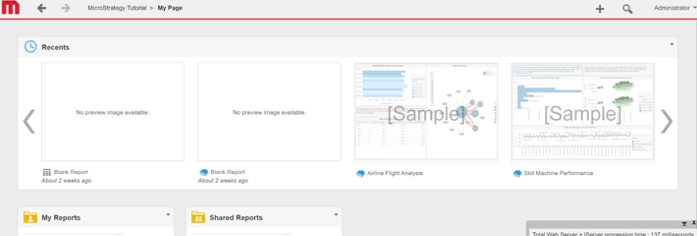
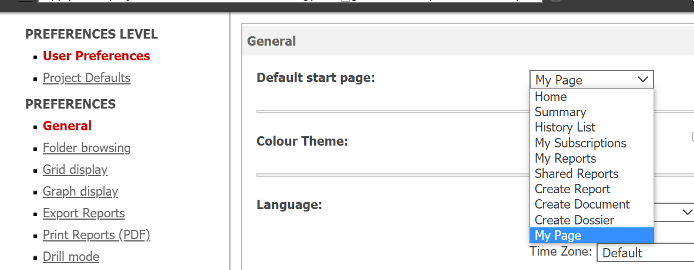
When setting "My Page" as the default start page in Web Preferences, dossiers (e.g., [Sample]) appear in the start page even if you never executed them. 
ka0PW0000001JddYAE_0EM4W000001IZFk.jpeg
ka0PW0000001JddYAE_0EM4W000001IZFp.jpeg

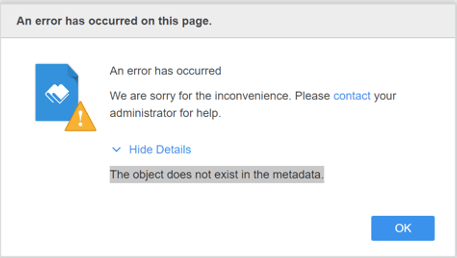
In the above screenshot, if you click on the Airline Flight Analysis dossier, you receive the following error:
The object does not exist in the metadata. 
 

ka0PW0000001JddYAE_0EM4W000001IZGx.jpeg


Solution 


To remove the sample dossiers, please refer to the following steps. 

  • Go to
    C:\Program Files (x86)\Strategy\Web ASPx\WEB-INF\xml.
  • Modify
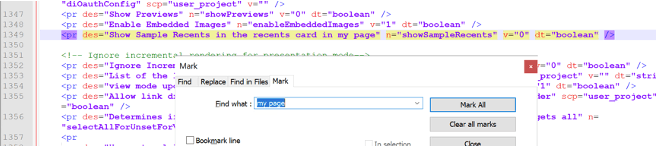
    sys_definitions.xml
    and search for "my page."
  • Make sure the below parameter has the value set as 0. 
    
    <pr des="Show Sample Recents in the recents card in my page" n="showSampleRecents" v="0" dt="boolean" />
    

ka0PW0000001JddYAE_0EM4W000001IZHR.jpeg
  • Restart the Web Server to apply the change.

Comment

0 comments

Details

Knowledge Article

Published:

September 2, 2020

Last Updated:

March 21, 2024