Starting with the release of Strategy ONE (March 2024), dossiers are also known as dashboards.
After updating to Strategy 2019, sharing a dossier to Strategy Library results in an error.
"The object does not exist in the metadata."
From DSSError.log, the error could be:
"Object with ID 'xxx' and type 52 (Link) is not found in metadata. It may have been deleted."
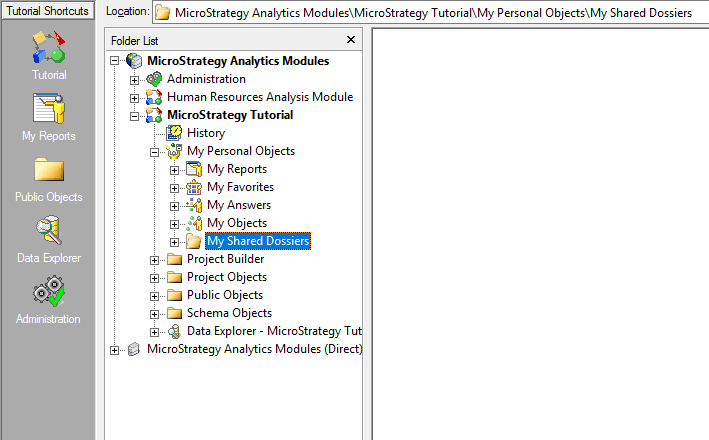
There are two possible reasons you are receiving this error: you do not have a My Shared Dossier folder under Strategy Developer or you have encountered a known defect in Strategy 2019.
First try resolving the error by checking Strategy Developer to see if you have a My Shared Dossier folder. If you do not, create a folder titled My Shared Dossiers in your project. This should allow you to view your dossier in Library.
If adding a My Shared Dossiers folder does not resolve the error, then you have encountered a known defect in Strategy 2019. This defect is fixed in Strategy 2019 Update 3. Upgrade to Strategy 2019 Update 3 or later to take advantage of the fix.
