EducationSoftwareStrategy.com
StrategyCommunity

Knowledge Base

Product

Community

Knowledge Base

TopicsBrowse ArticlesDeveloper Zone

Product

Download SoftwareProduct DocumentationSecurity Hub

Education

Tutorial VideosSolution GalleryEducation courses

Community

GuidelinesGrandmastersEvents
x_social-icon_white.svglinkedin_social-icon_white.svg
Strategy logoCommunity

© Strategy Inc. All Rights Reserved.

LegalTerms of UsePrivacy Policy
  1. Home
  2. Topics

KB484289: How to set VLDB Property "Cartesian Join Governing" in MicroStrategy 2020 Update 2 and later


Min Zhao

Quality Engineer, Principal • MicroStrategy


This article describes the steps to set the "Cartesian Join Governing" VLDB Property via MicroStrategy Developer, Web, and Workstation in MicroStrategy 2020 Update 2 and later.

Starting with the release of Strategy ONE (March 2024), dossiers are also known as dashboards.

Setting accessibility on different levels


Starting in Strategy 2020 Update 2, a new VLDB Property "Cartesian Join Governing" exists on the Project, Report, Dataset, and Visualization level. The "Use VLDB property editor" privilege is required to make changes to the setting.
The setting can be defined on the following levels:
  • Project level
  • Report level
  • Dossier visualization level
  • Dossier dataset level
  • Document grid


​​​

Project level

In Developer 

  • Right-click a project.
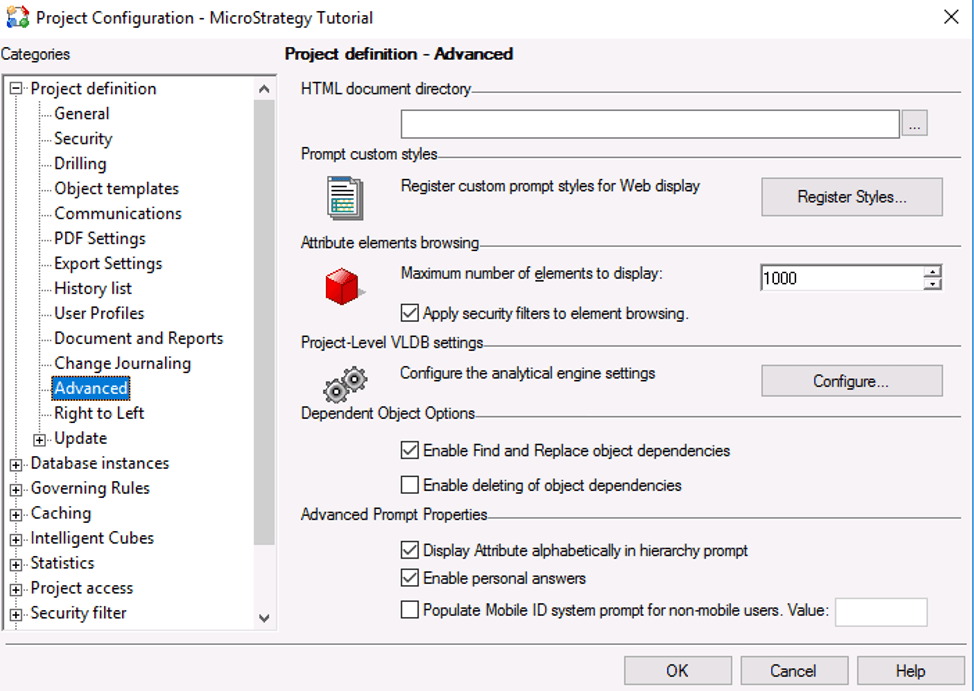
  • Open Project Configuration > Project Definition > Advanced.
  • Under Project-Level VLDB settings, click Configure.
ka0PW0000001JmkYAE_0EM2R000000flvi.jpeg
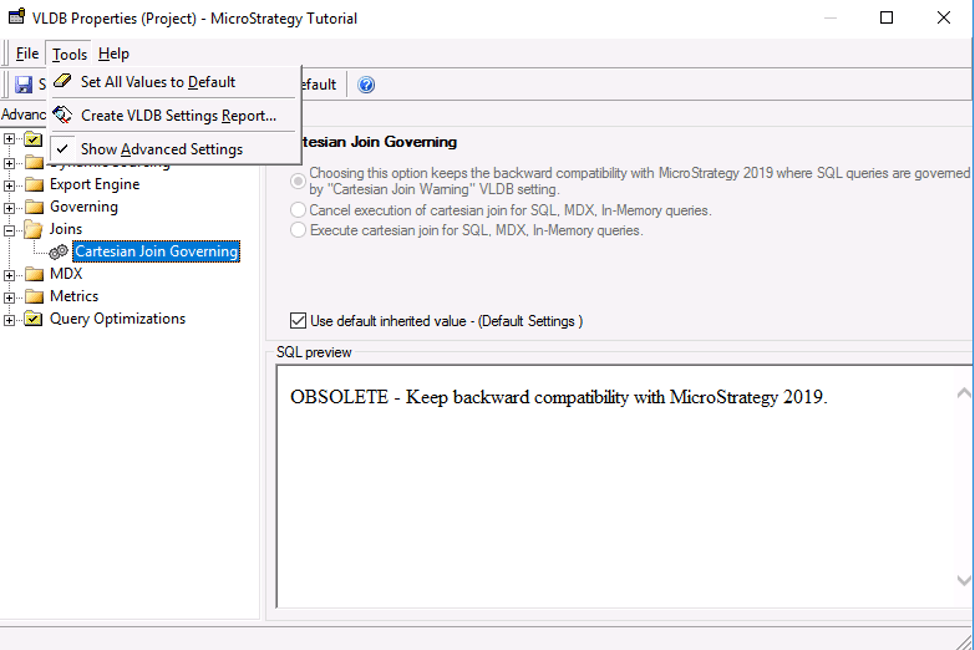
  • Go to Tools  and enable Show Advanced Settings.
    The Cartesian Join Governing setting is available under Joins.
ka0PW0000001JmkYAE_0EM2R000000flvn.jpeg


Report level

In Developer

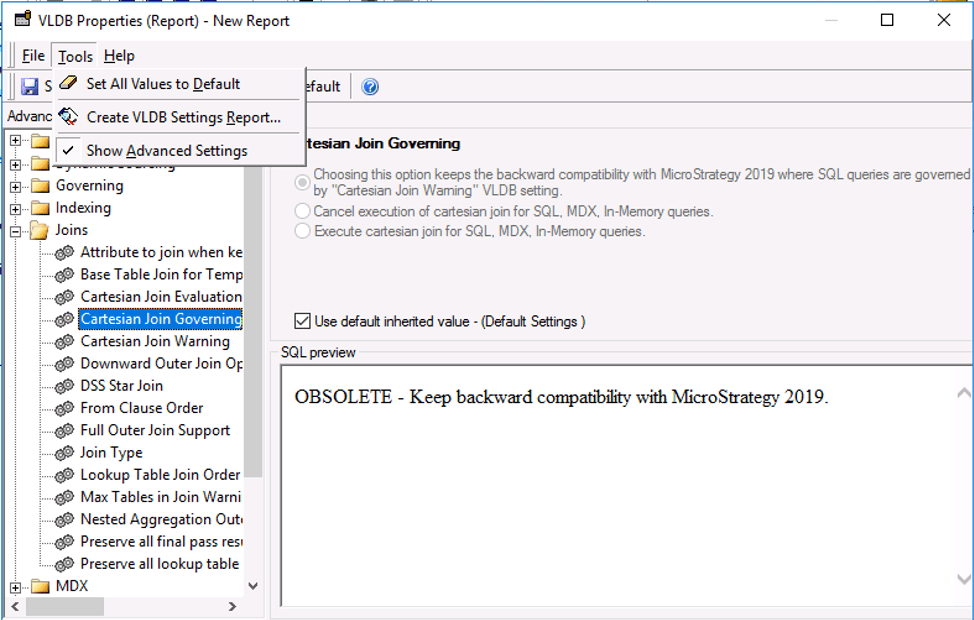
  • Edit a report.
  • Go to Data > VLDB Properties.
  • Go to Tools and enable Show Advanced Settings.
    The Cartesian Join Governing setting is available under Joins.
ka0PW0000001JmkYAE_0EM2R000000flvs.jpeg

In Web

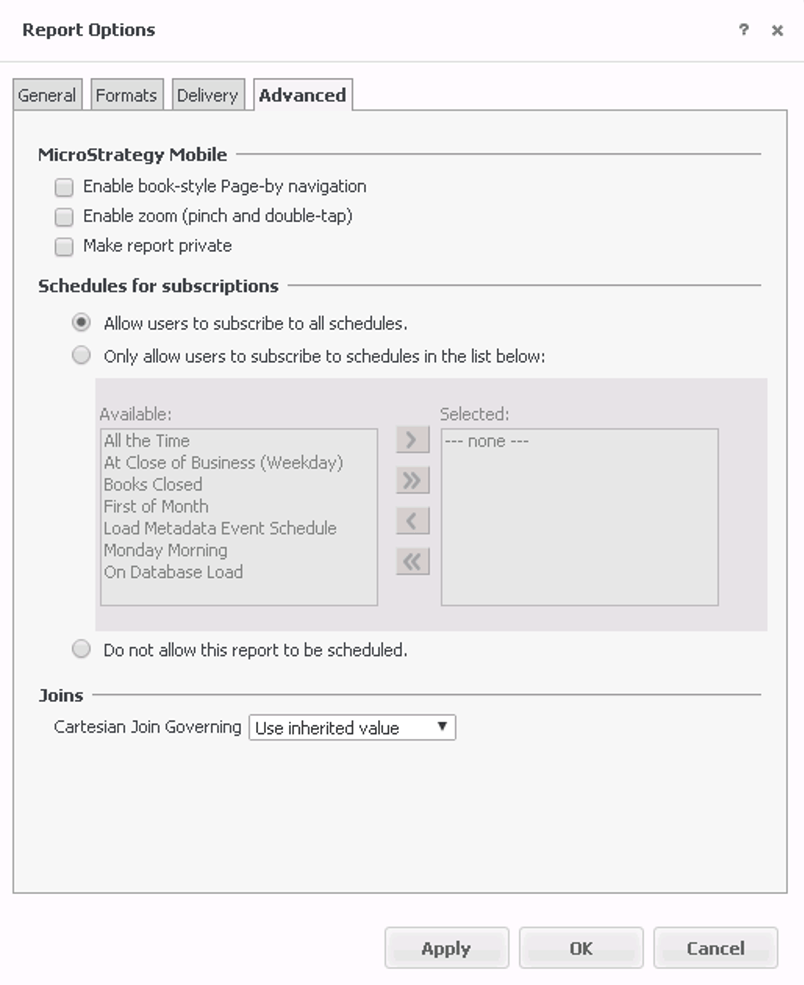
  • Execute a report.
  • Go to TOOLS > Report Options.
    The setting can be found under the Advanced tab.

ka0PW0000001JmkYAE_0EM2R000000flvx.jpeg


Dossier visualization level

In Web and Workstation

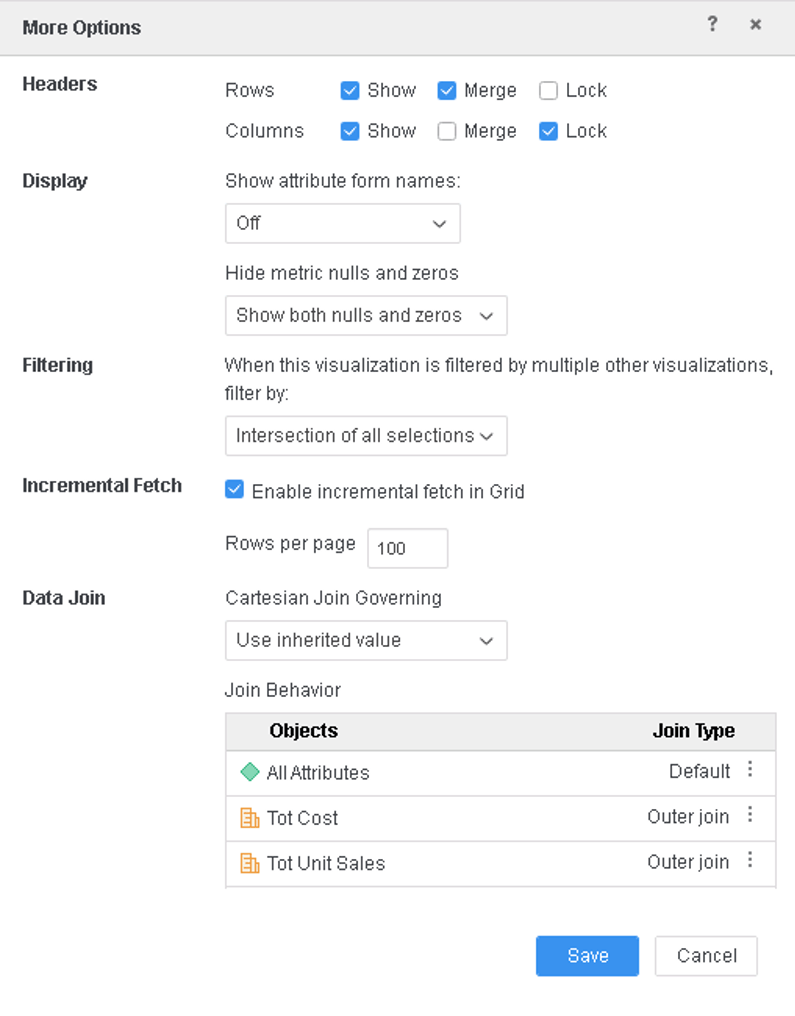
In the More Options dialog and next to Data Join, the setting can be found.
ka0PW0000001JmkYAE_0EM2R000000flw2.jpeg


Dossier dataset level

In Web

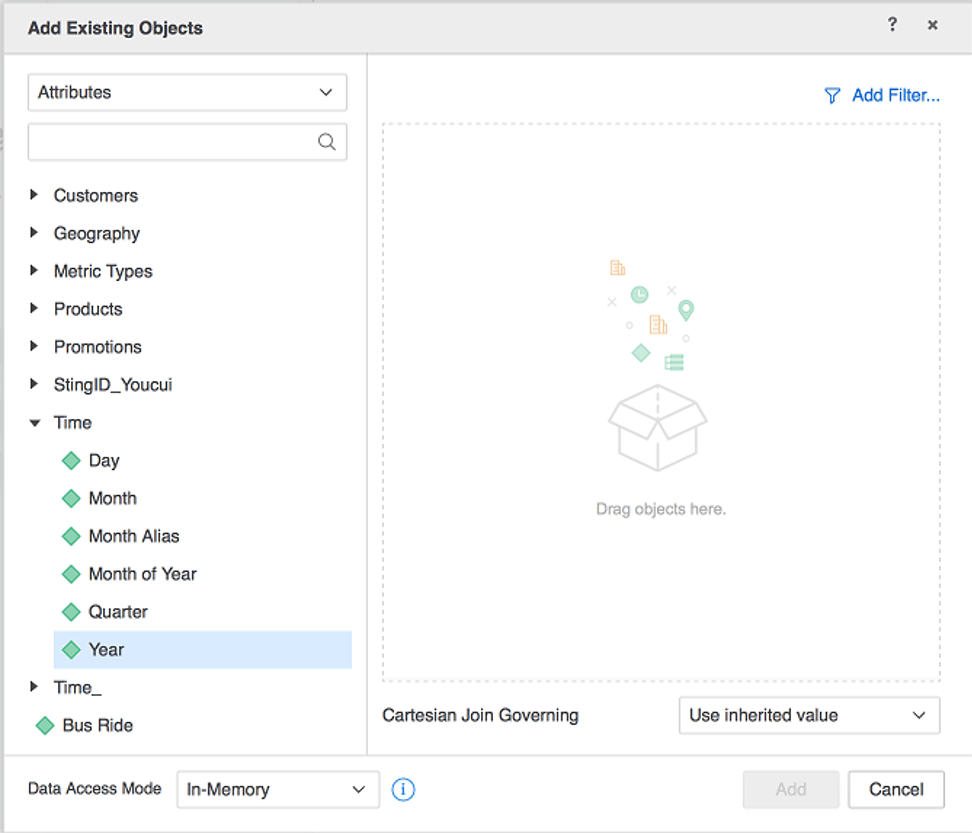
  • In you dossier, click New Data.
  • Click Existing Objects.
    The setting can be found at the bottom of the right pane.
ka0PW0000001JmkYAE_0EM2R000000flw7.jpeg

  • Note: This is only available for In-memory datasets.
     

Document grid level

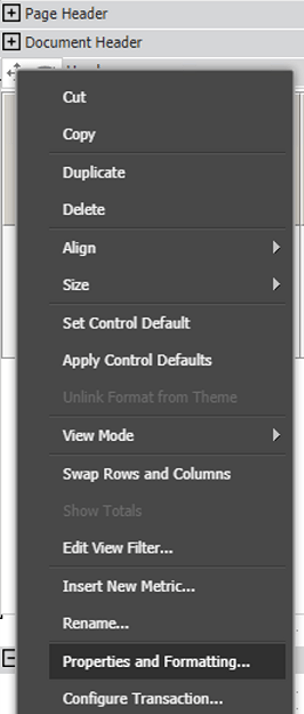
In Developer and Web

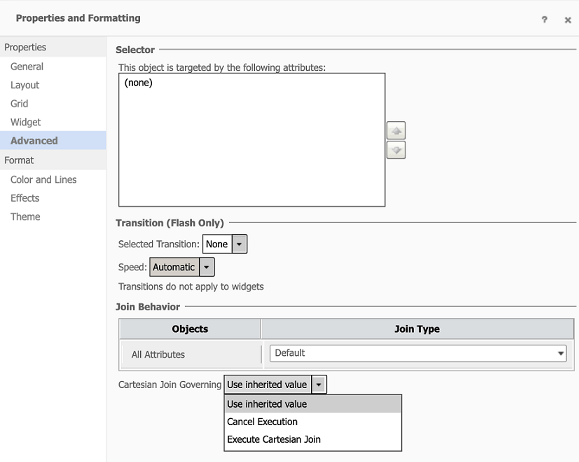
  • Right-click on a grid > Properties and Formatting.
ka0PW0000001JmkYAE_0EM2R000000flwC.jpeg
  • Go to the Advanced tab.
    The setting can be found under Join Behavior.
ka0PW0000001JmkYAE_0EM2R000000flwH.jpeg

Privilege Requirement


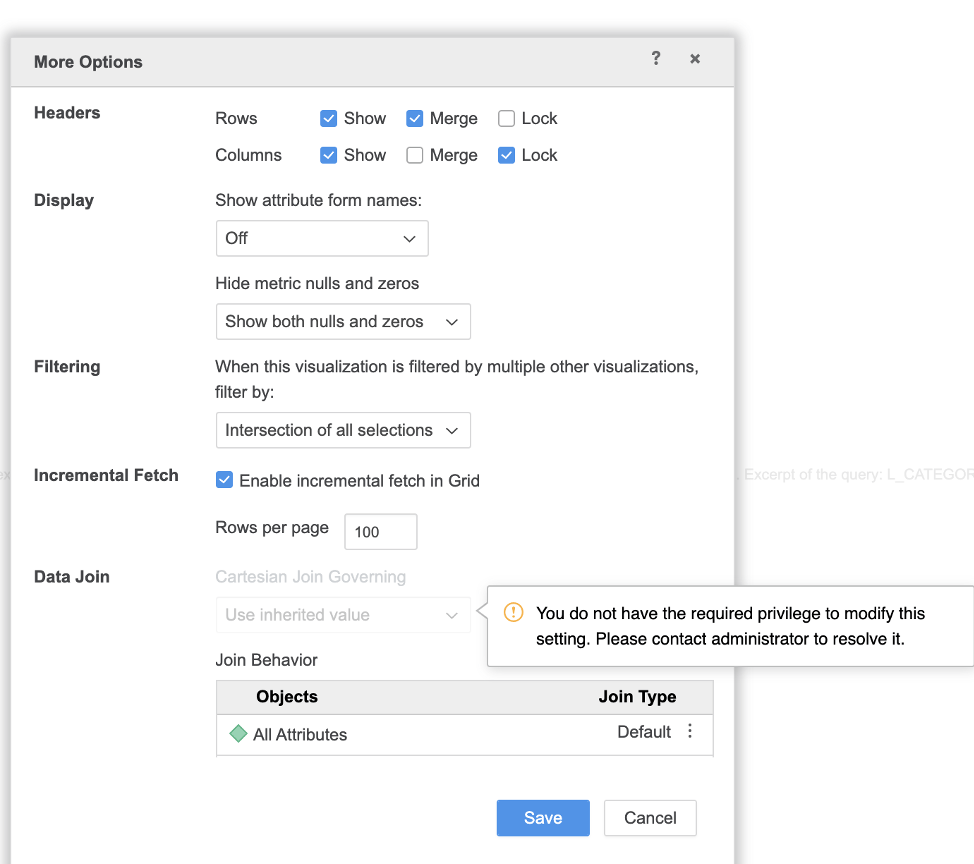
The "Use VLDB property editor" privilege is required to edit the setting, otherwise the setting is greyed out with a tooltip.
ka0PW0000001JmkYAE_0EM2R000000flwM.jpeg

Comment

0 comments

Details

Knowledge Article

Published:

May 30, 2020

Last Updated:

March 21, 2024