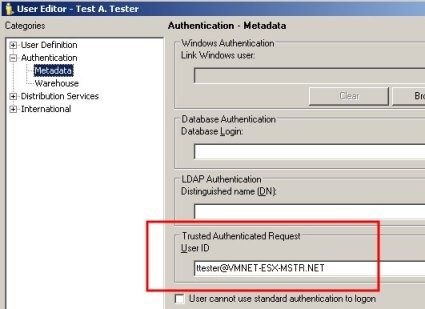
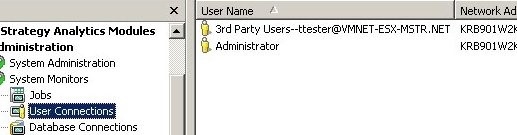
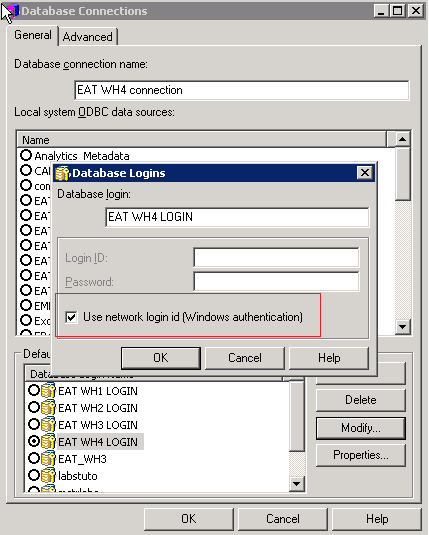
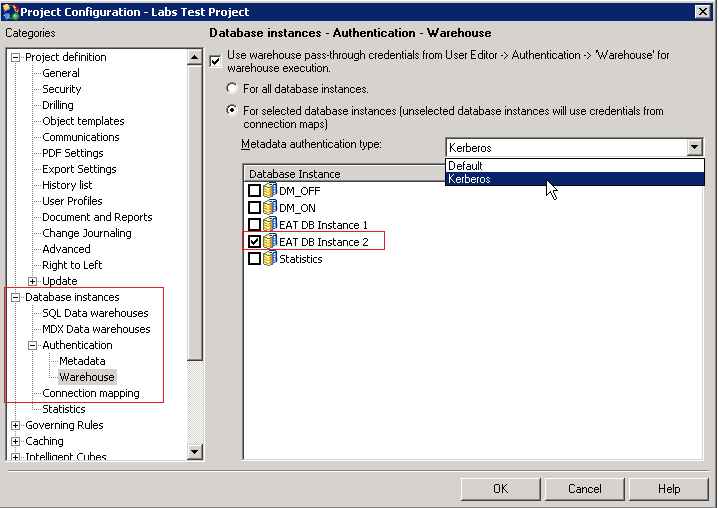
Strategy supports Single Sign-On (SSO) access to SAP HANA (using Kerberos) when the Strategy Intelligence Server resides on a Windows operating system or a Linux system.
To set up Kerberos (Integrated) authentication for the Strategy Intelligence server, you must configure users in a Microsoft Windows Active Directory environment with Kerberos (Integrated) authentication to authenticate against the Intelligence server.
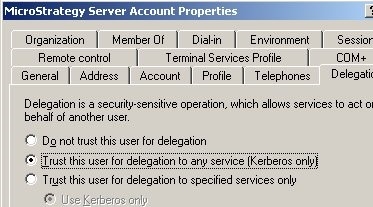
If the Strategy Intelligence Server is run as an application under a user account, the user must be created in the domain with the Account that is trusted for delegation authentication option.
>setspn.exe -L mstrsvr_acct Registered ServicePrincipalNames for CN=Strategy Server Account,CN=Users,DC=vmnet-esx-mstr,DC=net:
>setspn.exe -A MSTRSVRSvc/KRB901W2K3-32:34952 mstrsvr_acct Registering ServicePrincipalNames for CN=Strategy Server Account,CN=Users,DC=vmnet-esx-mstr,DC=net MSTRSVRSvc/KRB901W2K3-32:34952 Updated object
>setspn.exe -L mstrsvr_acct Registered ServicePrincipalNames for CN=Strategy Server Account,CN=Users,DC=vmnet-esx-mstr,DC=net: MSTRSVRSvc/KRB901W2K3-32:34952
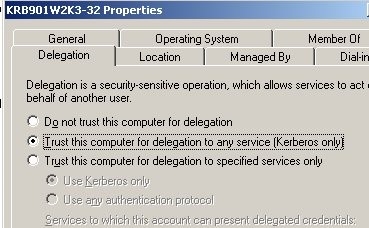
If the Strategy Intelligence server is run as a service, the host machine must be configured to be trusted for delegation. This can be configured in the domain controller by selecting the Trust computer for delegation authentication option for the Strategy Intelligence server host machine.
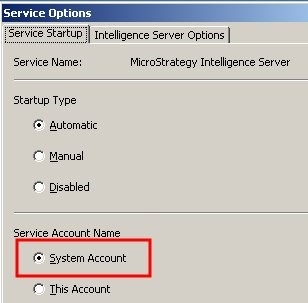
>setspn.exe -L KRB901W2K3-32 Registered ServicePrincipalNames for CN=KRB901W2K3-32,CN=Computers,DC=vmnet-esx-mstr,DC=net:
>setspn.exe -A MSTRSVRSvc/KRB901W2K3-32:34952 KRB901W2K3-32 Registering ServicePrincipalNames for CN=KRB901W2K3-32,CN=Computers,DC=vmnet-esx-mstr,DC=net MSTRSVRSvc/KRB901W2K3-32:34952 Updated object
>setspn.exe -L KRB901W2K3-32 Registered ServicePrincipalNames for CN=KRB901W2K3-32,CN=Computers,DC=vmnet-esx-mstr,DC=net: MSTRSVRSvc/KRB901W2K3-32:34952
#> cd Strategy
#> mkdir krb5
#> cd krb5
[libdefaults] default_realm = EXAMPLE.COM forwardable = true noaddresses = true
[realms] EXAMPLE.COM = { kdc = kdc.example.com admin_server = kdc.example.com }[domain_realm] .example.com = EXAMPLE.COM example.com = EXAMPLE.COM
EXAMPLE.COMwith the Kerberos realm.
kdc.example.comin the [realms] section with the hostnames of the KDC and Admin server for the Kerberos realm.
example.comand
.example.comwith the domain names that correspond to the Kerberos realm.
kinit<prinicpal>command.
klistcommand to verify that a ticket was created for the krbtgt service. This is the ticket that entitles the user to get other tickets in the realm after authenticating.
#> kinit linuxiserver Password for linuxiserver@EXAMPLE.COM #> klist Ticket cache: FILE:/tmp/krb5cc_1000
#> kvno MSTRSVRSvc/<hostname-fqdn>
:34952@EXAMPLE.COM MSTRSVRSvc/<hostname-fqdn>
:34952@EXAMPLE.COM: kvno = 2 #> klist Ticket cache: FILE:/tmp/krb5cc_1000
addentcommand:
addent -password -p -k -e
#> cp /tmp/krb5cc_1000 /MicroStrategy/krb
#> sudo vi ./bashrc
export KRB5_CONFIG=/MicroStrategy/krb5/krb5.conf export KRB5_KTNAME=/MicroStrategy/krb5/MSTRSVRSvc.keytab export KRB5CCNAME=/MicroStrategy/krb5/krb5cc_1000