When using SQL Server as the data source during data import, if the selected table contains brackets ([ or ]) in the table name, the default query will be the following:
Select [new]
from [dbo].[[NEW]]
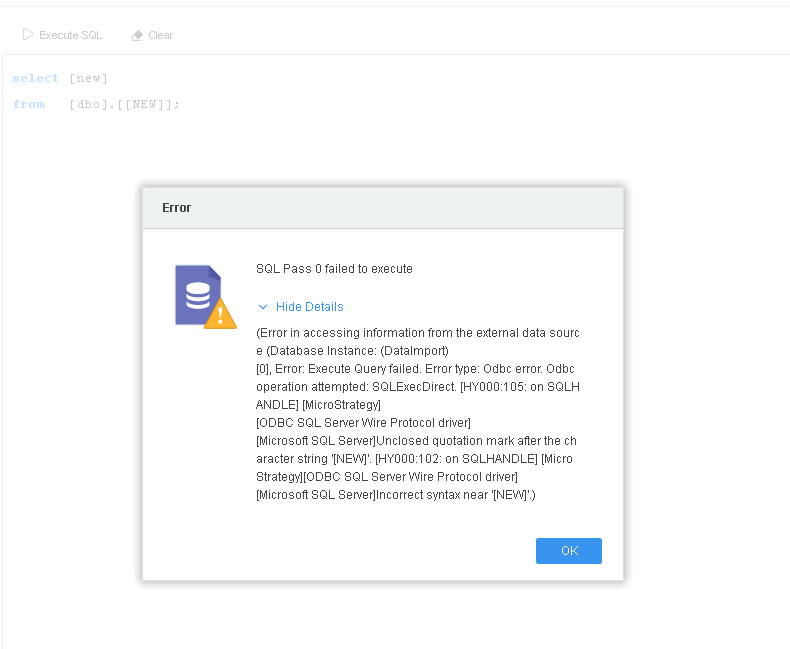
The bracket character "[ ]" is used as a quoting delimiter. It is not suggested that you include brackets in the table name.
If you want to query a table which contains brackets in the table name, refer to the following workaround.
Select [new]
from [dbo]."[NEW]"
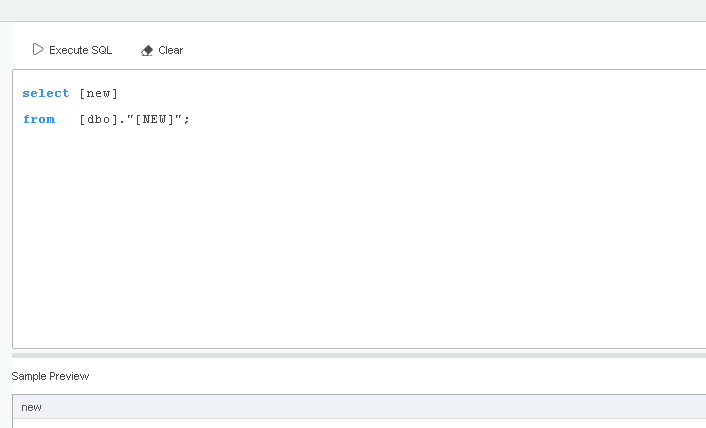
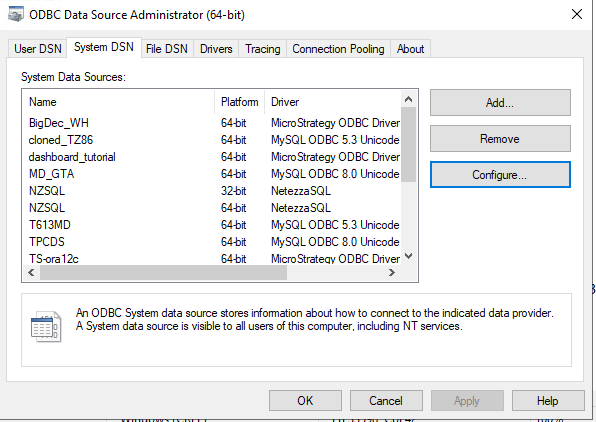
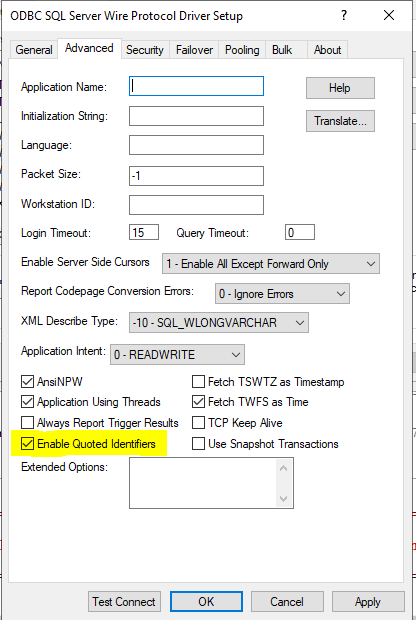
ODBC.ini.
EnableQuotedIdentifiersvalue to
1.
[WH_T26.AzureSQLDataWarehouse]

Description=Strategy ODBC Driver for SQL Server Wire Protocol
Driver=installpath\MYsqls64.so

Database=

HostName=

PortNumber=1433

DoubleToStringPrecision=17

EncryptionMethod=1

ValidateServerCertificate=0

EnableQuotedIdentifiers=1
Add
EnableQuotedIdentifiers=1in the Connection String to enable the setting. For example:
DRIVER={Strategy ODBC Driver for SQL Server Wire Protocol}; hostname=; Port=1433; Database=; EncryptionMethod=1; ValidateServerCertificate=0;EnableQuotedIdentifiers=1;
Add
EnableQuotedIdentifiers=1in the Connection String to enable the setting. For example:
JDBC;DRIVER={com.Strategy.jdbc.sqlserver.SQLServerDriver};URL={jdbc:Strategy:sqlserver://dbcert.database.windows.net:1433;DatabaseName=;User=;PASSWORD=;fetchTWFSasTime=TRUE; EnableQuotedIdentifiers=true;}