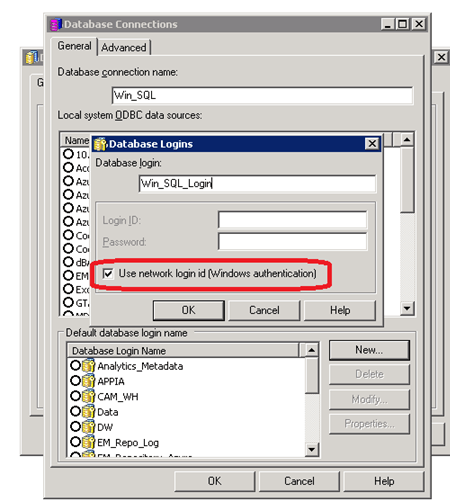
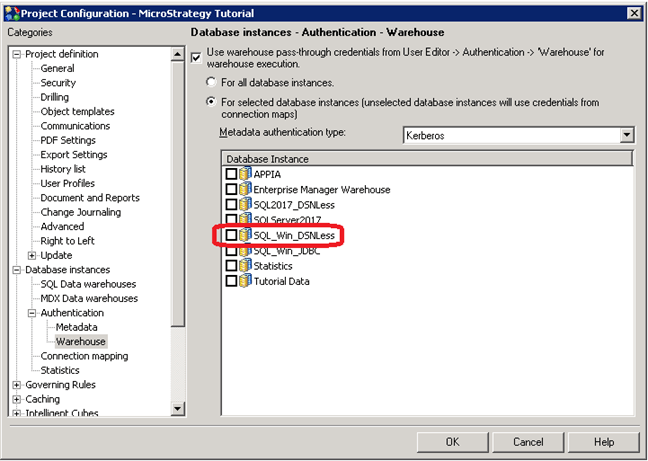
The ODBC drivers shipped with Strategy provides support for Microsoft Windows/NT authentication to log into a Microsoft SQL Server database when the Intelligence Server is on a Windows machine.
Implementing this authentication method requires the following steps:
There are three ways to create an Open Database Connectivity (ODBC) connection:
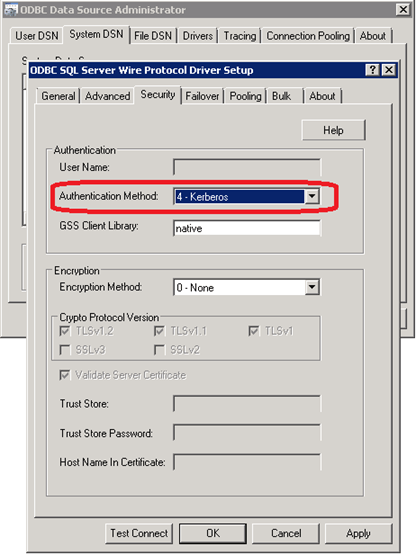
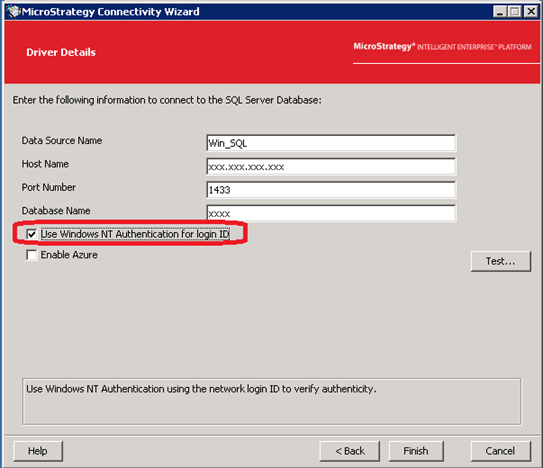
In either of the three ways you create an ODBC connection, you must specify the authentication method to be
4 - Kerberos. For example, here is a connection string:
DRIVER={Strategy ODBC Driver for SQL Server Wire Protocol}; hostname=xxx.xxx.xxx.xxx; Port=1433; Database=xxxx; AuthenticationMethod=4;