“Teradata Wallet is a software package that provides secure storage of secret information on the client computer. Via the “tdwallet” utility, database passwords can be stored in a single client user’s “wallet” instead of in a script or other plain text file located on the client system, thereby enhancing security.”
Reference: Teradata Online Documentation | Quick access to technical manuals
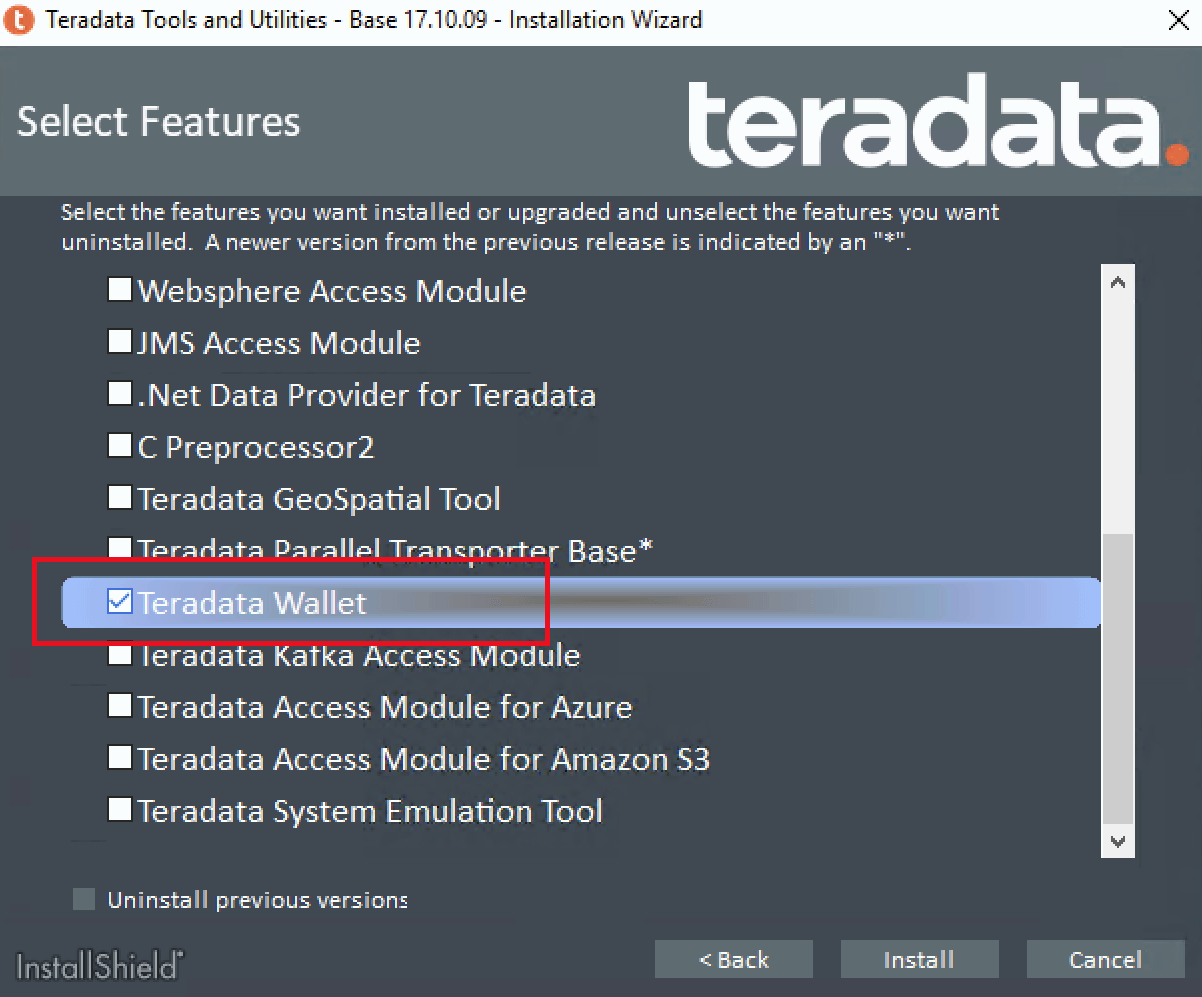
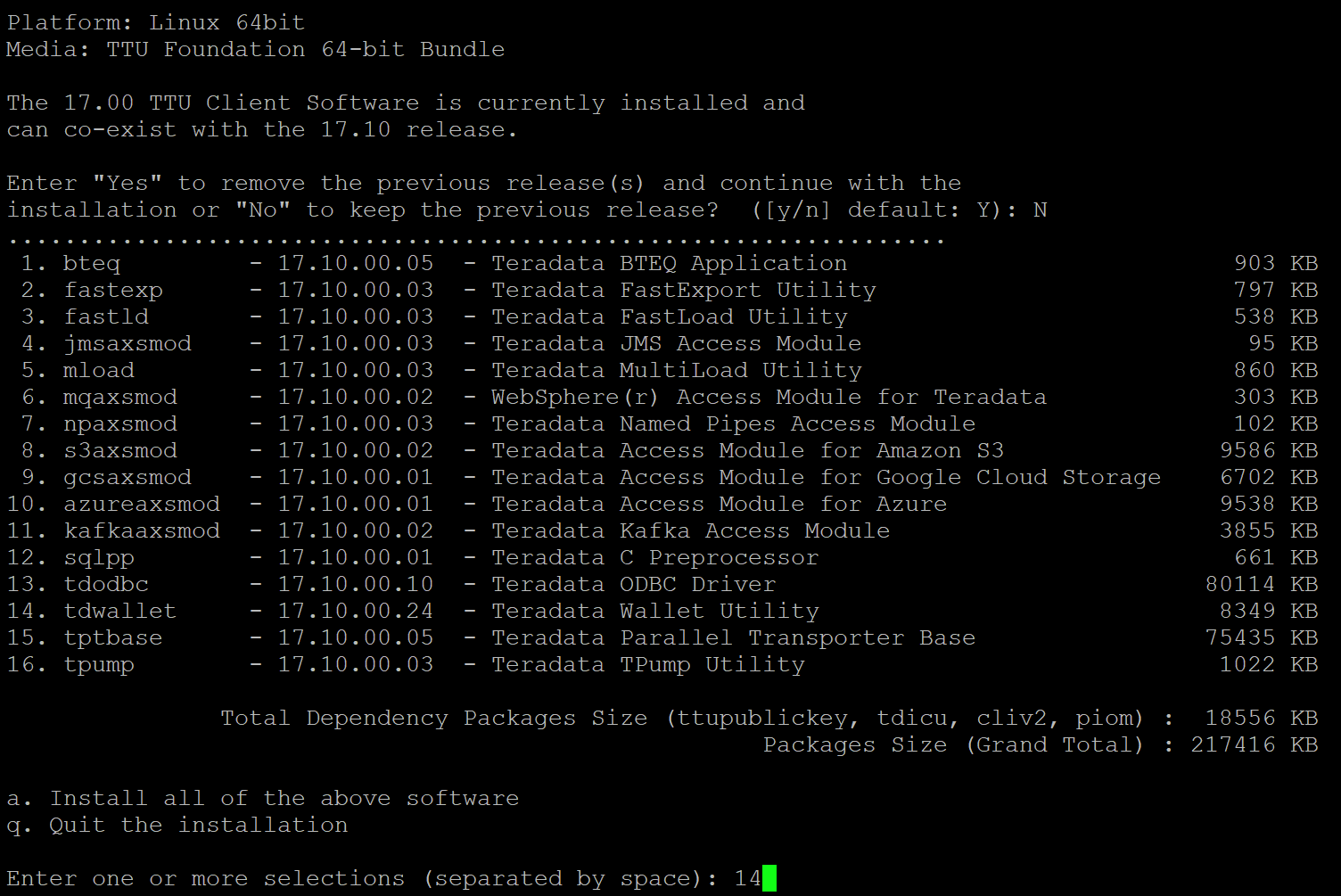
C:\Users\krbusertd.TECH_SERVICES>tdwallet add tpch
Enter desired value for the item named "tpch":
Item named "tpch" added.
C:\Users\krbusertd.TECH_SERVICES>
C:\Users\krbusertd.TECH_SERVICES>tdwallet list
tpch
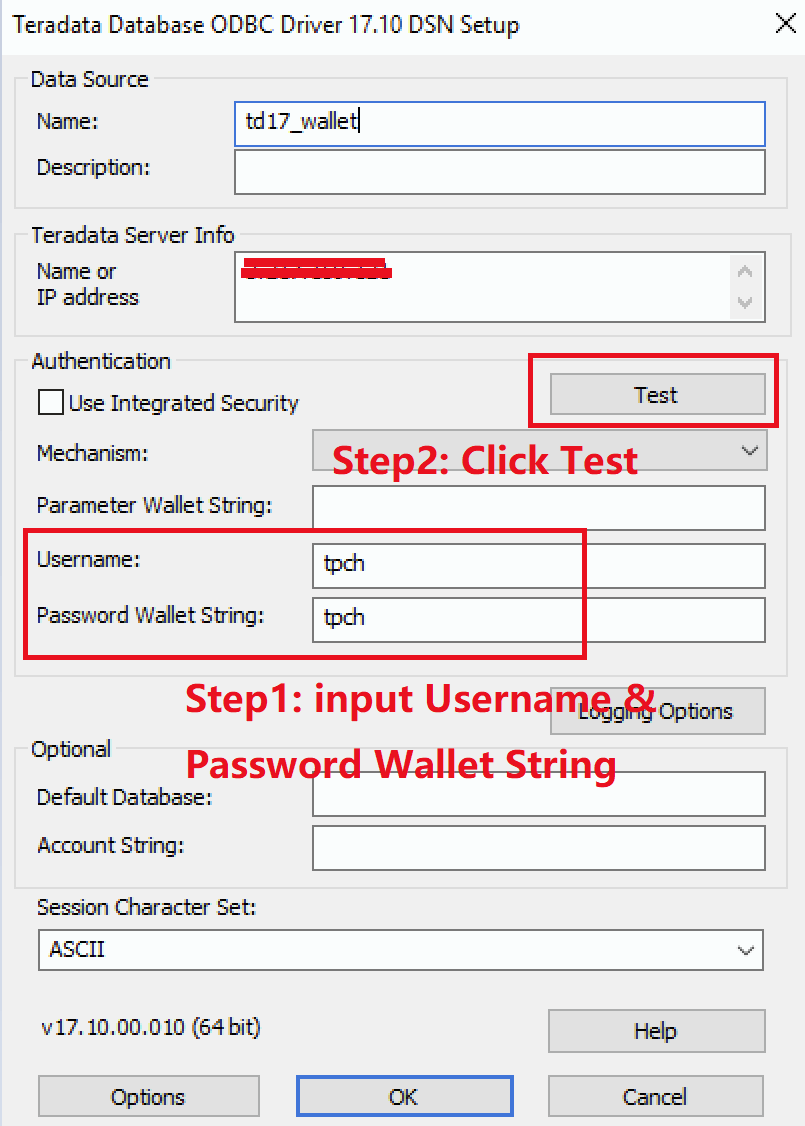
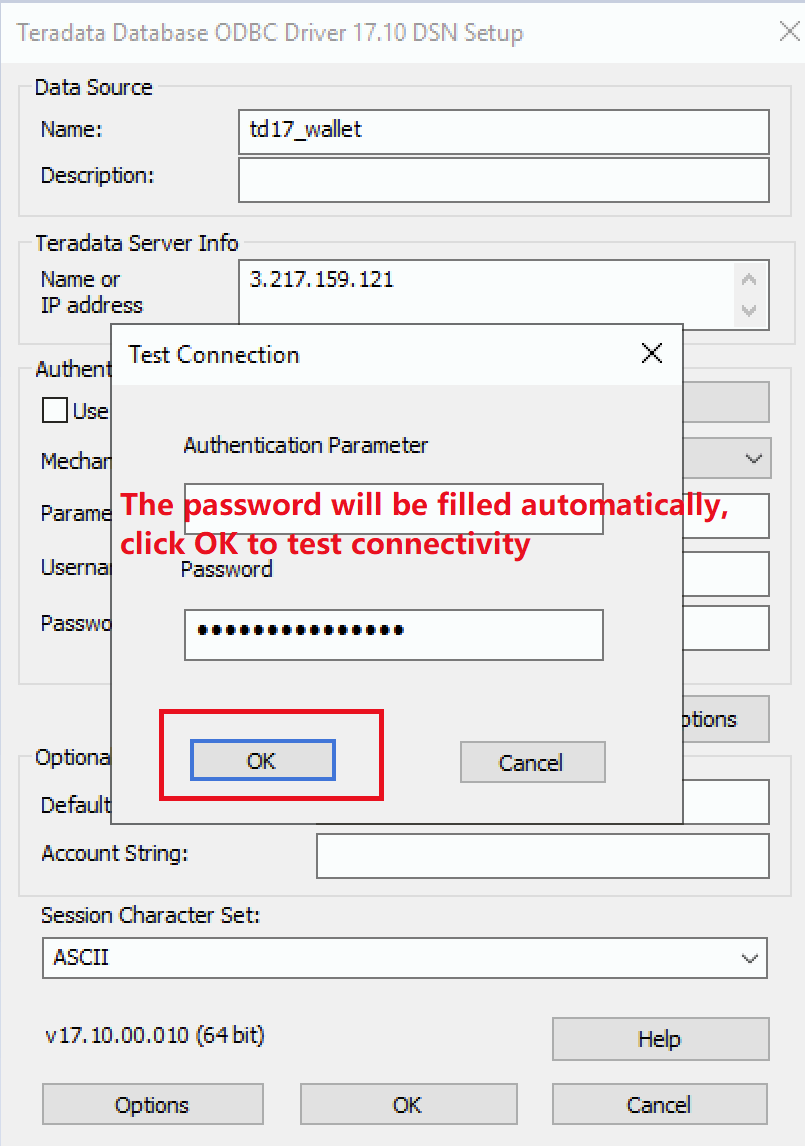
Step3: The password will be filled automatically, click OK to test connectivity
Input $tdwallet(tpch) to Login Password filed (tpch is the Teradata Wallet item created in the how to create Teradata Wallet section)
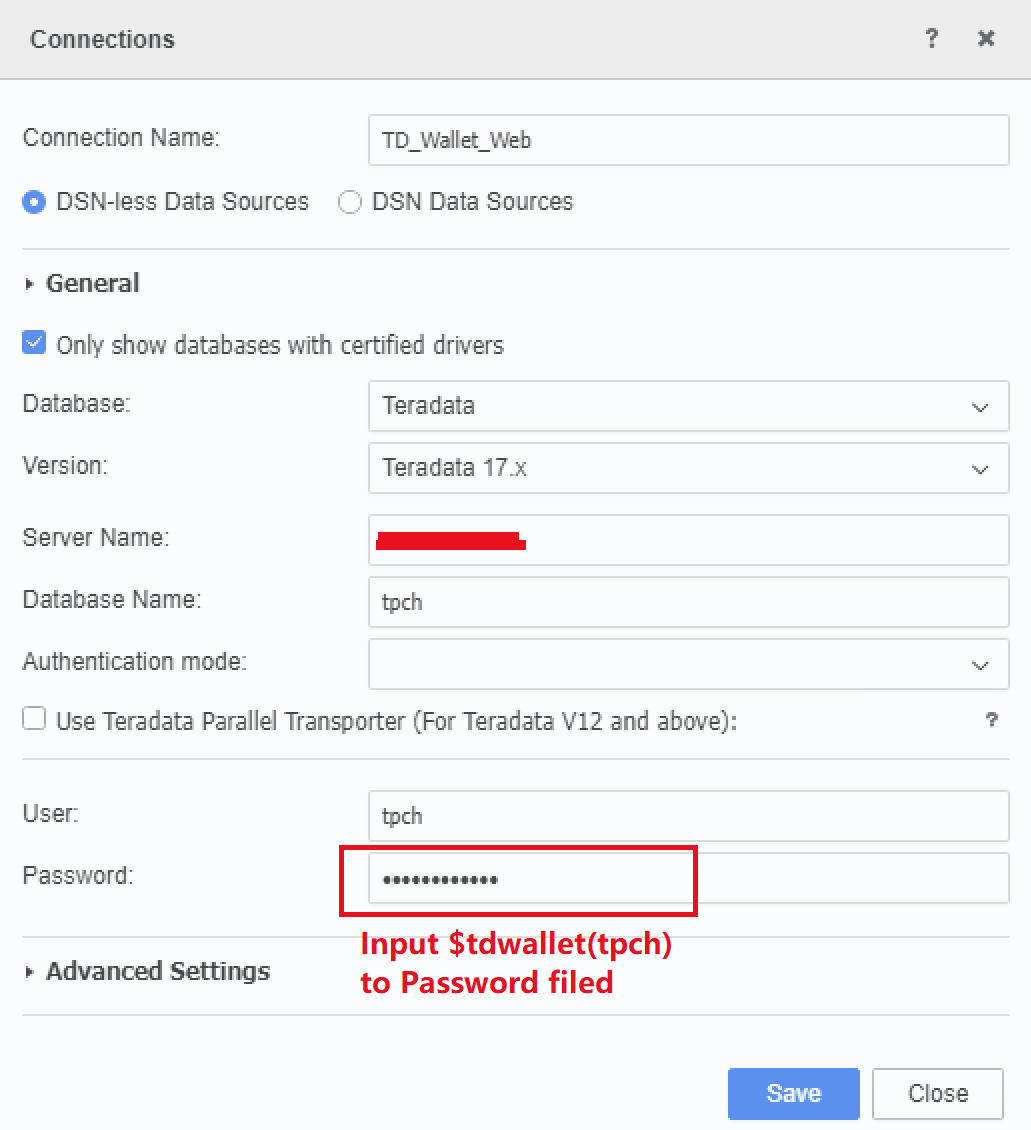
Input $tdwallet(tpch) to Login Password filed (tpch is the Teradata Wallet item created in the how to create Teradata Wallet section)
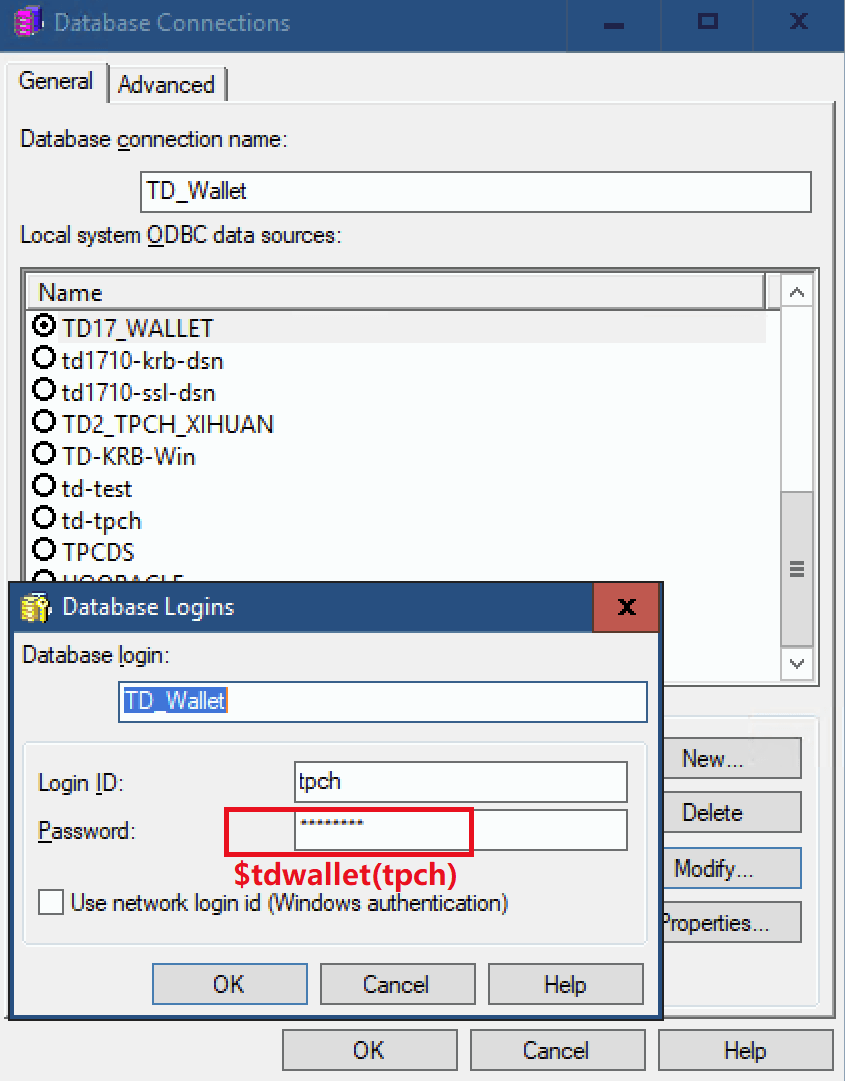
Input $tdwallet(tpch) to Database Login Password filed (tpch is the Teradata Wallet item created in the how to create Teradata Wallet section)
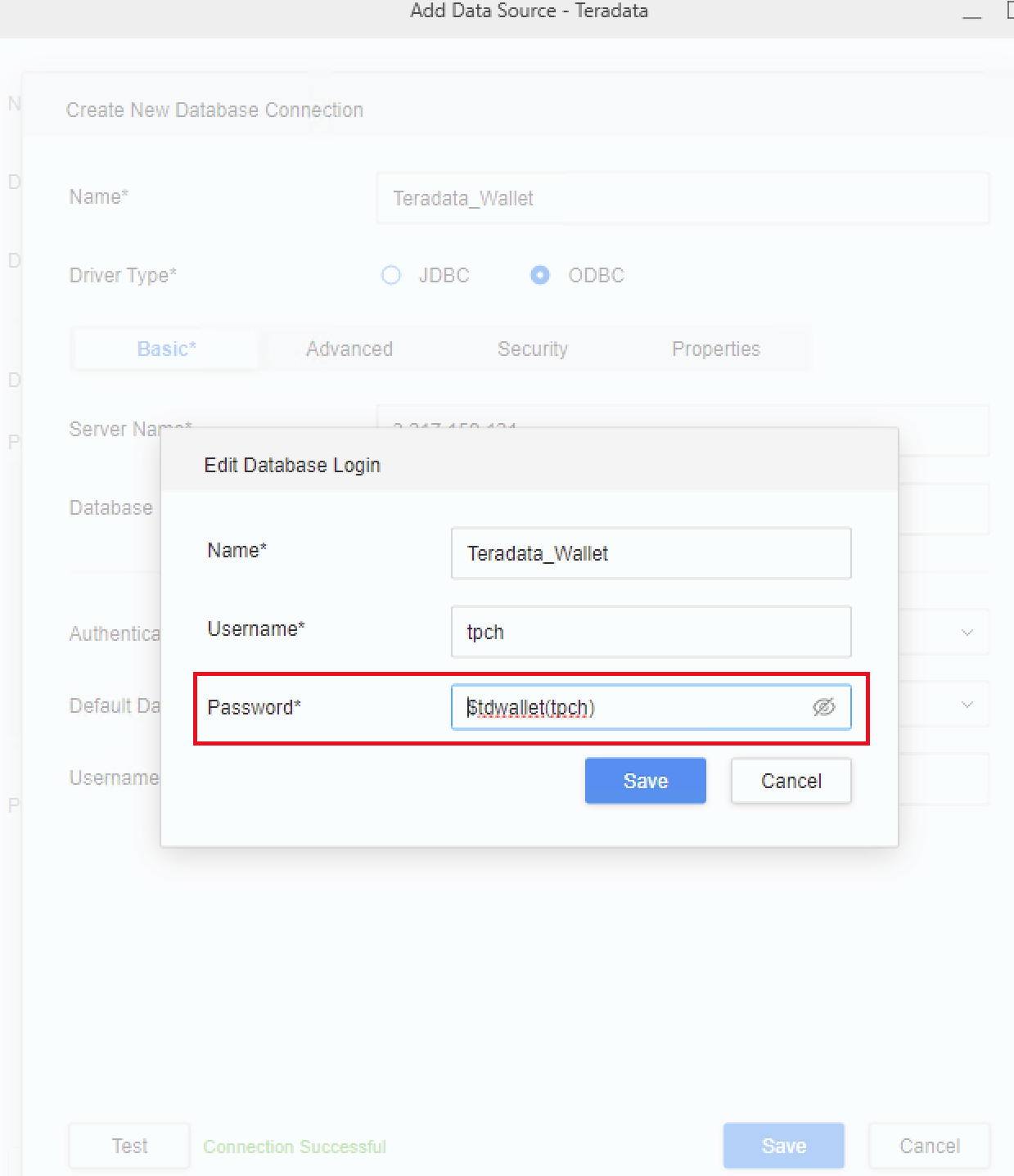
The user used to create Teradata Wallet should be the same as the user used to start I-Server.
This is also mentioned in Teradata's official document:
“Teradata Wallet provides access to a client system user’s stored Teradata Database passwords to the user while protecting these passwords from access by other users of the same client system.”
Teradata Online Documentation | Quick access to technical manuals
Only the Teradata ODBC driver supports the Teradata wallet while the Teradata JDBC driver doesn’t.
